



 +31 20 820 3777
 Compliance & KYC
  Support
  Documentation
 Login
Login 


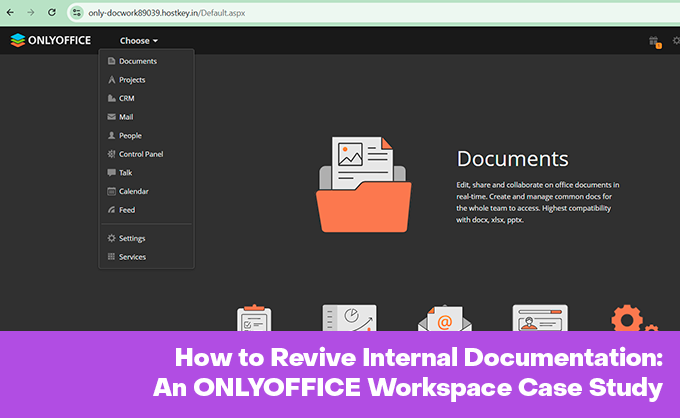


When I joined the company, my main task was documentation. More precisely, the mess it had turned into by that point. Some of the articles had been written by people who had left years before I arrived, and there was no one left to ask what they had actually meant. In places the formatting was such that your eye snagged on the layout instead of the meaning, and reading it was physically hard work. Worst of all was the lack of any system: articles lay wherever they happened to land, and a newcomer had time to despair before reaching the one they needed.
A lot has changed since then. The writing team has grown, we introduced shared article templates, and those noticeably made life easier both for authors and for the people who proofread the text afterwards. Over these years I have come to understand just how underrated documentation is. A sound policy document or guide saves other people's working time, and the larger the company, the more noticeably those savings add up with every clear manual. Back in 2012 the McKinsey Global Institute estimated that an office worker spends almost a fifth of the working week searching for internal information and for the right colleagues — and companies have only accumulated more internal systems since then. Onboarding deserves a separate mention: when a newcomer has something to read about company procedures, they settle in faster and worry less, because they don't have to pester colleagues over every trifle.
Documentation is not only there to help find solutions. It also answers the question of who is answerable when something goes wrong. It is one thing when an engineer made a mistake because they didn't know the right way. It is quite another when a detailed policy document was right there and the person did it their own way regardless. What you can hold them to differs in those two cases.
All of this only works as long as people actually open the documentation. They often don't, and a scenario familiar to every on-call engineer explains why. An incident is underway, a service is down, and the recovery runbook refers to a server by the name it had eight months ago — so forty minutes go not into fixing the problem but into working out where the instructions are lying. You could of course say that employees are simply lazy and irresponsible, and that is why they neither write nor read. But more often documentation is abandoned not out of laziness, but because it is either inconvenient to use or of poor quality.
The two pillars of documentation
Usability
If fixing a single paragraph means cloning a repository, creating a branch, recalling Markdown syntax, waiting for a build and pushing the change through review, then the only people who will write are the ones already living inside that process — engineers. At that barrier to entry nobody will write documentation about hiring, business trips, customer support or legal nuances. It will either never appear, or it will spread out across personal notes, Google Docs and chat messages.
Quality
A document can be excellent, but if it sits somewhere people never go in the course of their own work, or a two-word search fails to find it, or it lies to them once, then nobody opens it again. The lying is the most destructive part. One confidently wrong document devalues ten correct ones next to it, because the person loses trust in the whole knowledge base at once and goes back to the habit of asking colleagues.
Almost every platform keeps a revision history: a wiki will show who created a document and who has changed it. Only that information isn't all that useful — it is about the past. The author of a document and the owner responsible for keeping it current today are often different people; the author may have moved to another department or left. Who reviews a document, and when it is time to do so, is something no platform will decide for you, and it won't delete stale content on its own either. If nobody runs documentation as a process, no wiki, no editor and no amount of convenient search will save it. A tool cannot replace discipline. From here on I'll only be talking about the part of maintaining documentation that a tool can actually solve.
Why we ourselves use MkDocs
Our customer-facing documentation lives in MkDocs, and we have no plans to change that. It is written by technical writers who spend all day in Git anyway; the documents are versioned alongside the code, go through review, and build themselves into a static site. What's more, only the instructions themselves are written by hand. Some of the material is generated from Ansible playbooks by a chain of agents we have written about separately, and the articles on deploying marketplace control panels are assembled from the current playbooks with no human involvement. As long as the description lives next to the code, that setup runs itself — and it is one more reason not to drag engineering docs into a visual editor, where autogeneration can't reach.
Internal documentation, which is written by far more people than just writers or engineers, lives separately, in XWiki. That's how it happened historically: at first it was mostly maintained by technical writers and department heads, plus the most motivated employees. The wiki itself is intuitive, but the pages were a problem — the layout came out so crooked that working with finished text was sometimes hard going, especially when articles had been thrown together by people in a hurry. Neural networks changed that. With them, putting together internal guides became noticeably easier, and ordinary employees started contributing to the knowledge base, each on their own subject. It has touched customer documentation too: draft translations into other languages are handled by a separate agent — we covered how it is built and where it gets things wrong in another article — while final proofreading stays with humans in any case.
So from here on we'll be talking about ONLYOFFICE Workspace. It covers the same job that XWiki covers for us: a knowledge base filled in by people in different roles. The difference is who it is written for. Your own wiki makes sense when there is someone to stand it up and look after it. ONLYOFFICE Workspace is the route for those who have no such team, but who need a ready-made platform with a familiar editor — and mail, projects and CRM alongside it — right now.
This is far from a solution for everyone. For a large company with a dedicated infrastructure team, Workspace is too cramped: they need single sign-on, clustering and deep integrations, and companies like that take Confluence or build their own. For a team of five it is overkill — the platform asks for eight gigabytes of RAM and up, and you can't justify that for a dozen documents. Its audience is companies where a single system administrator runs the whole show, there are no technical writers, and the data has to sit on their own server. And it is less about size than about hands: there are companies of a hundred and fifty people with one admin, and Workspace suits them too. For a team like that the main value isn't even the editor — it's that one person can stand up the entire environment in one evening with a single script (documents with permissions, a calendar, and mail and projects if wanted), and after that the setup doesn't need a dedicated caretaker.
What ONLYOFFICE Workspace is, and what is happening to it right now
ONLYOFFICE Workspace in its self-hosted build is a set of web applications on a single server. At the core are the ONLYOFFICE Docs editors (formerly Document Server), and around them the modules from ONLYOFFICE Groups — the name the former Community Server has carried since version 11.0, under the Apache 2.0 licence, while the editors themselves are under AGPL v3. That includes Documents, Projects, CRM, Calendar and the Community module with blogs and forums, plus a separate Mail Server, the Talk messenger and the administration Control Panel.
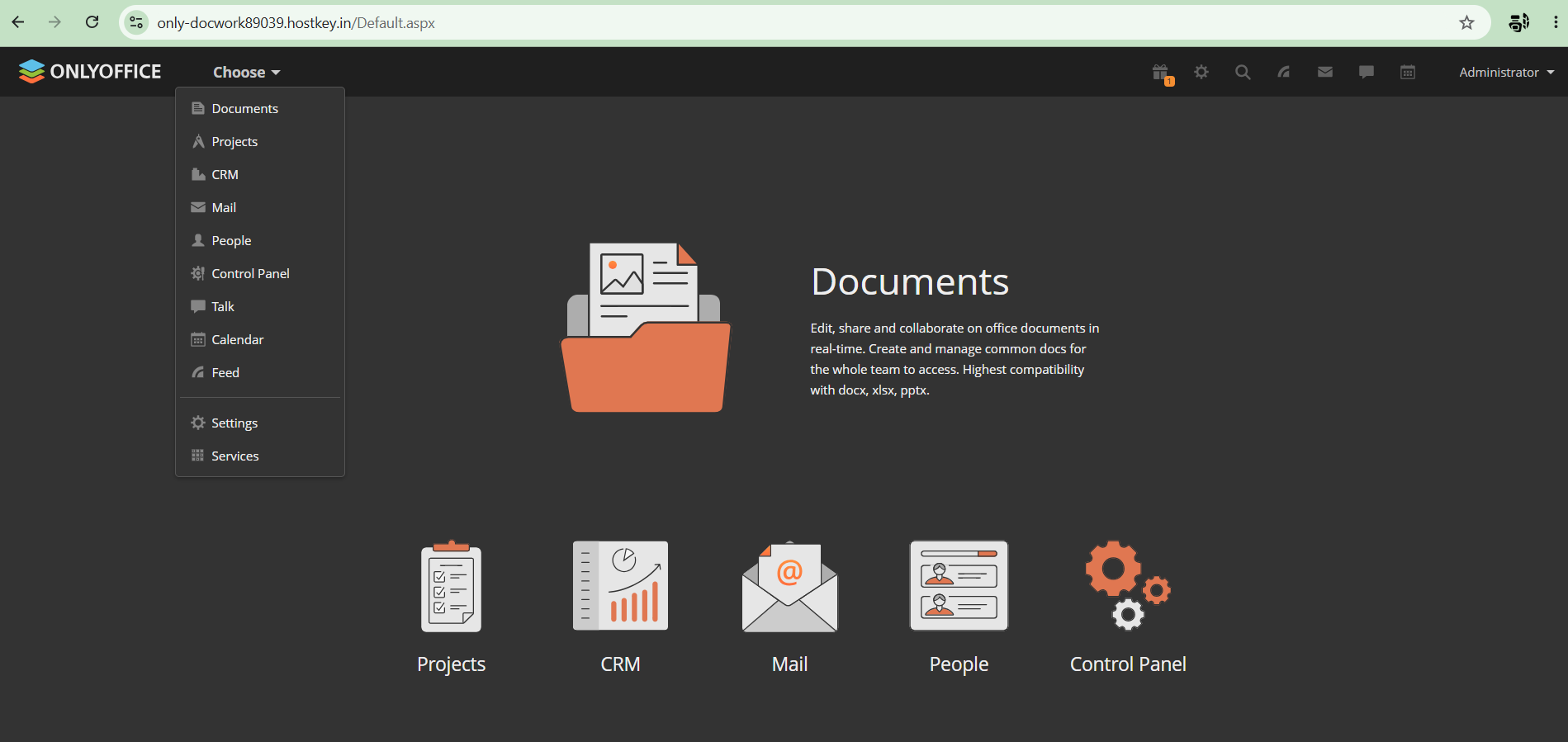
The portal's start screen. Everything listed above lives in a single panel.
The company announced the shutdown of the cloud version of ONLYOFFICE Workspace in December 2025, switched it off for good in March 2026, and moved users to DocSpace, the new flagship built around "rooms". The self-hosted Workspace build for your own server hasn't gone anywhere: it is still packaged and updated, and it is what this article is about. DocSpace is tuned for collaborative document work in rooms and barely goes beyond documents. Self-hosted Workspace remains the most functional option, where the knowledge base is just one module alongside mail, projects and CRM.
How to build a knowledge base out of Workspace
If what you need is a wiki specifically, it is better to work that out before you install anything. Specialised engines with a page tree and real interlinking do exist; I'll come to them below, in the section on limitations.
Installing the platform itself is one command from the official script:
wget https://download.onlyoffice.com/install/workspace-install.sh
sudo bash workspace-install.sh
The knowledge base is assembled in the Documents module, and its name should be taken literally. This is a file management system, not a wiki. There is no page tree, no automatic wiki-links and no backlinks; every connection between documents is set up by hand. The role of a table of contents is taken by a start document with links out to the sections.
Since the engine won't build the navigation for you, it has to be baked into the structure. A flat hierarchy and predictable names are what save you. Top-level folders for the big topics — Onboarding, Processes, Policies, Templates — a start document with links to them, and no burrowing deeper than two levels. A document lost in subfolders is no different from one that was never written.
Permissions are granted on folders, and there is more benefit in that than it seems. Access is configured once, and after that every new document inside the folder inherits it automatically; there's no fiddling with individual files. A role-based scheme maps onto folders naturally: read access for all employees, edit access for each department on its own folder, comments only for interns. Every document has a version history, and that is the first remedy against a knowledge base rotting. You can see who edited what and when, and you can roll back.
To stop a document going stale silently, we keep a short service block at the top of it:
---
Owner: Support team
Updated: 2026-06-20
Review by: 2026-09-20
Status: current
---
Once a document has an explicit owner and a review date, going stale stops being nobody's fault — there is someone accountable for it. Review mode and comments, meanwhile, let you proofread the text without breaking it, which is convenient when a policy document has to be agreed across several departments.
By default ONLYOFFICE Docs requires a JWT token to embed the editors, and when you configure things by hand behind a reverse proxy, one of the most common problems is the secret falling out of sync between Docs and the control panel — after which the editor silently fails to open, with no intelligible error in the interface. This has nothing to do with the knowledge base as such, but it eats a fair amount of time during installation.
Historically the open Community edition of Docs ran into a limit of 20 concurrent connections, and for a slightly larger company that was a ceiling that pushed you straight towards the paid edition. People worked around it however they could; the Nextcloud forum still has a live thread about third-party builds where the limit has been raised by hand. In ONLYOFFICE Docs 9.4, released on 19 May 2026, that limit was removed from Community, along with a collapse of the architecture into a single process and the removal of RabbitMQ and external database dependencies from the standard installation. The lifted limit is visible in the code itself: a review on it-connect.tech points to the specific commit on GitHub. For a fifty-person knowledge base, the old reason to buy Enterprise purely for the connection limit is gone.
One administrator's evening
The typical scenario looks like this. A company of fifty people, with a single system administrator as the entire technical staff. The request from management sounds unremarkable: we need somewhere for internal instructions, so that support and HR can write them themselves, the data sits on our own server, and maintenance doesn't eat anyone's time. I ran this scenario through a test portal from start to finish.
Deployment took under an hour. A marketplace image, the initial setup wizard, an administrator password, language and time zone. The mail module can be skipped entirely — a company like this usually already has corporate mail, and there's no point dragging in a second mail server for the sake of a knowledge base.
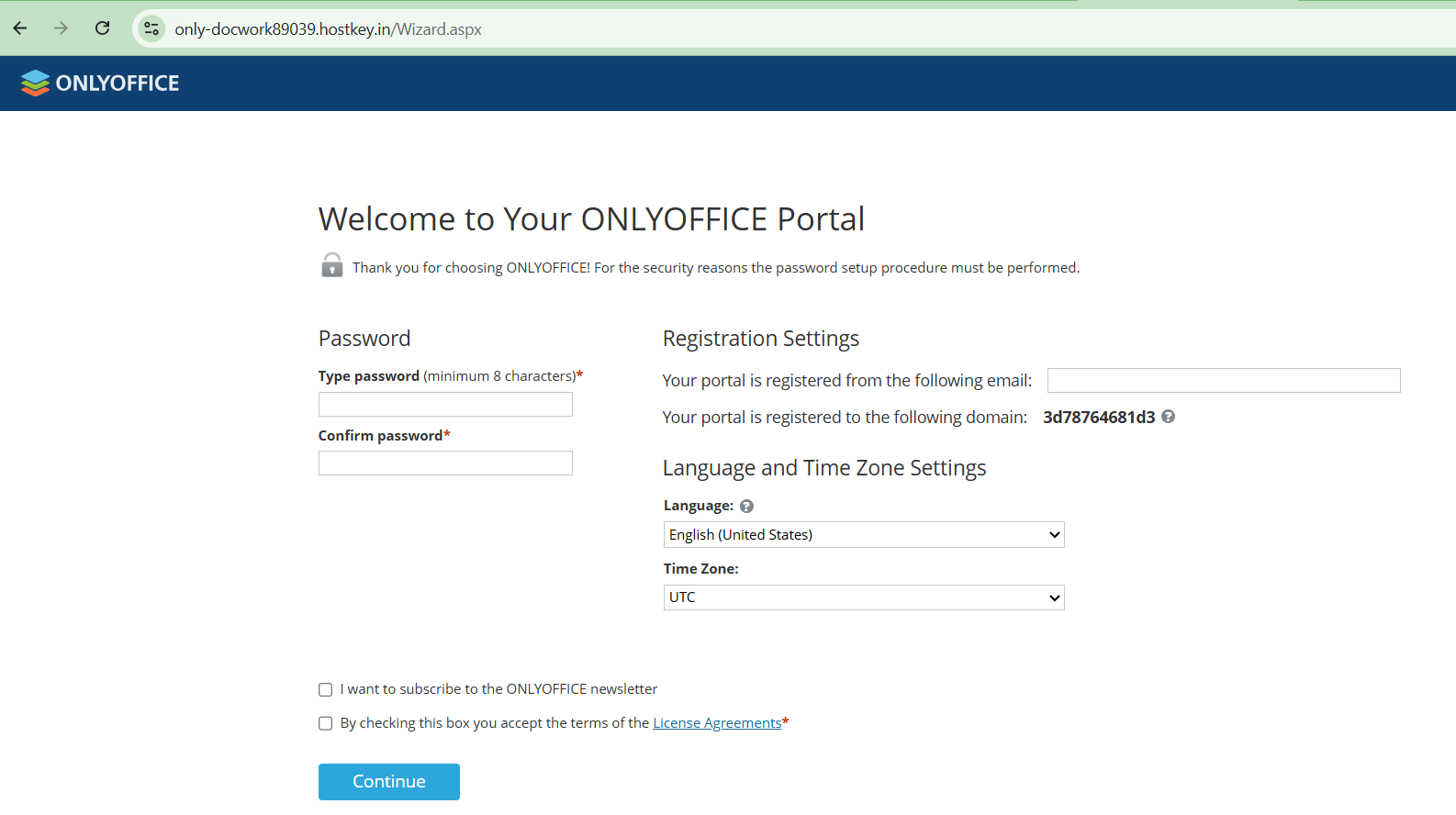
The initial setup wizard. Password, mail, language and time zone — and that's where installation ends.
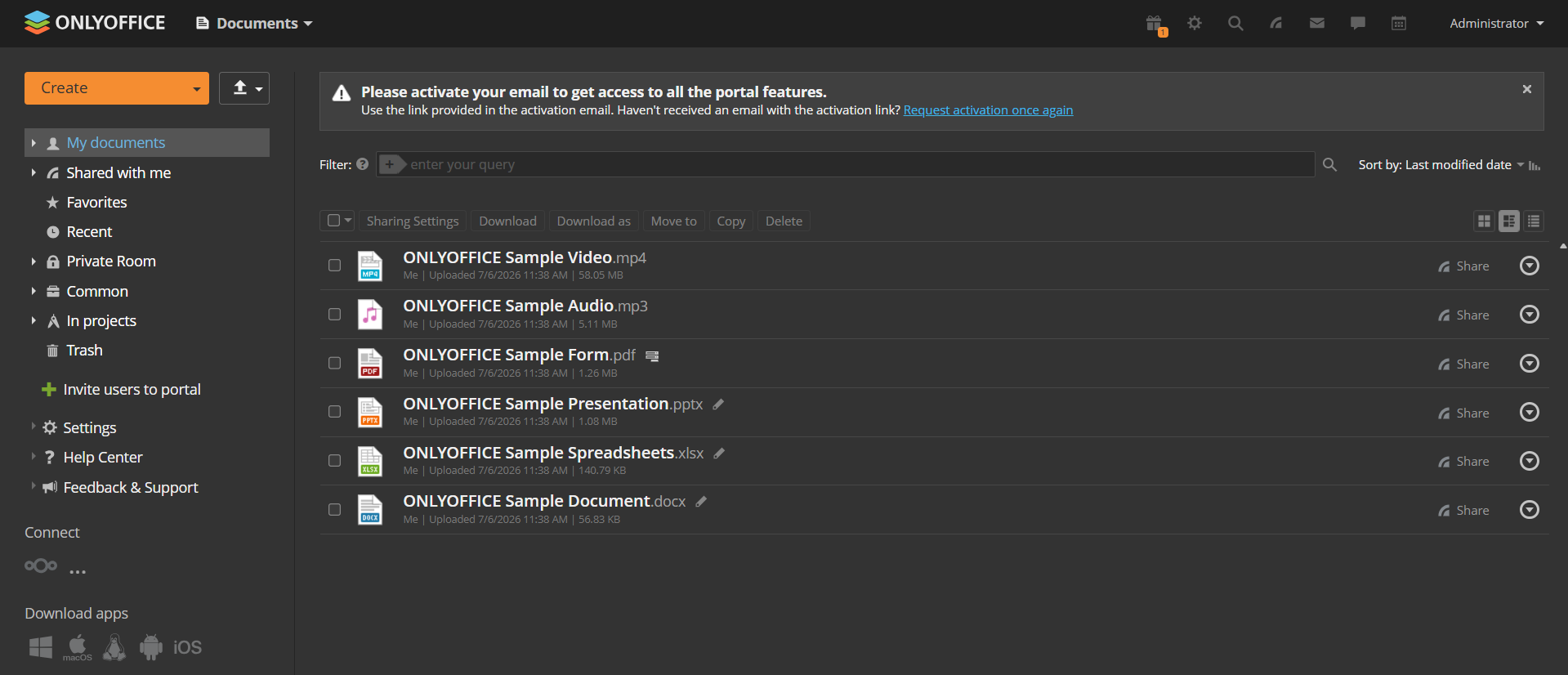
A fresh portal greets you with demo files and a prompt to activate mail.
I also tested migration under load. I took the real documentation set for our marketplace — over a thousand Markdown files and images spread across a dozen and a half topic folders, from control panels to databases — and uploaded the whole thing to the portal in one go through the browser.
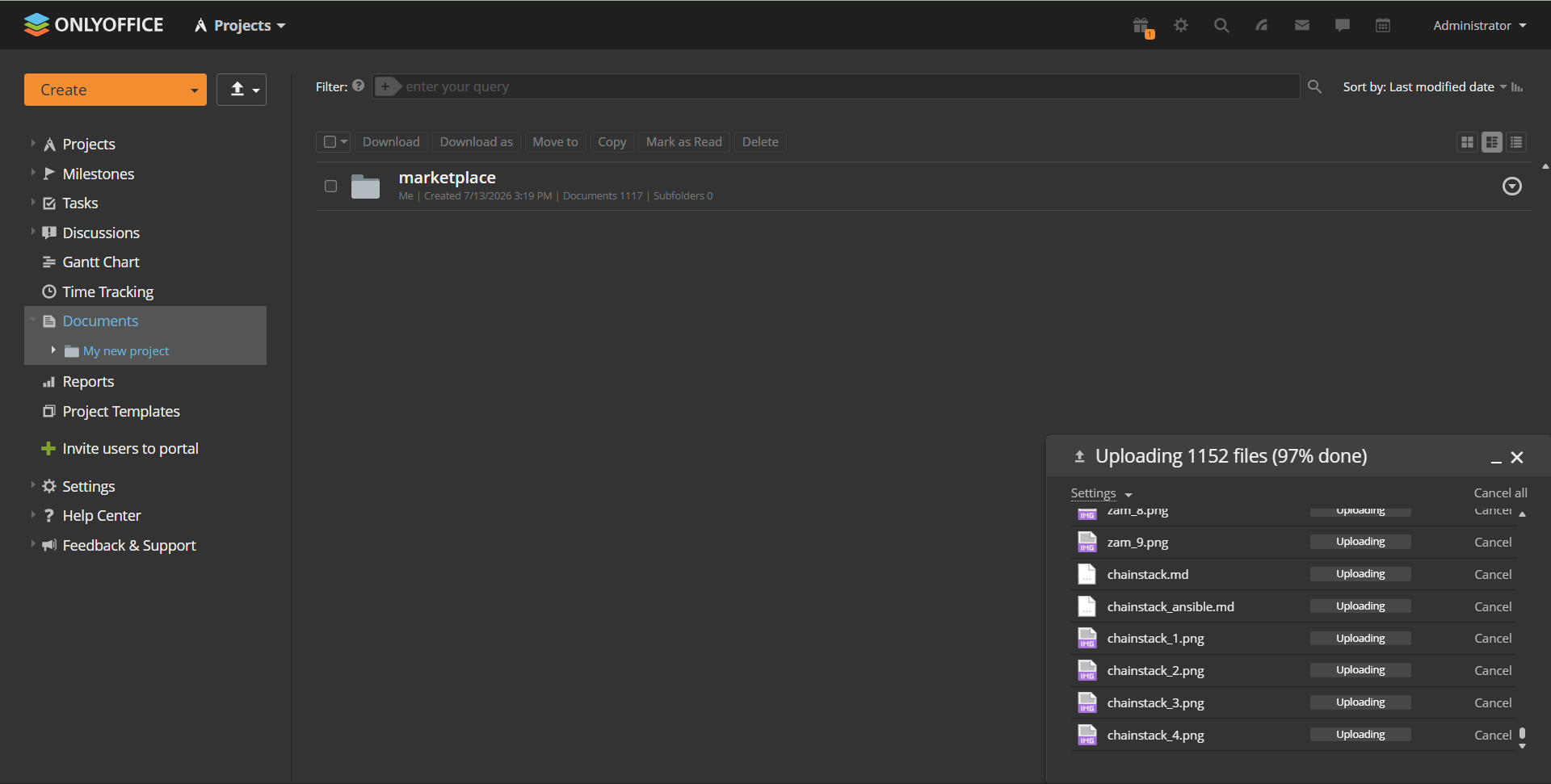
A thousand-plus files going up in a single browser upload.
The folder structure arrived exactly as it was, nothing fell apart or got renamed, and the whole upload took under ten minutes.
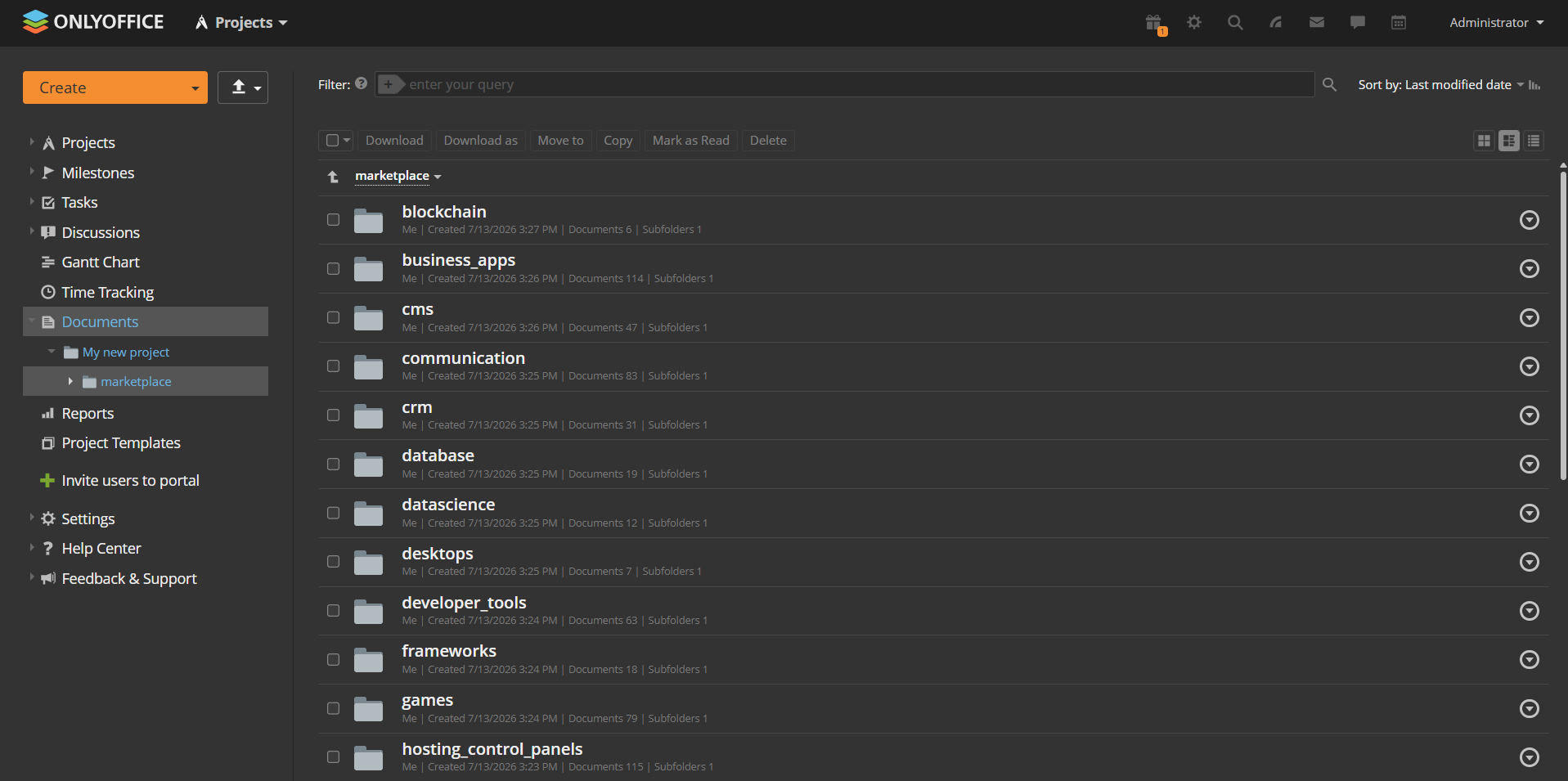
The marketplace documentation after the move; the folder structure is preserved.
Then a significant limitation surfaced. The portal stores Markdown and finds it by name, but it won't let you open such a file in the browser at all — it only offers a download. The editors understand Office formats, PDF and plain text; .md is a foreign type to them. The sensible path is to convert to .docx before uploading, with a single pandoc command:
find . -name '*.md' -exec sh -c 'pandoc "$1" -o "${1%.md}.docx"' _ {} \;The Markdown isn't thrown away in the process: it stays with the engineers in Git, while a readable .docx copy goes to the portal. Another small thing that can eat time and nerves is password-protected PDFs.
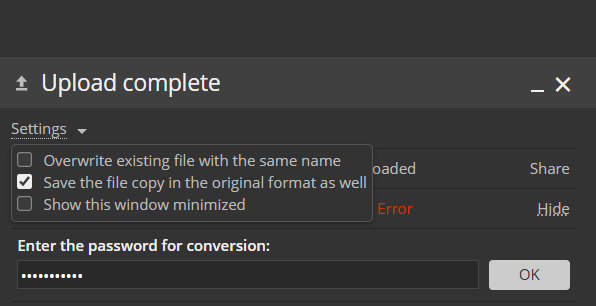
A password-protected PDF fails with an error, and the password field is tucked away in Settings.
On upload the portal converts them for viewing, trips over the protection and hangs a terse error on the file, while the password field hides in the settings of the upload dialog, where not everyone will think to look.
Another hour or so goes on the skeleton of the knowledge base: the top-level folders from the previous section, a start document with links to them, permissions by role. Support edits its folder, HR edits theirs, everyone can read, and interns have comments only — let them ask about anything unclear right there in the document rather than in a private message to someone senior. A blank policy template with that same service header goes into Templates.
After that the administrator steps out of the process. The emergency service-recovery instructions are written by someone from support. They open the blank, fill in the ready-made sections — symptoms, diagnostics, steps, who to wake up — and switch on review mode. The second on-call engineer goes through the text, corrects hostnames, adds a missing step to check the queue, and the author accepts the edits one at a time. The argument about whether to wake the database administrator in the night is settled in a comment on the specific paragraph and stays in the document, rather than in a private messenger thread where nobody will find it a month later.
That leaves rot. A server gets renamed, the instructions start lying, and the platform doesn't notice — it sends no reminders based on the date in the header. This is where the Projects module helps. A separate project is set up for the knowledge base, and instruction reviews are handled as tasks within it, linked to the documents. Anyone who spots a problematic instruction can create a task to fix it.
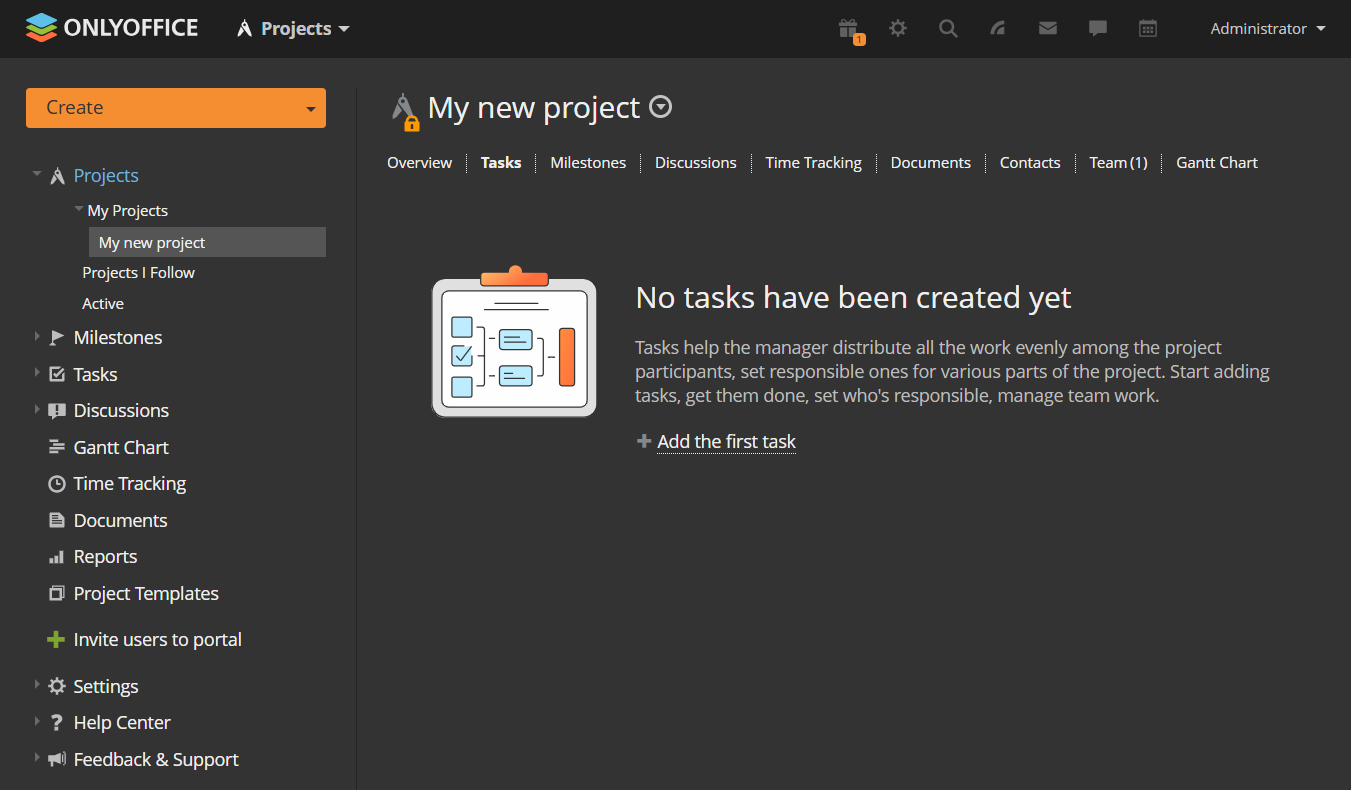
The knowledge base project. Tasks, discussions and documents gathered in one place.
Unlike a line in a document header, a task has an assignee, a deadline and a priority. An overdue review doesn't stay hidden; it sticks out in the shared task list, and there is someone to hold to account. In that setup a renamed server survives at most until the next scheduled review, after which it's a two-line edit, and the version history records who changed what.
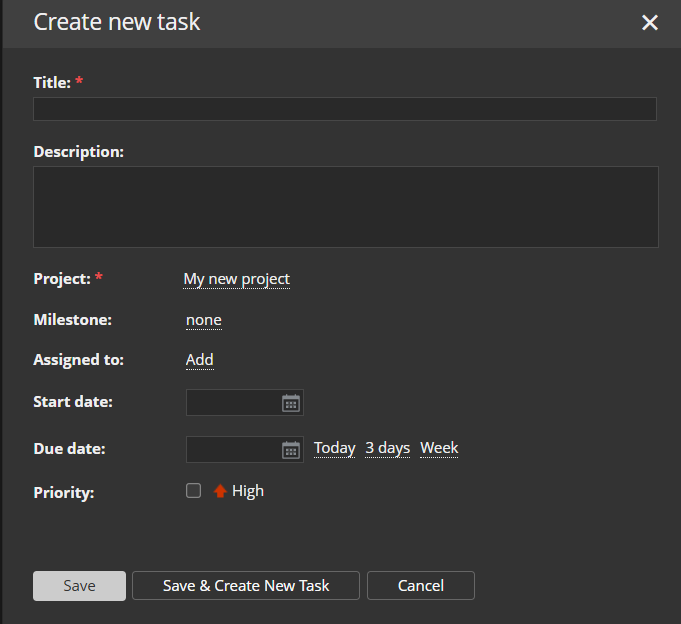
A task to review an instruction. Assignee, deadline and priority instead of a line in a header.
Limitations
Workspace is not a wiki, so interlinking is manual and full-text search across document contents is weaker than in tools purpose-built for a knowledge base. The text diff is not as readable as a line-by-line diff in Git. The platform eats noticeably more resources than a static site, and standing up a whole Workspace for a dozen pages is overkill.
The same audience profile shows who it won't suit. If all your documentation is engineering documentation and is versioned alongside the code, stay with docs-as-code and don't drag it into Workspace for the sake of having one tool for everything. If what you need is a wiki with a page tree, look at specialised engines such as Wiki.js, BookStack or Outline. They are self-hosted, they give you real wiki-links and better search, and as a pure knowledge base they often beat Workspace. Confluence and Notion are more powerful in terms of organisation, but Notion only lives in the cloud, while self-hosted Confluence Data Center costs serious money — and with the cloud option your data leaves your server.
Workspace's strength shows in one scenario. When documentation has to be written and read by people in different roles, when a full office editor with Word and Excel compatibility is needed, and when the data has to stay on your own server. Then a visual editor plus folder permissions plus version history covers the job without teaching people markup — and mail, projects and CRM happen to be sitting right there as a bonus, if you need them.
Artificial intelligence
ONLYOFFICE has added AI assistants to its editors for drafting, rewriting and translating, and agents are announced for DocSpace. For a knowledge base this is a pleasant extra, but a secondary one. An assistant will tidy up your phrasing, but it doesn't remove the friction of writing and reading, and a lying document stays a lying document until a human reviews it. The advantage of the self-hosted build is that you control the connection to external model vendors yourself, and can leave it switched off entirely — which for internal documents is often the more sensible choice.
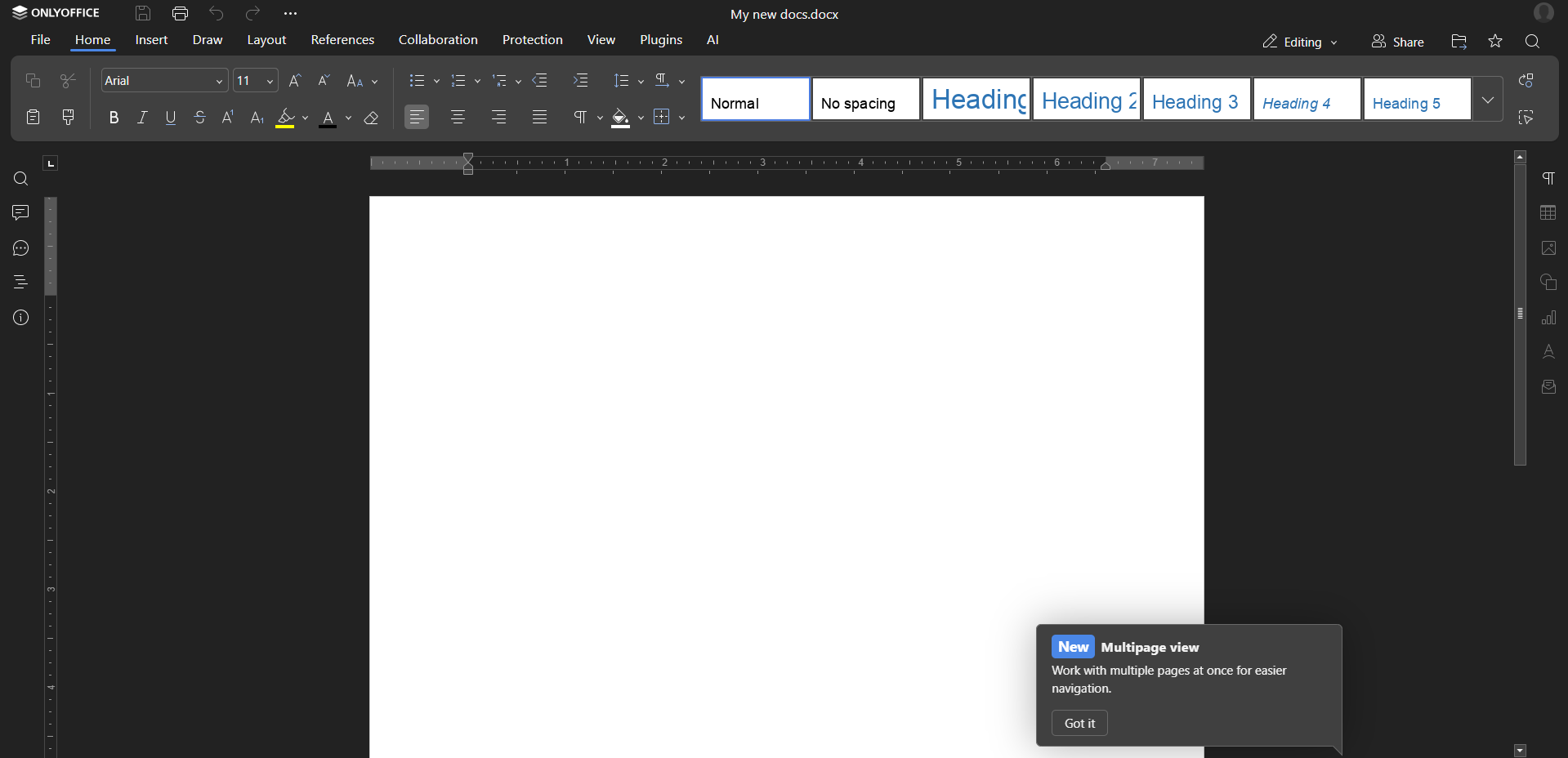
The assistant tab in the editor. Connecting a model stays on your side.
What makes people read documentation
The tool is half the job. The other half is a handful of habits that, in our experience, noticeably affect whether the knowledge base gets opened at all.
- Every document has an owner and a review date. Without that a document slowly rots, and there is no one to hold to account.
- Documentation lives where people already go. A link from chat, from the task tracker, from the onboarding email. A separate world you have to make a special trip to always loses.
- Search matters more than layout. If two obvious words don't turn up the right document, nobody will use it, however beautifully it is laid out.
- Stale content is deleted or explicitly flagged, not left "just in case". One lying document costs more than ten missing ones.
- Templates lower the barrier to entry. Working from a ready-made blank, a policy document gets written several times faster than from a blank page, and people are more willing to sit down to it.
Where hosting comes in
Workspace can be deployed from a ready-made image in the marketplaces of a number of hosting providers, including ours. In that case the server arrives already configured, with the control panel and generated credentials. That approach saves you an evening of wrestling with a reverse proxy and that same JWT secret. It does nothing at all for the original problem of documentation nobody reads — it only removes the barrier to installation. Everything after that comes down to document owners and review discipline.
Conclusions
Perfect documentation doesn't exist, and chasing it is pointless. A knowledge base is not a project with a delivery date but an ongoing process: documents go out of date faster than new ones get written, and its normal condition is "patchy in places, but alive". The tool's share in that process is small. People don't read documentation because the right platform was chosen for it. They read it where adding a paragraph doesn't take long, where the document you need turns up on the first query, and where stale content doesn't linger. All of that is team habit, and no software will replace it.
It is also worth remembering that Workspace itself is in a transitional state. The cloud version has been shut down, the bet is on DocSpace, and where the self-hosted build will have moved in a year is not something you can call in advance — so allow for the possibility of migration and keep backups. Plenty of practical ground has been left outside this article, from backups and portal migration to LDAP integration, single sign-on and scaling to hundreds of users.