



 +31 20 820 3777
 Compliance
  Support
  Documentation
 Login
Login 


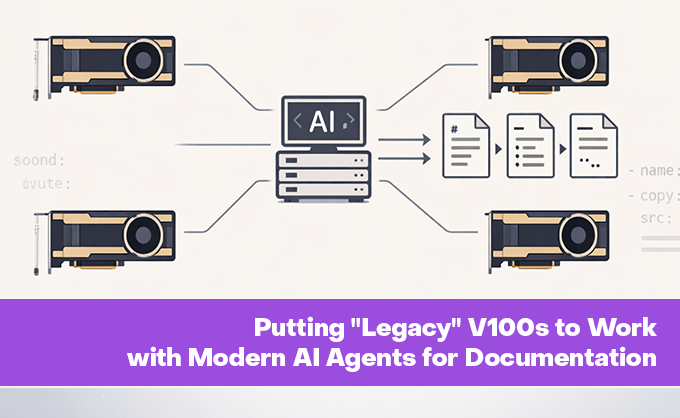


In our department, we are gradually automating processes to provide you, our users, with more valuable information. Recently, we added deployment documentation for our marketplace panels, generated directly from live Ansible scripts, as well as API documentation derived from the Invapi source code.
Four "Retired" GPUs, No Robbers
Before diving into the agents (or rather, the agent orchestration), let's discuss the hardware enabling our documentation automation and powering the chatbot that assists you within it. With our support bots for Jira, translation services running in parallel, our resources became strained. Previously, a single NVIDIA A5000 handled everything, but we needed at least one more GPU. However, since client workloads take priority, we had to make do with what was allocated to our department.
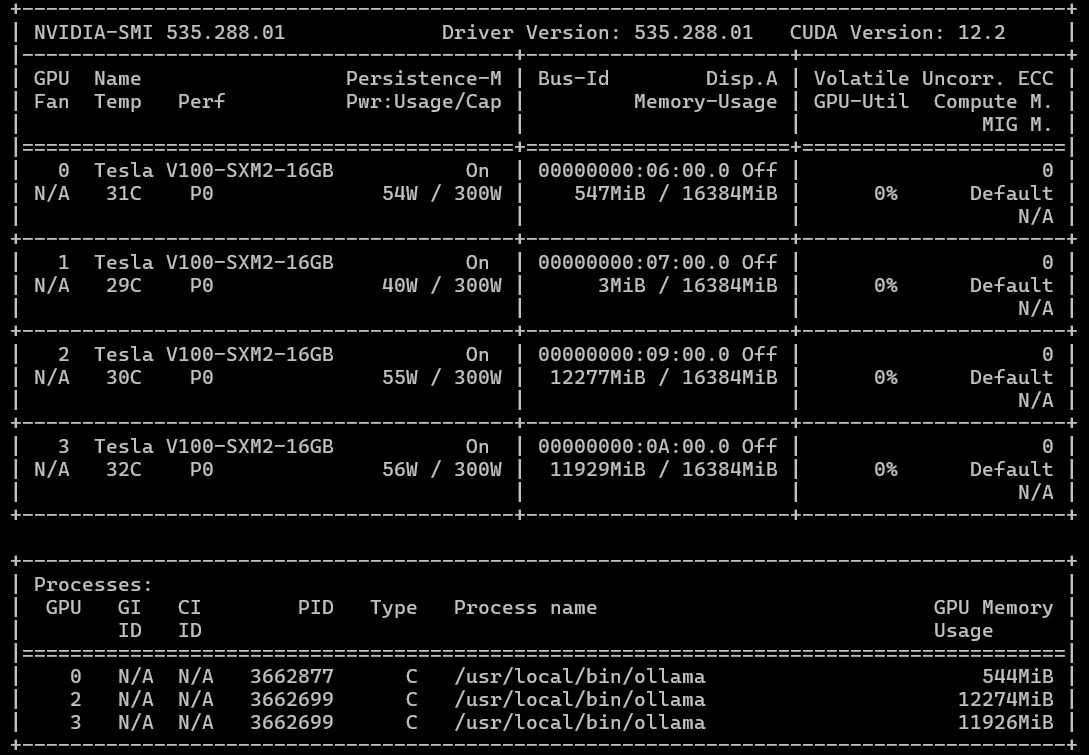
While scanning for underutilized company resources, I discovered some idle GPUs: specifically, four NVIDIA Tesla V100s with 16GB VRAM each. Yes, these cards were released in 2017, and NVIDIA officially ended driver support with the 538 series several years ago (limiting CUDA to roughly 12.2). They are also half as fast in FP32 computations compared to the modern A5000. However... we could acquire four of them. This meant we could either run one large model fitting into 64GB of total HBM2 VRAM or parallelize computations across 2 or 4 cards. While we won't get the latest optimizations, drivers, or CUDA versions, we don't need checkers; we need to move forward.

Can you believe I tried to install CUDA 13 on a V100?
Modern LLMs like qwen3.5:27b (our current choice) or gemma4:31b with similar parameter counts fit comfortably in 32GB with context windows up to 80,000–100,000 tokens. The challenge was configuring our Ollama + OpenWebUI stack (where we host custom models and MCP servers) to route requests across multiple GPUs.
It turned out to be possible. Here is a brief overview of the implementation:
-
Run two Ollama instances in parallel. We achieved this using two separate systemd services. The first instance utilizes GPUs 0 and 1, while the second uses GPUs 2 and 3, sharing a common model directory. The advantage of this setup is that Ollama updates require no manual intervention; services restart automatically. To prevent conflicts, we run them on different ports.
Below is an example
ollama.servicefile.Ollama2.servicediffers only in theCUDA_VISIBLE_DEVICESvariable values.[Unit] Description=Ollama Service After=network-online.target [Service] ExecStart=/usr/local/bin/ollama serve User=ollama Group=ollama Restart=always RestartSec=3 Environment="PATH=/sbin:/bin:/usr/sbin:/usr/bin:/usr/local/sbin:/usr/local/bin:/usr/sbin:/usr/bin:/sbin:/bin:/usr/games:/usr/local/games:/snap/bin:/usr/local/cuda/bin" Environment="OLLAMA_ORIGINS=*" Environment="OLLAMA_HOST=0.0.0.0:11434" Environment="CUDA_VISIBLE_DEVICES=0,1" Environment="OLLAMA_MODELS=/opt/ollama_shared_models" Environment="HOME=/var/lib/ollama" Environment="OLLAMA_FLASH_ATTENTION=1" Environment="OLLAMA_MAX_QUEUE=1000" Environment="OLLAMA_NUM_PARALLEL=1" Environment="OLLAMA_KEEP_ALIVE=60m" Environment="OLLAMA_MAX_LOADED_MODELS=2" [Install] WantedBy=default.target -
Model installation via a custom script. This script installs the model on both instances by targeting their specific ports (essentially repeating the same command twice). A minor caveat: if models were previously installed, the directory containing them must be copied to the shared location.
-
Configure two Ollama connections in OpenWebUI. Then, the magic happens. Since the model name is identical on both Ollama instances, the OpenWebUI client automatically routes requests to the least loaded instance.

Voilà! We now have two parallel neural network processing streams running on two 2x16GB V100 pairs.
Agents That Write Documentation from Ansible Playbooks
If you've ever tried to maintain up-to-date documentation for dozens of infrastructure projects, you know the pain: code changes, and instructions become obsolete before anyone reads them. For us, the marketplace panels were the primary bottleneck. Users regularly ask how to install specific panels, but the information ages with every playbook change.
We wanted a system that could "read" Ansible installation playbooks from the repository and generate user-friendly instructions. We decided to do it the modern way: using agents. Yes, we are currently using a "classic" approach with multiple AI agents, each with specific system prompts, orchestrated by a central pipeline. However, we plan to refactor this later into an autonomous agent framework like OpenClaw or similar, utilizing Skills.
Some manual work remains, specifically creating a configuration file that defines panel groups, their markdown filenames, and repository URLs. This must be updated manually when new panels are added or removed from the marketplace. However, this takes significantly less time than manually dissecting playbooks and drafting documentation articles.
What Can This Beast Do?
In short: the agent clones the repository, identifies relevant files, "understands" the logic, and writes a Markdown article. But, as always, the devil is in the details. Instead of a monolithic script, I split the logic into specialized agents:
- RepoScanner — Clones the GitLab repository, filters out noise (tests, CI/CD configs, cache), and isolates relevant files: tasks, templates, docker-compose files, and variables.
- FileSelector — An LLM agent that determines which specific files are critical for documentation. For instance, it always prioritizes
group_vars/all/main.yml. - DocGenerator — An AI that writes the article based on a strict prompt: enforcing structure and style while forbidding mentions of Ansible (users care about what to do, not how it was deployed).
- TranslateIT — An LLM technical translator (English to French for example) that preserves variables, paths, and commands while localizing descriptions. This ensures consistent descriptions across languages. Currently, translation is not used, but tested for future purposes.
- QAChecker — An AI validator that compares the original and translation, verifying headers, terminology, and formatting.
- Fixer — If QA identifies issues, this agent makes targeted corrections without rewriting the entire text.
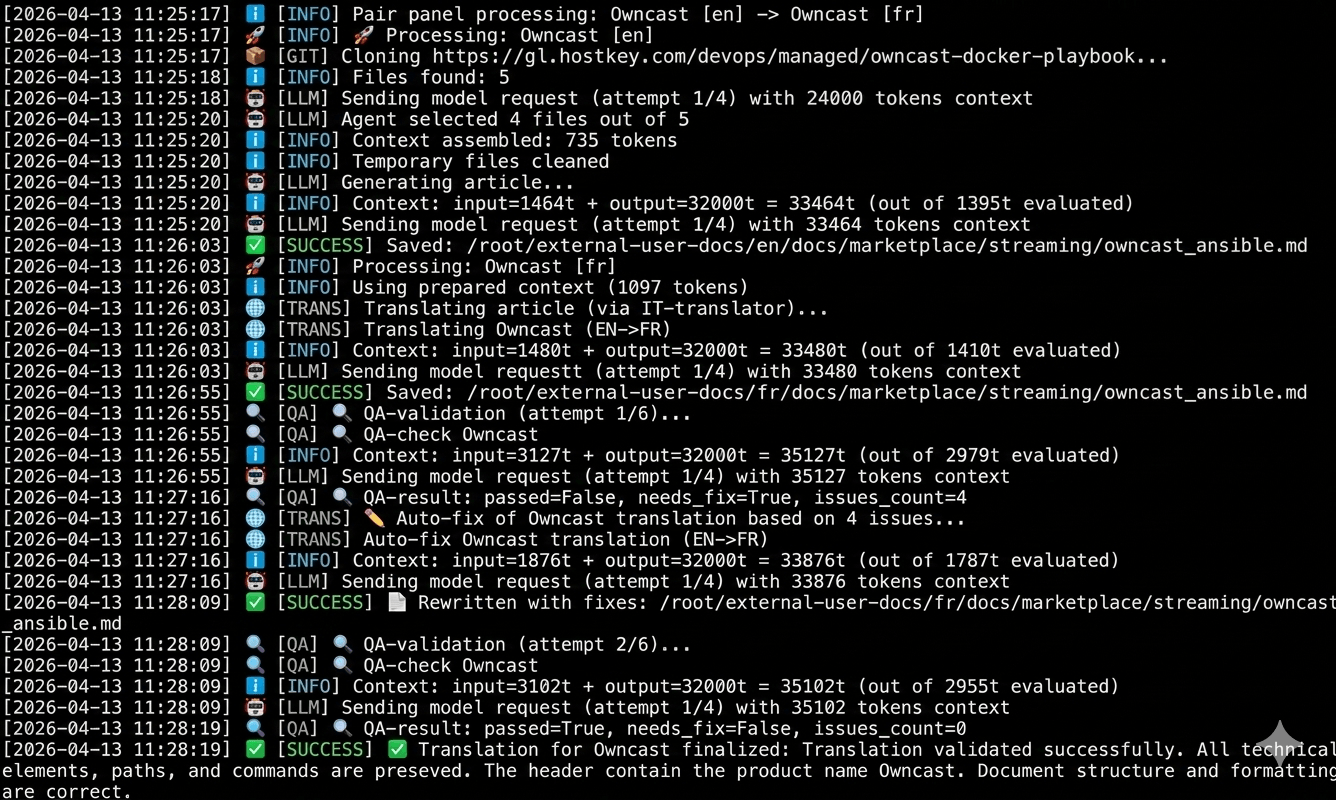
Process flow from identifying EN-FR repository pairs to the final verdict on translation success
A unique feature of our marketplace is that panels may have different names or exist only in English or other languages versions. We implemented handling for so-called "paired" repositories. For example, you might have a "Self-hosted AI Chatbot" panel with English docs and its French localization "Chatbot d'IA auto-hébergé" In this case, we need a French translation, but the title must be changed automatically. All this runs without human intervention, though manual intervention is possible at any stage.
Another challenge was context window limitations. Larger contexts mean longer processing times. Our system implements dynamic num_ctx calculation:
# Reserve space for the model's response
max_input = max_context - response_reserve

# Estimate input tokens + 5% buffer
needed = int(estimated * 1.05)

# Take the minimum of "needed" and "available"
actual = min(needed, max_input)

# Final context = input + reserve
num_ctx = min(actual + response_reserve, max_context)
This prevents truncating critical files while avoiding context window limits.
To enhance reliability, we also added:
- Exponential Backoff Retries — If the AI fails or the network blips, the agent waits 2, then 4, then 8 seconds before retrying.
- Error Logging — All failed validations are written to
validation_errors.jsonwith previews of the source and translation. This simplifies debugging and correction.
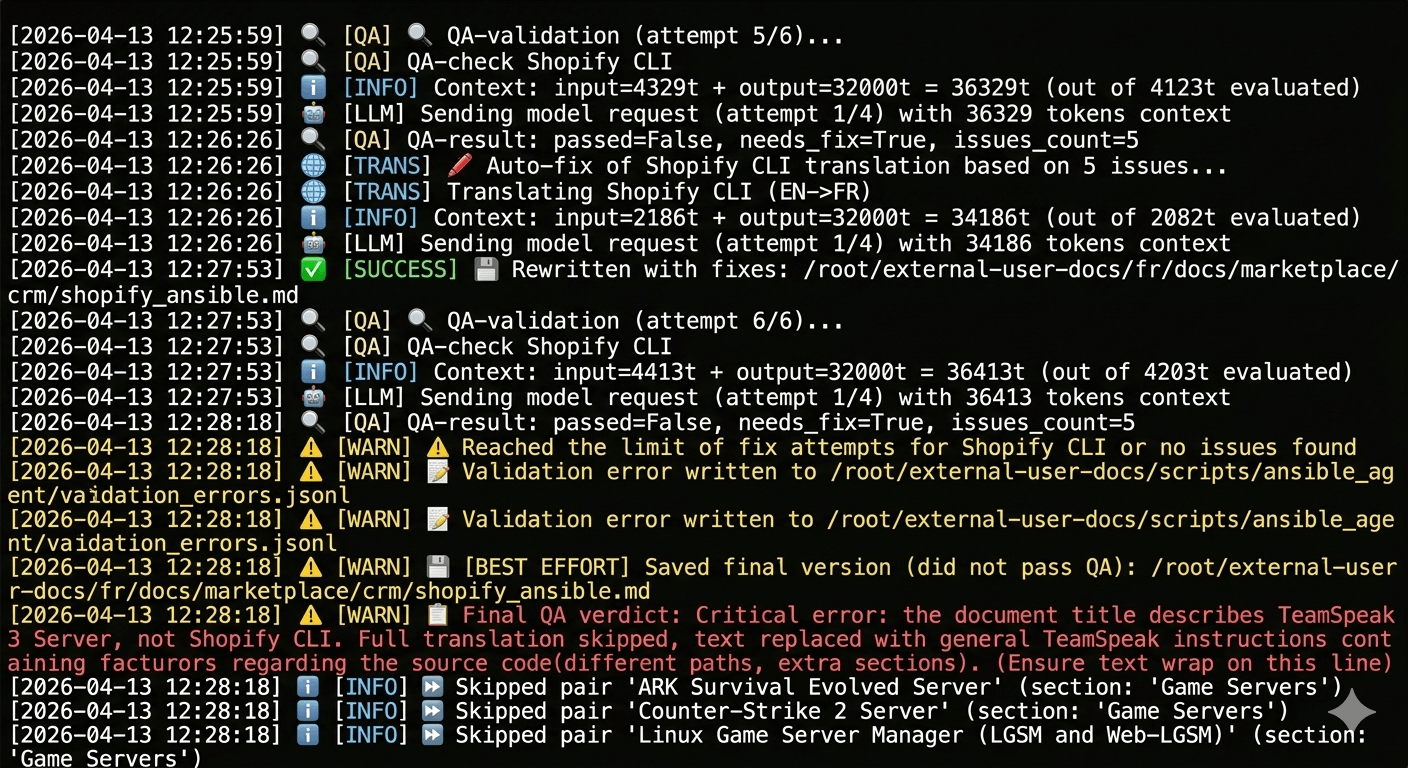
Incorrect repository selected in the config. Without the validator, an erroneous version would have made it into the documentation.
Integration with GitLab and Nightly Builds
During the daily nightly rebuild of documentation, a separate script gitlab_monitor.py is triggered. It polls our repositories, checks the master branches for commits from the last 24 hours, and if changes are detected, triggers the agent with the flag --repo <panel_name>. This keeps documentation updated near real-time.
The Results
- Over 125 repositories in the configuration file (panels, databases, ML tools, games). This isn't all panels, as some are installed as operating systems rather than via Ansible playbooks.
- Automated article generation in MkDocs format.
- Bilingual support with translation quality control.
- Minimal manual effort: Add a playbook to the YAML config, and the agent handles the rest. It can also be run manually for specific languages, sections, or panels.
Verdict
Yes, our agent isn't perfect, but it saves dozens of hours of routine work and reduces the risk of desynchronization between code and documentation. Moreover, this is just the first phase of a larger system (which is why I'm considering a full rewrite using OpenClaw or Hermes Agent). The infrastructure built here will eventually support API translation and even automated localization into French, Turkish, and beyond.
Yes, the V100 isn't the fastest card available today. As the screenshots show, generating documentation for each panel takes 3 to 10 minutes (depending on the number of files in the repo and the number of errors to fix). However, after the initial generation, we typically only need to correct 1–2 panels per day, or even per week, as new additions are infrequent.
How do you automate your documentation? Share your experience in the comments.