



 +31 20 820 3777
 Compliance
  Support
  Documentation
 Login
Login 


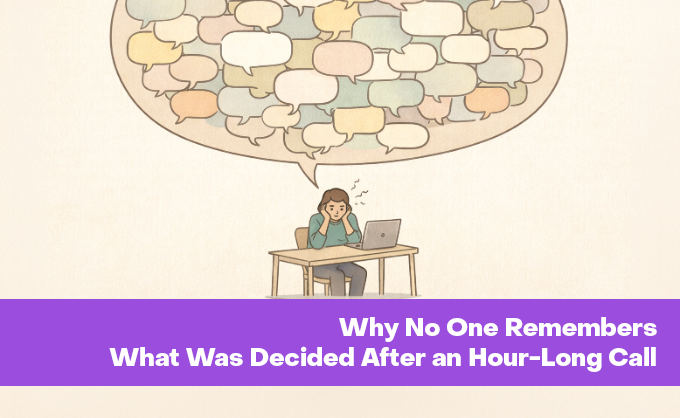


In 1916, engineers at AT&T conducted the first mass conference call involving 5,100 participants across eight US cities. That meeting had a moderator, an agenda, minutes, and recordings. Preparation took four months. One hundred and ten years later, the average work call looks very different. Someone joins seven minutes late, another hasn't configured their microphone, a third keeps reconnecting. Someone else is finishing lunch simultaneously. An hour later, everyone disconnects, only to realize that each person remembered something different—or nothing at all—having simply wasted an hour of work time.
This article focuses specifically on fully remote video meetings. Hybrid meetings, where some participants are in a conference room while others join from home, deserve a separate discussion, as does the contentious issue of recording calls. I'm not convinced there is a single universal solution to the problem of "calls where nothing is remembered." More likely, it's a cumulative effect of minor details that seem trivial in isolation. Precisely because they seem trivial, they are most often ignored.
Where the Frustration Comes From
According to research from Stanford University's Virtual Human Interaction Lab, 49% of remote professionals regularly experience significant fatigue from video calls, while 61% report mental exhaustion after a series of consecutive meetings.
Jeremy Bailenson, founder of Stanford's Virtual Human Interaction Lab, identified four mechanisms behind so-called "Zoom fatigue" in his study published in Technology, Mind and Behavior.
The first mechanism relates to the fact that on a video call, everyone is looking at everyone else. Constantly. In a physical meeting, you can look away, jot something down in a notebook, or stare at a wall. On a call, every participant is perceived as a speaker who is being stared at. It's like the stress of public speaking, except it never ends.
The second mechanism: Video communication creates additional cognitive load. As early as 1999, Pamela Hinds from Stanford demonstrated that people communicating via voice only handled secondary cognitive tasks better than those communicating via video. The brain expends resources interpreting non-verbal signals from the screen while simultaneously sending its own. A nod on a call must be exaggerated and held longer than in person; otherwise, the other party won't register it.
The third mechanism seemed the most unexpected to me and relates to the window showing your own face on the screen. Essentially, it's a mirror you stare at all day. You start evaluating yourself, fixing your hair, worrying about bad lighting, or noticing your tired appearance. Studies show that prolonged observation of one's own reflection increases self-criticism. While this effect is still under-researched in the context of multi-hour video calls, there is reason to believe it is significant. These background distractions don't just divert attention; they maintain a constant state of mild tension that hinders focus on the meeting's core content.
The fourth cause is physical. In a normal meeting, people move: they stand up, walk to the whiteboard, and gesture. On a video call, most people sit motionless in the camera frame. Research shows that movement improves cognitive abilities. For instance, walking on a treadmill improves divergent thinking compared to sitting.
Bailenson's Stanford team went further and developed the Zoom Exhaustion & Fatigue Scale (ZEF Scale), validated on a sample of over 2,700 respondents. The scale measures five types of video conference fatigue: general, visual, social, motivational, and emotional. The results confirmed that more frequent, longer, and back-to-back meetings intensify all these types of fatigue, which in turn correlates with a negative attitude toward video conferencing itself.
I didn't find direct studies on information retention from calls, but there is indirect data from related fields. A study in the Journal of Social Science on digital storytelling showed that students watching videos with narrative elements retained material significantly better than those watching standard lecture recordings. The average score was 7.25 versus 6.11. If even an educational video with a narrative is remembered better than a lecture, what can be said about a monotonous, unstructured call?
Mistakes That Turn a Call Into a Waste of Time
"Remote Employees Are Slacking Off"
It's time to forget the myth that remote work is some form of paid vacation. Remote workers work just as hard, just from a different location, with the same tasks and deadlines. It is reasonable to expect a quick response to a message from a remote employee, but connecting to a video meeting takes significantly longer than replying to text. They need to find a quiet spot, check their camera and microphone, and put on headphones.
According to a survey , 29% of respondents are annoyed when colleagues take a long time to join a call. Although the data is from 2023, similar surveys in various countries show this percentage remains high. The cause could be genuine unpreparedness, technical glitches or connection issues, or a last-minute call that left no time to prepare. Usually, no one wants to investigate the specific situation, so frustration builds up.
The Call Without Warning
Calls should be scheduled in advance, and participants notified with ample time. This isn't about corporate bureaucracy; it's about basic respect for others' work time and schedules. A person might be in the middle of a task requiring deep focus, walking a child as part of a flexible schedule, or troubleshooting a VPN connection just to access work tools. Under current internet restrictions, this is especially critical.
When a participant knows a call is happening in two hours, they have time to prepare their connection. When a call drops in with one minute's notice, you get those same 29% of annoyed colleagues from the Buffer survey.
A Call That Could Have Been an Email
It seems this has become a meme, but repeating the problem doesn't make it go away. Not every work question requires a video call. If the task is simply to convey information without discussion, text is almost always more efficient because it can be re-read, referred back to a week later, and it fixes specific wording rather than relying on memories of it. According to another study by Owllabs, a quarter of employees consciously prefer written communication.
There's a simple way to check retrospectively whether a call was necessary. If the result cannot be described other than "we discussed this," the call was likely either unnecessary or poorly executed.
Call Outcomes Are Not Documented in Text
Even when a call is truly necessary—whether discussing new features, new processes, or complex decisions involving multiple stakeholders—the results should be documented in text. Without this, in two days every participant will have their own version of what was agreed upon, and in a week, there will be no record at all.
This isn't bureaucracy; it's a good way to avoid losing work time. I had a telling case involving a six-hour call to improve documentation for BigBlueButton (a video conferencing platform) and Greenlight (another video conferencing platform). Engineers tried to fix things on the fly while simultaneously discussing how to document them. The whole time, there was a feeling of "we'll get it sorted soon," which prevented anyone from stopping, even though it was clear after a couple of hours that the call had dragged on with no results. In the end, after six hours, nothing was fixed, nothing was documented, and my workday simply went down the drain.
Technical Setup During the Call, Not Before
"Give me a second, let me find how to share my screen." "My mic isn't working, wait." "Where do I turn on the audio?" Every such delay at the start of a call is lost time for all participants. If the platform is known in advance, all this can be resolved before the call starts.
Preparation for screen sharing is especially important. Turn off pop-up notifications in advance. Seriously. Colleagues might see messages they shouldn't. It can be awkward. Sometimes worse than awkward. Also, check connection quality and prepare the materials you plan to show.
As specialists at Happy Bank write in their review of remote meeting mistakes, a meeting without preparation loses momentum instantly.
Lack of Moderation
A call without someone monitoring the process is almost guaranteed to spiral out of control. The discussion drifts from the agenda, someone talks for ten minutes straight, while others can't get a word in, and in the end, an hour is wasted without ever getting to the point.
By inertia, the moderator role often falls to the call organizer, though this isn't strictly necessary. The organizer might be busy with the substantive part of the discussion, leaving them no time to watch the clock, steer the conversation back on track, or give the floor to silent participants. In such cases, moderation is better delegated to someone less deeply involved in the discussion who can view the process from the outside. The key is that this role must be assigned to someone before the meeting starts; otherwise, there's a risk no one will take it.
Calls Without Time Limits
A six-hour video call sounds like a joke, but it happens more often than we'd like. If a discussion hasn't yielded results in an hour and a half, it's unlikely the next four and a half hours will fix anything. More likely, the task is poorly defined, attendees lack the authority to make decisions, or there's a lack of input data that simply isn't available right now.
In my experience, a hard time limit works better. If an issue can't be resolved within the allotted time, it's best to document where we stand and schedule a follow-up meeting with better preparation. Breaks every 45 minutes also help significantly, as concentration drops for most participants after an hour of continuous calling.
Mandatory Cameras
Having your camera on is considered standard, and in some companies, it's a formal requirement. To be honest, a camera is rarely needed, and if we're being completely honest, almost never. This is especially true for status meetings, short syncs, and discussions where voice and screen sharing are more important.
Studies say the same, by the way. Constant eye contact through a screen causes stress, watching your own face increases self-criticism, and remaining motionless in the frame restricts movement. Bailenson recommends turning off your self-view and, where possible, the camera itself, taking audio breaks to reduce cognitive load.
Cameras are indeed important for meetings with new clients, team-building events, or discussions where non-verbal cues play a significant role. Turning them into a mandatory attribute for every work call seems excessive. 31% of respondents in a study dislike being asked to turn on their cameras, and this is more about accumulated fatigue than laziness.
Lack of Communication Culture
It seems obvious that you shouldn't interrupt each other on a call, but in practice, this is one of the most common complaints. According to research by Webex, 56% of respondents cannot tolerate background noise, and 47% are annoyed by long conversations on non-work topics.
When a participant is eating, smoking, talking to someone in the room, or creating noise in any other way, it's disrespectful to everyone else. A call, like any work communication, requires minimal rules: mute the microphone when not speaking, keep the background quiet, and ensure everyone has a chance to speak without interruption. Modern platforms offer convenient tools for this, like "Raise Hand" buttons and reactions, although few people use them yet.
What to Do About It
There is no single exact answer, but a set of observations derived from reading and personal experience may help.
At a previous job, for several years, a call was held every Thursday regarding one of the modules of a work service. Initially, it was planned to hold a few meetings to demonstrate new functionality. It seemed development wouldn't take long; we'd show the results and call it a day. However, the task proved more complex than expected, the process dragged on, and the developer started gathering all stakeholders once a week. "All stakeholders" meant several dozen people from different departments.
Meetings lasted anywhere from thirty minutes to two hours. The agenda touched on everything a little and was generally important. Engineers cared about one block, tech support about another, managers about a third. While discussing someone else's block, the rest of the employees sat and waited. Or didn't wait but did their own work, yet still wasted time on the call.
This went on for a year and a half. Periodically, a participant would explicitly say they didn't understand why they were sitting there every week. Organizers replied that the functionality was important and everyone needed to be in the loop. The argument sounded convincing, but in practice, "being in the loop" meant listening to an hour and a half about what color the message border would be (and that was if you were lucky).
Eventually, the weekly call was cancelled. Instead, a different process was established. Before gathering a meeting, the organizer analyzed whether there were truly significant changes, who they affected, and whether they needed to be discussed verbally or if text was sufficient. If text was enough, a notification appeared in the work chat detailing what changed, where to look, and who it concerned. If enough changes accumulated and required discussion, a meeting was held, but only with those directly affected. Simultaneously, detailed product documentation was created that could be referenced at any time, without waiting for Thursday. Several dozen people got an hour back every week, and information flow improved because text can be re-read, whereas a recap of a call cannot.
Before every call, it makes sense to evaluate whether it's needed at all. If information can be conveyed via text, that's probably the way to go. If a call is indeed necessary, minimal preparation significantly increases the chances of a result. Formulate an agenda, assign a moderator, set a time limit, and ensure participants are notified in advance, not one minute before the start.
After the call, a text document with conclusions should be created, recording what was decided, who is responsible for what, and by when. Without such a document, the call effectively didn't happen, because in a couple of days everyone will remember their own version.
A camera is likely unnecessary in most cases, and people should be given the option to choose. If an employee is doing their job, there's no need to check if they are sitting in front of a screen with the right facial expression. Turning off the camera doesn't reduce productivity; quite the opposite, people feel freer and get less tired.
The same applies to schedule density. If calls run back-to-back without breaks, fatigue accumulates very quickly. Even a fifteen-minute pause between meetings noticeably changes the feeling of the workday.
If we put it all together, most call problems boil down to the same mistakes, and it's easy to forget about them when immersed in work processes.
Ultimately, we've summarized the main problems and their possible solutions in a final table:
|
What Usually Happens |
What Works Better |
|---|---|
|
Scheduled calls regardless of whether there's anything to discuss |
Meetings only when enough significant questions have accumulated |
|
Inviting everyone who is even slightly touched by the topic |
Inviting only those directly affected by the changes |
|
Calls without an agenda or moderator |
Agenda and moderator assigned before the meeting starts |
|
Information stays in participants' heads |
Results are documented in text; documentation is maintained |
|
Cameras mandatory for everyone |
Cameras used situationally; employees decide whether to turn them on |
|
Calls run back-to-back without breaks |
Minimum 15-minute breaks between meetings |
|
Meetings without time limits |
Hard limits; if not resolved in the allotted time, document the interim result and schedule a follow-up |
|
Questions solvable via text are brought to a call |
First evaluate if a call is needed at all |
None of these points require a budget, new software, or top-down approval. Write an agenda, assign a moderator, set a timer for an hour, and send the summary to the chat after the meeting. You can do this on the next call. If even half the participants say the meeting was worthwhile, then the hour wasn't wasted.