



 +31 20 820 3777
 Support
  Documentation
 Login
Login 



Foreman is a platform for automating repetitive tasks, application deployment, and server lifecycle management — both on-premises infrastructure and in the cloud. Previously, we’ve shared insights on various approaches to automating OS installation on servers, as well as our experience with PXE deployment of ESXi via Foreman and Windows UEFI deployment.
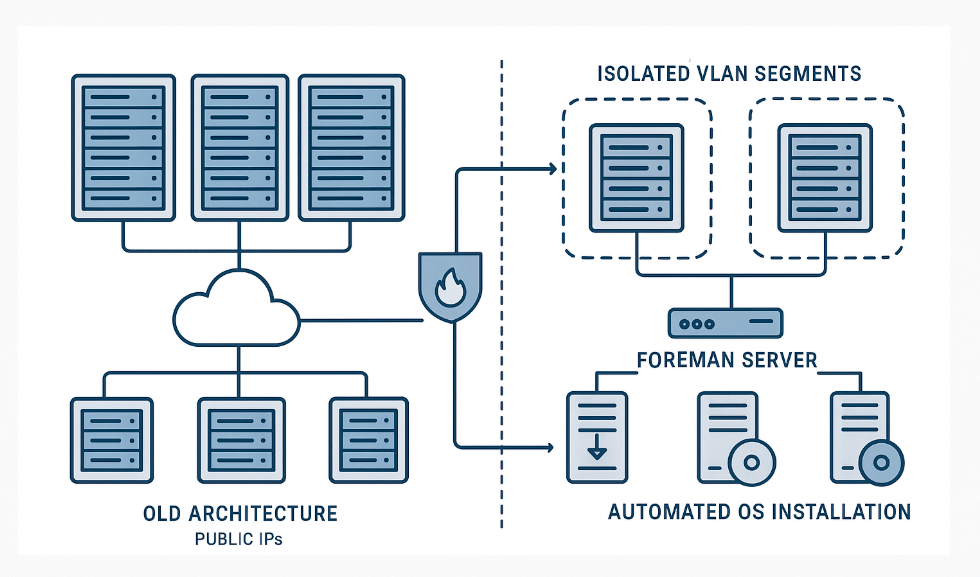
Now, let's explore a more comprehensive strategy for structuring the infrastructure for OS installation, which we've crafted based on our accumulated experience. This type of setup for deploying operating systems on bare metal servers is adopted by large enterprises, including those running in the EU IT sector. In this article, we'll examine the architecture and core principles of infrastructure organization, as well as discuss the practical challenges we met throughout the process.
In our case, Foreman serves as a PXE server for mass deployment of operating systems on bare-metal servers and virtual machines (when there's no existing template or creating one isn't practical). For those interested in the technical details of working with boot images, we recommend reviewing our article on Linux LiveCD based on CentOS and PXE booting techniques using Foreman.
The system provides a user-friendly API for integration with other tools. It’s worth noting that this solution may be less appealing to administrators who prefer traditional approaches or actively use Puppet.
Architecture Before Modernization
Previously, we operated 1.5 locations, each with its own Foreman instance and public IP address. The term "1.5 locations" refers to one fully functional site in the Netherlands and a partial location in the U.S., where a gray network was absent and Foreman was deployed with a specialized structure. Today, we manage 12 unified locations (Netherlands, U.S., Turkey, France, United Kingdom, Spain, Italy, Iceland, Poland, Germany, Switzerland, Finland). As described in our article on monitoring a geographically distributed infrastructure, managing multiple locations requires a tailored approach. From an operational standpoint, all locations previously functioned entirely independently.
Each Foreman instance had the following configuration sets deployed:
- Production — operational configurations for the production environment.
- Development — test configurations for debugging and experimentation.
When making changes, administrators would use an underutilized development server in the U.S. location to test their modifications before pushing updates to the corresponding production environment.
Using public IPs posed security risks: clients could potentially access these systems. The only protection was a firewall and authentication on Foreman.
Since the DHCP server was hosted directly on Foreman, and the infrastructure included multiple VLANs, the following tasks were required:
- Maintaining an up-to-date list of active networks on Foreman.
- Configuring and monitoring the DHCP server.
- Ensuring the presence of DHCP helper addresses to enable proper routing of requests between network segments.
Migration to an Isolated Network Architecture
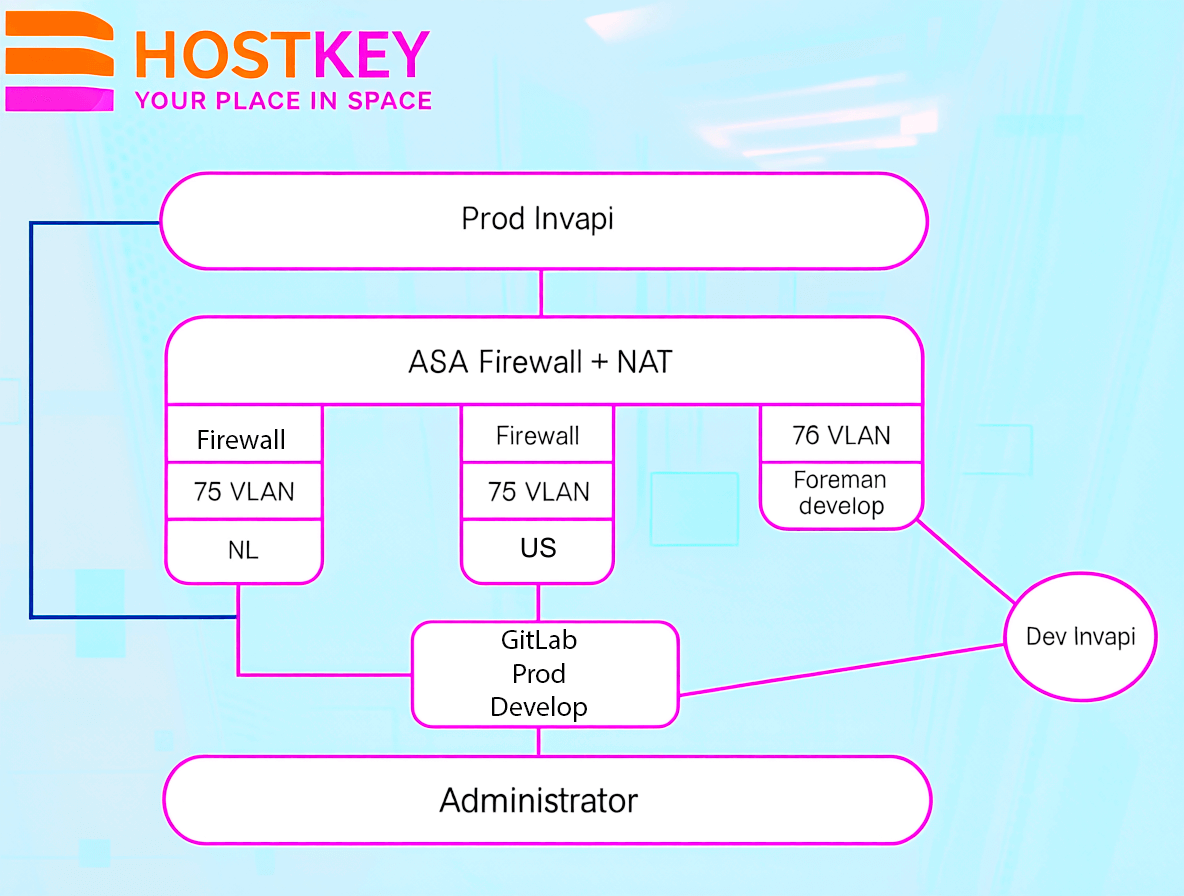
As part of our infrastructure security enhancement initiative, we completely overhauled the network architecture for Foreman. All Foreman instances across every location now operate without public IP addresses and are hosted in a dedicated VLAN 75 (each location has its own VLAN 75). In addition to existing local firewalls on each Foreman instance, the entire infrastructure is further protected by a centralized Cisco ASA firewall. This architecture ensures complete network isolation — external access is strictly prohibited.
For testing changes, we deployed a separate Foreman development instance in an isolated VLAN 75 with private IP addresses. This instance is exclusively used for interacting with Invapi development hosts, is protected by the ASA firewall, and has no connection to production Foreman instances. Production Invapi instances interact with their corresponding Foreman instances according to the architectural design:
The Installation Process Now Works as Follows: when a configuration is created on Foreman, the server automatically switches to a private VLAN, where the entire installation process takes place. After the operating system installation is complete, a script from the OS itself sends a request to Invapi to switch the server back to a public VLAN. Before sending this request, the script modifies the network settings to use public parameters — this can be either DHCP or a static configuration, which is directly managed on Foreman based on the client’s specific requirements:
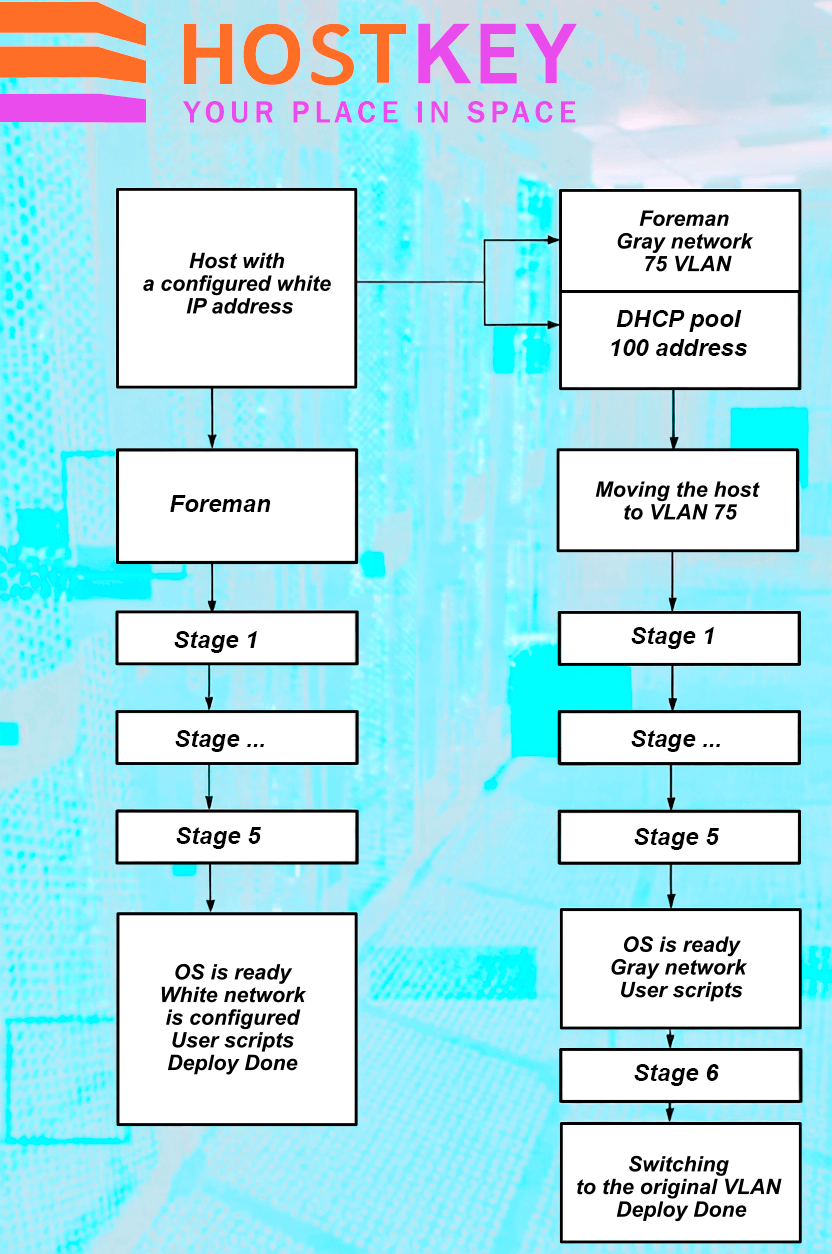
After installation is complete, the configuration is automatically deleted, and the IP address is returned to the available IP address pool. Additionally, an automated configuration cleanup system is in place, and IP addresses from VLAN 75 are assigned via DHCP:
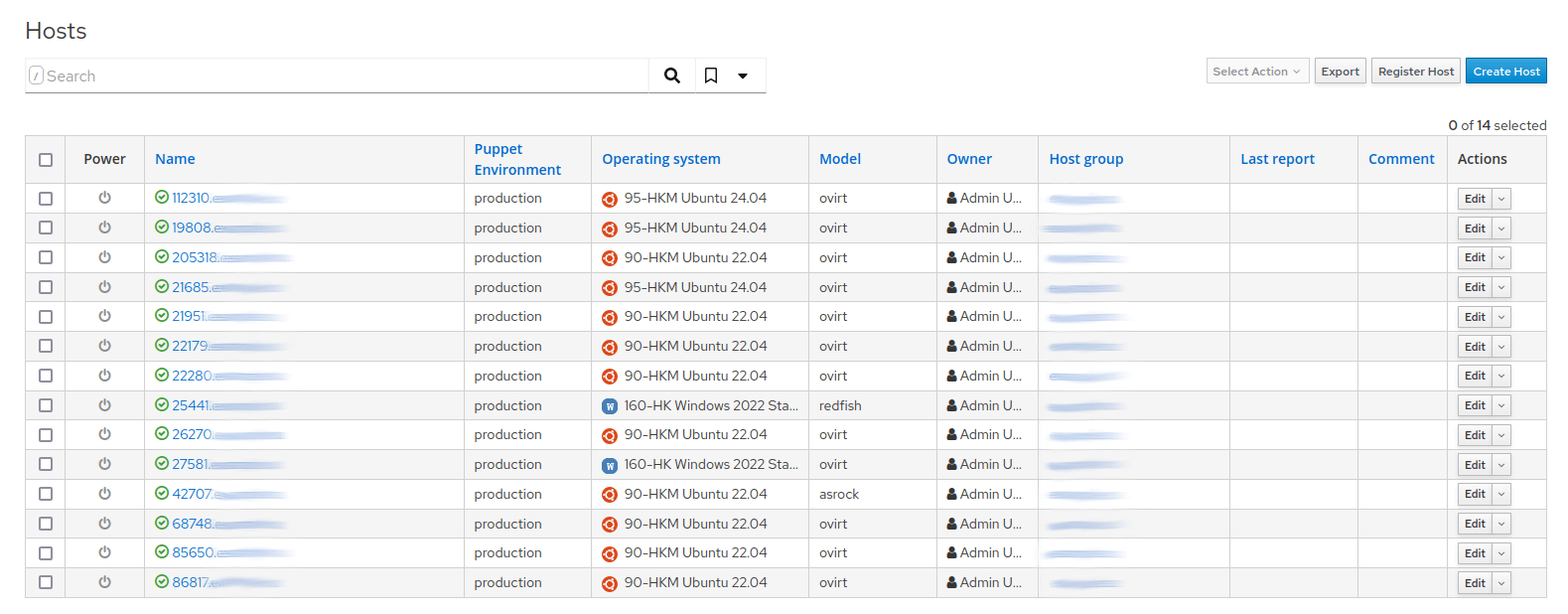
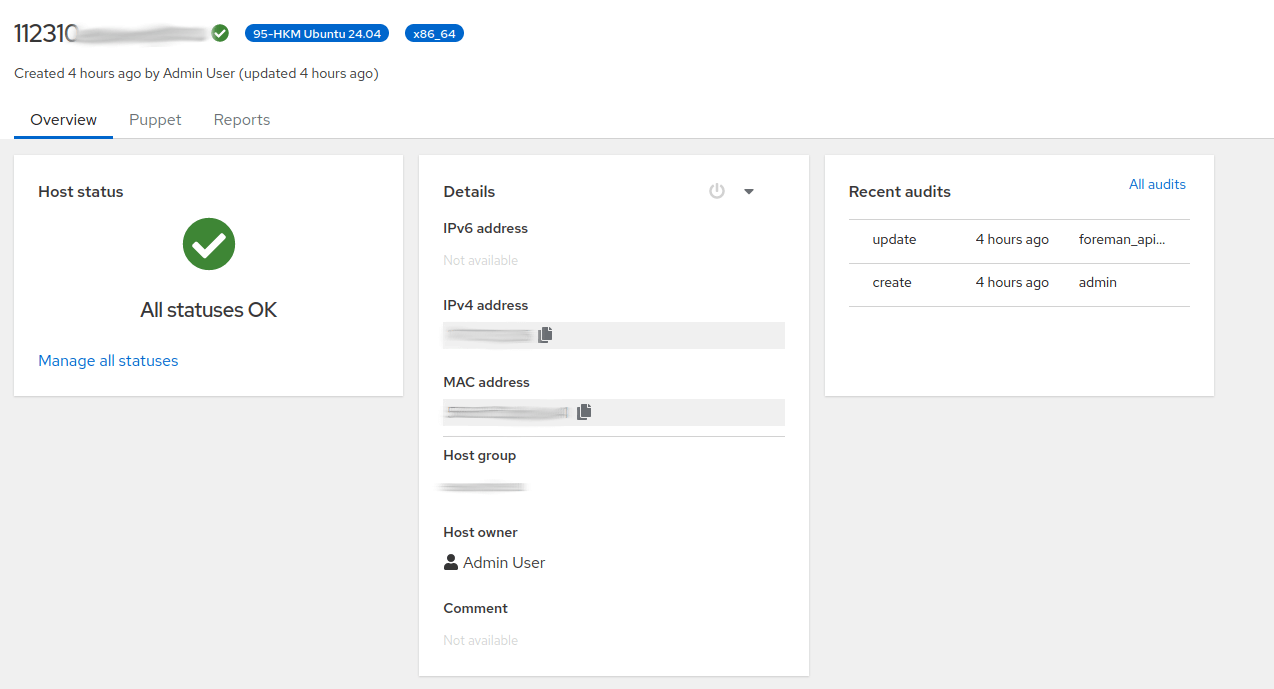

All necessary parameters for installation — public networks, endpoints, and tags — are added to the configuration through additional features and become available during the installation process:
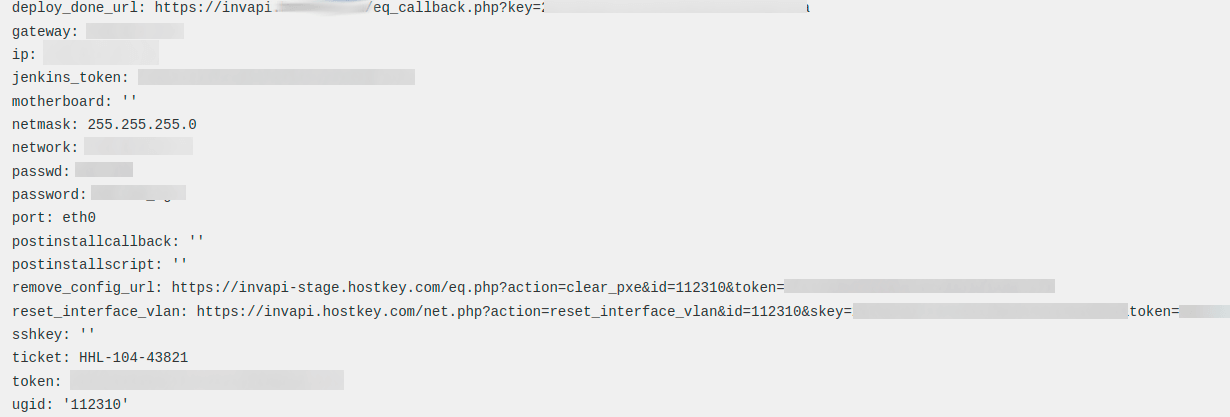
func SetparametrForHost(UserName, Pass, Url, HOSTNAME, Domain, name string, value string) foreman.ParameterForHostanswer {
  url := Url + "/" + HOSTNAME + Domain + "/parameters"

  obj := foreman.ParameterForHost{}
  obj.Parameter.Name = name
  obj.Parameter.Value = value
  ret := foreman.ParameterForHostanswer{}
  request1 := tool.NewRequestJson(url)
  request1.Header.AuthorizationBasic(UserName, Pass)

  request1.POST(&obj, &ret)
  return ret
}
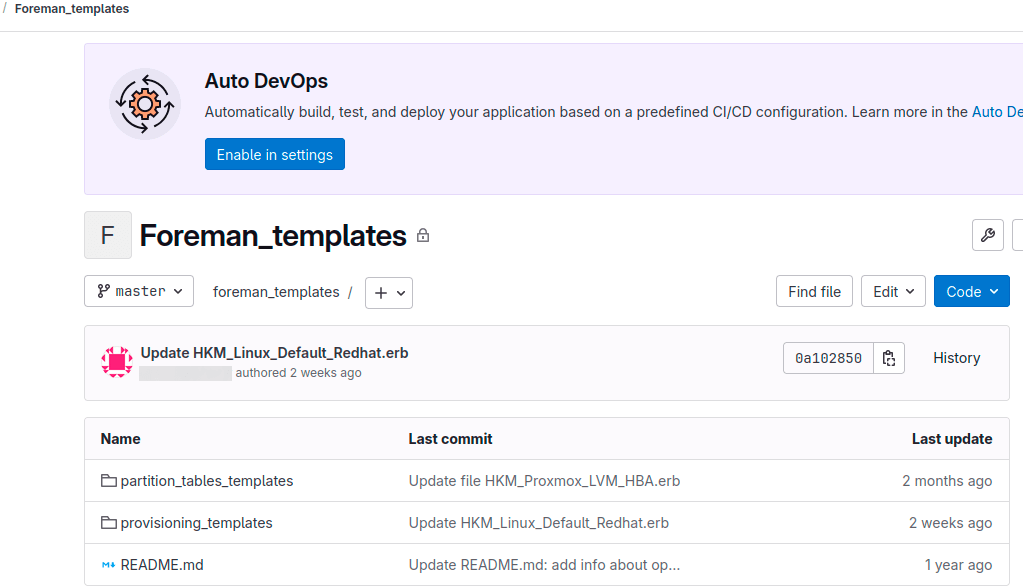
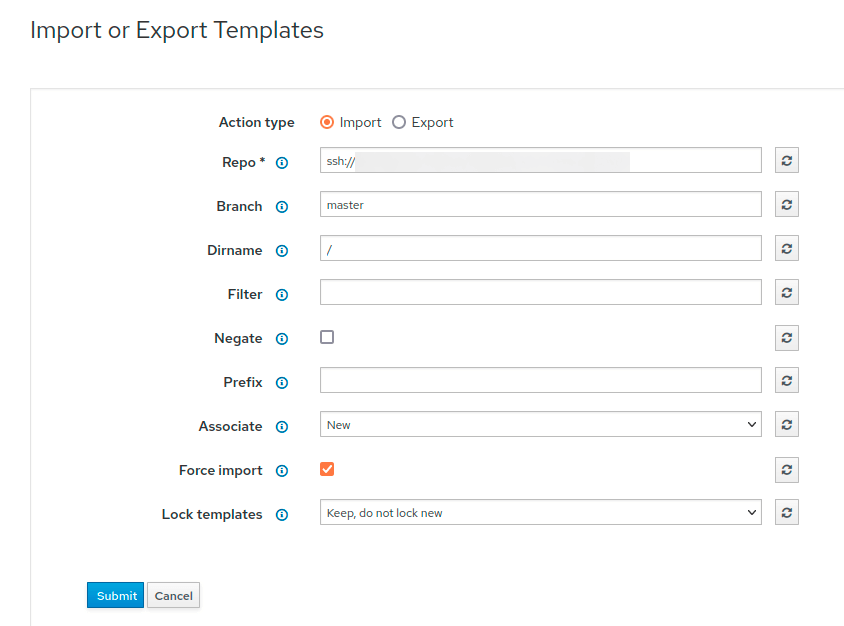
All configurations are now stored in GitLab within separate branches prod and develop. The administrator’s workflow has been significantly simplified: after working with a template, changes are pushed to GitLab using the Git command, which saves them in the repository. GitLab automatically triggers a webhook that communicates with the development Foreman instance via the API and updates all templates, including the one modified by the administrator.
After testing in the development environment, the administrator makes final adjustments, which are automatically propagated to all production locations.м.
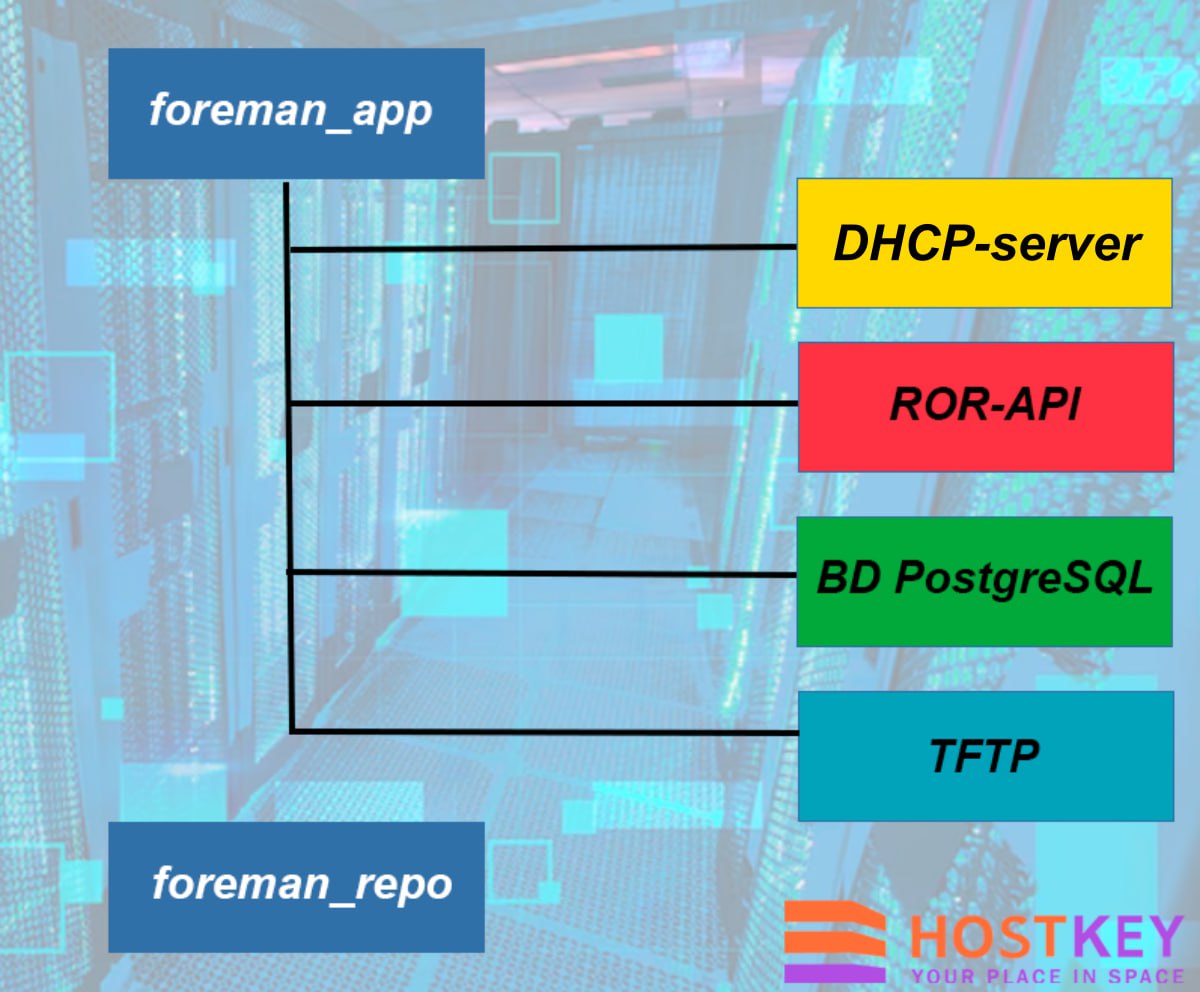
Our implementation includes two main components: Foreman Server, which acts as the central element and includes a web interface, API, and web server based on Apache HTTPD, and Smart Proxy, which provides integration with DHCP, DNS, and TFTP services. The DHCP server is implemented using the standard dhcpd, managed through the Smart Proxy.
Plugin deployment occurs simultaneously with Foreman installation. Ansible is used to automate the deployment process, and the database is obtained from another host and modified to meet current requirements:
Implemented Improvements and Outstanding Tasks
The migration brought about key changes: centralized configuration management in GitLab, automated Foreman deployment, positioning all Foreman instances within private networks, and assigning a dedicated Foreman instance for development purposes.
A major challenge is the "one location — one Foreman" architecture. Looking ahead, we plan to address this by implementing a proxy Foreman architecture, where a single central Foreman in each location will serve other instances, which will receive data from it. This solution will resolve the current lack of automation when adding new operating systems — today, administrators must manually visit all Foreman instances to register new OS versions, such as when Rocky Linux or AlmaLinux releases recent updates.
Conclusion
Migrating to an isolated network architecture for Foreman marked a pivotal step in the evolution of our automation infrastructure. Transitioning from public IP addresses to fully private networks with multi-layered security significantly enhanced system security, cutting the risk of unauthorized external access.
Introducing centralized configuration management through GitLab with automatic deployment of changes simplified administrative workflows and reduced the likelihood of errors during template updates. Separating development and production environments ensured safe testing of changes without disrupting operational systems.
Despite these achievements, we still face challenges in further refining the architecture. Our planned shift to a centralized model with proxy Foreman will unify OS management and fully automate update processes. This will be the next phase in the evolution of our deployment automation platform.