



 +31 20 820 3777
 Compliance
  Support
  Documentation
 Login
Login 



What Is OpenClaw?
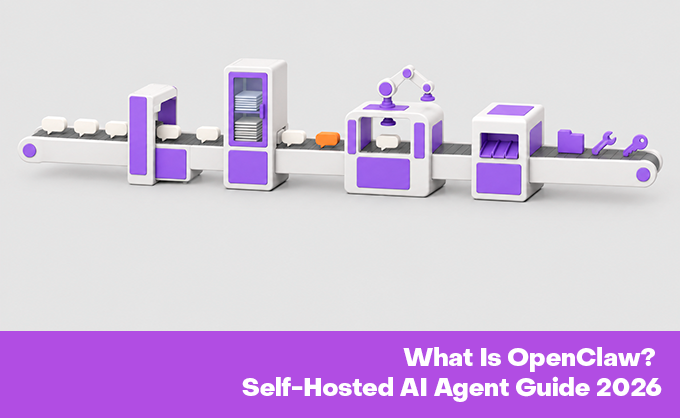
This is an open-source platform for running the OpenClaw AI agent on your own infrastructure. It is not a standalone LLM model, but rather serves as an orchestration layer for managing memory, tools, integrations, and workflows. The platform connects to cloud APIs and local models, allowing the agent to work with files, the browser, the terminal, and applications.
Important:
- This is not a standalone AI model. OpenClaw uses external LLMs via APIs or local execution.
- Manages memory, tools, tasks, and the agent's logic.
- Supports the OpenAI API, Ollama, LM Studio, and other services.
- OpenClaw's self-hosted architecture allows you to deploy the platform on your own server or VPS and retain full control over your data.
- The agent interacts with files, the browser, the terminal, APIs, applications, and instant messaging.
- OpenClaw automates tasks using integrations and skills.
Why OpenClaw Became Popular
OpenClaw's popularity is driven by the development of agentic AI systems that can not only respond but also perform actions, use tools, and automate processes. Unlike traditional chatbots, OpenClaw's self-hosted AI agent can work with files, browsers, shell commands, and external services.
The OpenClaw self-hosted model allows you to run the platform on your own infrastructure, controlling data, agent memory, and integrations. OpenClaw is popular for automation, internal processes, and private AI scenarios.
How OpenClaw Works
- The user sends a message via Telegram, Slack, Discord, WhatsApp, or another connected channel. They can ask a question, launch a task, or request an agent to perform an action.
- The request enters the gateway layer, which connects the communication channel to OpenClaw and passes the message to the system.
- The OpenClaw self-hosted AI agent analyzes the request, determines intent, and selects the appropriate tools, skills, or integrations.
- OpenClaw receives context: stored memory, conversation history, files, and other data for more accurate work.
- The request is passed to the connected LLM via an API or local execution. OpenClaw is not a standalone model, but rather functions as an orchestration layer between the user, tools, and AI.
- The LLM generates an action plan and determines which tools to use: shell commands, browser, API, files, or applications.
- OpenClaw executes actions on the user's infrastructure: working with files, running commands, searching for data, and automating processes.
- The result is returned to the user via the selected communication channel.
Quick deployment of OpenClaw typically requires Node.js, an API key for the chosen model provider, and a gateway configuration. Node 24 is recommended, but Node 22.14+ is also supported.
OpenClaw Architecture: Main Components
|
Component |
What it does |
Why it's important for hosting |
|
Gateway |
Receives requests from Telegram, Slack, Discord, WhatsApp, and other channels, routing them to the agent. |
Requires isolation, firewall protection, and monitoring due to internet access. |
|
Agent runtime |
Manages workflows, planning, tools, and automation. |
openclaw self-hosted deployments need stable CPU and RAM resources. |
|
Memory layer |
Stores chat history, context, sessions, and long-term memory. |
Requires backups, encryption, and access control. |
|
Skills and plugins |
Add integrations, APIs, automation, and custom scripts. |
Third-party components require verification and limited permissions. |
|
LLM provider |
Provides generation through cloud APIs or local models. |
Affects privacy, latency, bandwidth, and hardware needs. |
|
Tools layer |
Provides access to files, commands, browsers, scripts, and APIs. |
Requires isolation and permissions to reduce security risks. |
OpenClaw vs ChatGPT, n8n and Other AI Automation Tools
|
Tool |
Best for |
Advantage |
Limitation |
|
OpenClaw |
Self-hosted AI agents and automation |
openclaw self-hosted gives control over data, memory, and tools. |
Requires server setup and maintenance. |
|
ChatGPT |
Chatting, text, and research |
Easy startup and strong language capabilities. |
Limited access to local systems. |
|
n8n |
Process automation |
Visual scripting and API integration. |
Less flexible for AI agents. |
|
LangGraph / CrewAI |
AI agent creation |
Flexible configuration and logic control. |
Requires development skills. |
|
Local LLM stack |
Private AI |
Data control and local model execution. |
Requires powerful hardware. |
OpenClaw Use Cases
DevOps Assistant
The OpenClaw AI Agent helps with system monitoring, log checking, deployment reminders, and report generation. Critical actions require engineer intervention.
GitHub / CI/CD Assistant
The software analyzes pull requests, tracks build errors, and classifies tasks. It speeds up routine processes but does not replace manual code review.
Infrastructure Automation
OpenClaw performs server checks, basic diagnostics, and generates system status reports. Dangerous actions require user confirmation.
Personal Productivity
The openclaw self-hosted AI agent helps with calendar, email, and task management. Sending messages and other important actions are typically confirmed manually.
Internal Business Operations
The software works with CRM, knowledge bases, and internal data. It generates reports, collects information, and helps speed up processes.
Data Science / AI Workflows
OpenClaw runs scripts, validates data, and runs experiments with models. This is convenient for self-hosted OpenClaw environments with data control.
Customer Support Operations
The system helps analyze requests, search the knowledge base, and prepare responses. The final communication with the client is handled by a human.
OpenClaw Self-Hosted Requirements
Minimum Requirements for API-Based LLM Usage
For an OpenClaw self-hosted AI agent with external LLM APIs, a basic configuration is sufficient. Typically, 2 vCPUs, 2-4 GB of RAM, and a small NVMe disk are sufficient. The server handles the gateway, memory, tools, and integrations, while generation is performed by an external model.
Recommended VPS/VDS Configuration for 24/7 Operation
For stable 24/7 operation, a VPS/VDS with 4 vCPUs, 8 GB of RAM, and 50-100 GB of NVMe is recommended. This configuration is suitable for integrations with messengers, notifications, and background tasks.
When a Dedicated Server Makes Sense
A dedicated server is needed when working with internal systems, multiple agents, and large data streams. Typically, 8-16+ CPU cores, 32-64 GB of RAM, and NVMe storage for logs and data are required.
When You Need a GPU Server
A GPU server is only necessary when running local LLMs through Ollama, LM Studio, and other solutions. For such scenarios, VRAM capacity, inference speed, and GPU stability are important. Typically, 16-48 GB of video memory and 32-64+ GB of RAM are required.
Storage, Backups, and Logs
OpenClaw stores logs, memory, process data, and task results. NVMe storage of 50 GB or more is suitable for basic scenarios, and 500 GB or more for production. Backups and centralized log collection are essential.
Network, Latency, and Bandwidth
A stable connection and low latency are important when working with APIs, messengers, and integrations. To secure the OpenClaw AI Agent self-hosted, we recommend restricting access to the Gateway via VPN, reverse proxy, and firewall.
Below are sample infrastructure requirements for different OpenClaw self-hosted deployment scenarios.
|
Scenario |
Infrastructure |
CPU |
RAM |
Storage |
GPU |
Note |
|
Testing and Personal Agent |
VPS |
2 vCPUs |
2-4 GB |
20-40 GB NVMe |
No |
For experimentation and simple automation. |
|
DevOps and 24/7 monitoring |
VPS/VDS |
4 vCPUs |
8 GB |
50-100 GB NVMe |
No |
For logs, integrations, and background tasks. |
|
Team Agent |
VDS/Server |
4-8+ cores |
16-32 GB |
100-500 GB NVMe |
Optional |
For multiple users and channels. |
|
Local LLM |
GPU Server |
8+ Cores |
32-64+ GB |
500 GB+ NVMe |
Yes |
Requires GPU memory for models. |
|
Multi-Agent Systems |
Server/GPU Cluster |
16+ Cores |
64-128+ GB |
1 TB+ NVMe |
Yes/Optional |
For high workloads and complex automation. |
When using external LLM APIs, the server is responsible for orchestration, memory, tooling, and integrations. For on-premises models, the requirements are higher: RAM, GPU memory, disk speed, and cooling are all important.
How to Set Up OpenClaw on a Server
First of all, we offer pre-installed panel installation when you order a server. However, if you prefer to do it yourself, you'll need to follow these steps.
Choose a server
Choose a VPS, VDS, or dedicated server. A VPS is suitable for testing. For self-hosted OpenClaw AI Agent production, it's important to allow for additional resources.
Install Ubuntu 24.04 LTS or another supported OS
Ubuntu 24.04 LTS or another supported Linux is recommended. A stable OS ensures the correct operation of Node.js and OpenClaw components.
Create a non-root user
Create a separate non-root user. This increases security and restricts access to system resources.
Update packages
Before installation, update your system and dependencies. This reduces the risk of conflicts and patches known vulnerabilities.
Install Node / use official installer
Install Node.js using the official installer. Node 24 is recommended, but Node 22.14+ is also supported.
Run OpenClaw onboarding
Run onboarding to set up the runtime, connect the main components, and create a basic agent configuration.
Add LLM API key
Adds the API key of the selected LLM provider. It's important to understand that OpenClaw itself isn't a model - it's an orchestration layer, so without an external or local LLM, it can't perform reasoning.
Configure Gateway
The Gateway is configured to process incoming messages and route requests between messengers and the agent. This is the key layer through which communication in the OpenClaw self-hosted AI agent system operates.
Connect Telegram/Slack/Discord
Communication channels are integrated: Telegram, Slack, Discord, and other platforms. This allows the system to function as a multi-channel agent that responds to events in real time.
Add only trusted skills
It is recommended to connect only trusted skills and plugins. This reduces the risk of supply-chain attacks and uncontrolled tool behavior within the OpenClaw self-hosted environment.
Configure logs and backup
Configure logs, monitoring, and backups. This is critical for debugging agent behavior, analyzing errors, and restoring data in the event of failures.
Test with low-risk commands first
Before connecting to real systems, testing is performed on safe tasks. This allows you to verify the agent's behavior without risking infrastructure or data.
Do not connect OpenClaw to production systems or sensitive data until isolation, access control, logging, and backups are configured. This is especially important for the OpenClaw self-hosted AI agent, which may have access to files, APIs, and system tools.
Security Risks
OpenClaw is an agent system with access to tools and infrastructure. The openclaw self-hosted AI agent can work with files, shell commands, browsers, and APIs, so configuration errors can lead to unwanted actions.
The main threats are prompt injection, third-party plugins, open gateways, and API key leaks. For protection, we recommend regularly updating the system, using authentication, TLS, VPN, or reverse proxy, and checking all plugins.
External LLM APIs simplify work but may transmit data to the provider. Local models provide greater control but require more powerful infrastructure.
Main risks:
- Access to system resources and tools.
- Prompt injection.
- Skills and plugins.
- Gateway and API keys.
- External LLM APIs.
- Local models require more resources.
For the openclaw self-hosted AI agent, it's best to consider security measures before deploying the system.
OpenClaw Security Hardening Checklist
Run It in an Isolated Environment
Hosting the OpenClaw self-hosted AI agent on a separate VPS, VDS, or dedicated server, rather than on shared infrastructure. This reduces the risk of data access and limits the impact of errors.
Use a Non-Root User
Run OpenClaw as a non-root user. Restricting privileges reduces the damage in the event of a vulnerability or agent malfunction.
Restrict Network Access
Restrict access using a firewall, VPN, or IP allowlisting. It is not recommended to expose the gateway to the internet without additional security.
Use TLS and Reverse Proxy
Use TLS and a reverse proxy (e.g., Nginx or Caddy) to secure connections and API requests. For self-hosted deployments, this is one of the basic security levels.
Store Secrets Safely
API keys, tokens, and credentials should not be stored in publicly accessible configurations. Use environment variables, vaults, or encrypted storage. Leaked keys in OpenClaw self-hosted opens access to the LLM API and external services.
Vet Skills Before Installing
Before installation, test each skill and plugin. Use only trusted sources and restrict permissions. Such components can execute code and interact with the system.
Enable Logging and Monitoring
Enable logging of agent actions, tool execution, API requests, and errors. This will allow you to monitor OpenClaw and identify suspicious activity.
Backup Configuration and Memory
Regularly back up the configuration, memory, and agent state. For the OpenClaw AI Agent self-hosted, this will quickly restore the system after failures.
Choosing the Right Hostkey Server for OpenClaw
The choice of infrastructure depends on where the main workload is running. A standard VPS is sufficient for external LLM APIs and services with integrations.
When using local LLMs, multi-agent scenarios, and complex automation, the requirements increase significantly. CPU, RAM, NVMe speed, and GPU availability are key for stable system operation.
|
OpenClaw scenario |
Recommended Hostkey direction |
Why |
|
Personal / test OpenClaw |
VPS / VDS |
low cost, always-on runtime |
|
DevOps assistant |
VDS / dedicated server |
stable resources, isolation |
|
Team automation |
dedicated server |
predictable performance, better control |
|
Local LLM inference |
GPU dedicated server |
model inference needs GPU VRAM |
|
Sensitive workflows |
dedicated server / private setup |
stronger isolation and control |
|
Multi-agent workflows |
high-RAM / GPU server |
memory, compute and storage overhead |
Recommended Server Configurations for OpenClaw
For the OpenClaw self-hosted AI agent, these configurations can be used as a starting point. Actual requirements depend on the number of agents, integrations, message volume, and the use of local LLMs.
|
Scenario |
Infrastructure |
Configuration |
Note |
|
Learning OpenClaw |
VPS |
2 vCPUs, 2-4 GB RAM, 20-40 GB NVMe |
For learning and working with external LLM APIs. |
|
Permanent Personal Agent |
VPS / VDS |
4 vCPUs, 8 GB RAM, 50-100 GB NVMe |
For tasks, notifications, and simple automation. |
|
DevOps for a small team |
VDS / Dedicated Server |
4-8 cores, 16-32 GB RAM, 100-200 GB NVMe |
For monitoring, CI/CD, and integrations. |
|
Internal Automation |
Dedicated Server |
8-16 cores, 32-64 GB RAM, NVMe |
For CRM, documents, and internal processes. |
|
On-premises LLM |
GPU server |
8+ cores, 32-64 GB RAM, GPU 16-48 GB VRAM |
For Ollama, LM Studio, and other on-premises models. |
|
Production deployment |
Dedicated server / private cloud |
8-16+ cores, 64-128 GB RAM |
For reliable and secure operation. |
|
Multi-agent system |
Server / GPU cluster |
16+ cores, 64-128+ GB RAM |
For openclaw self-hosted with high load. |
|
Isolated deployment |
Dedicated server |
8-16 cores, 32-64 GB RAM |
For working with confidential data. |
These are basic recommendations. The actual configuration is determined by the workload, number of users, model size, and the use of browser-based automation or local inference.
Common Mistakes When Deploying OpenClaw
Running it on a primary laptop with sensitive data
OpenClaw is typically self-hosted on the main computer where work and personal data are stored. This increases the risk, as an agent can access files and applications. For testing, it's safer to use a separate VPS or isolated environment.
Running as root
Running OpenClaw as root increases the risk to the entire system. If openclaw ai agent gains full access, even an error in executing the tools could have serious consequences.
Exposing the Gateway Publicly
Don't leave the gateway open without a VPN, reverse proxy, or IP filtering. Otherwise, it becomes an entry point for attacks.
Reusing personal API keys
Don't use the same API keys for test and production environments. Leaking them can expose openclaw self-hosted services and data.
Installing random skills without review
Install only verified skills and plugins. They can access files, APIs, and system tools.
Skipping backups
Regularly back up your configuration, memory, and data. This will allow you to quickly recover from a failure.
No logs / no audit trail
Without logs, it's impossible to verify agent actions and find the cause of errors. For AI agents, auditing is a basic security measure.
Giving the agent access to production without approval
Don't grant the agent full access to production without user approval. Critical actions should only be performed with human intervention.
Confusing "self-hosted" with "automatically secure"
Openclaw self-hosting does not mean automatic security. Updates, firewall, authentication, and access control are the responsibility of the user.
Underestimating local LLM hardware requirements
Local models require sufficient RAM, VRAM, and fast storage. Insufficient resources reduce system performance.
Not separating test/staging/production
Separate test, staging, and production environments. This reduces the risk of errors and accidental changes.
Forgetting API cost monitoring
Monitor the use of external LLM APIs. Without limits, automation can lead to unexpected costs.
FAQ
What is OpenClaw AI used for?
The OpenClaw AI agent is used for automation, DevOps tasks, data processing, and working with messengers. The platform supports LLM and APIs for performing multi-stage tasks.
Is OpenClaw an LLM?
No. OpenClaw is not an LLM model, but an orchestration layer for AI agents. It connects to external APIs or local models.
Is OpenClaw self-hosted?
Yes. OpenClaw self-hosted is deployed on a VPS, VDS, or dedicated server. The user independently manages the infrastructure, security, and integrations.
Can OpenClaw run on a VPS?
Yes. A standard VPS is sufficient for most OpenClaw tasks. When using external LLM APIs, the server is responsible for orchestration and integration, while local models require more powerful CPU, RAM, and GPU.
Is OpenClaw safe to use?
OpenClaw security depends on the configuration. The OpenClaw self-hosted AI agent has access to files, shell, and API, so it is recommended to use an isolated environment, a non-root user, logging, restrict access to Gateway, and regularly update the system.
What is the difference between OpenClaw and ChatGPT?
ChatGPT is designed for communication and text generation, while OpenClaw is for automation and action execution. OpenClaw supports local infrastructure and provides more control over the environment.
How do I secure an OpenClaw server?
Use a separate VPS/VDS, run OpenClaw without root privileges, and secure the Gateway with TLS, a reverse proxy, and a firewall. For self-hosted OpenClaw, backups, plugin testing, and regular API key changes are also important.