



 +31 20 820 3777
 Compliance
  Support
  Documentation
 Login
Login 



The web interface for interacting with LLM models, Open WebUI, has seen some major updates recently (first to version 0.3.35 and then to the stable release of 0.4.5). As we use it in our AI chat bot, we want to highlight the new features and improvements these updates bring and what you should keep in mind when upgrading.
Let's start with the update process: We recommend updating both Ollama and OpenWebUI simultaneously. You can follow our instructions for Docker installation or run the command
pip install --upgrade open-webuiif you installed OpenWebUI through PIP. In Windows, Ollama will prompt you to update automatically.
Try for free our AI chatbot, built using the Ollama and Llama3 models, with the OpenWebU interface!
0.3.35
Let's talk about the useful changes in Open WebUI 0.3.35:
-
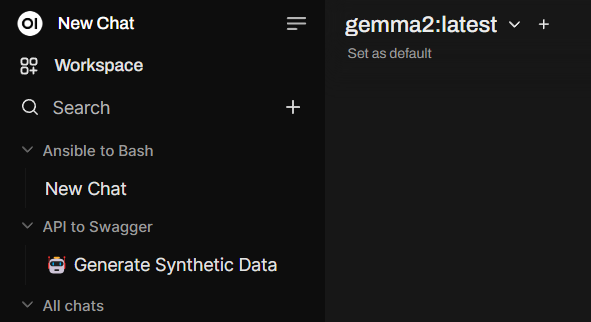
Chat Folders: Instead of a long list, you can now organize your chats into folders and easily return to specific conversations or successful prompts.
-
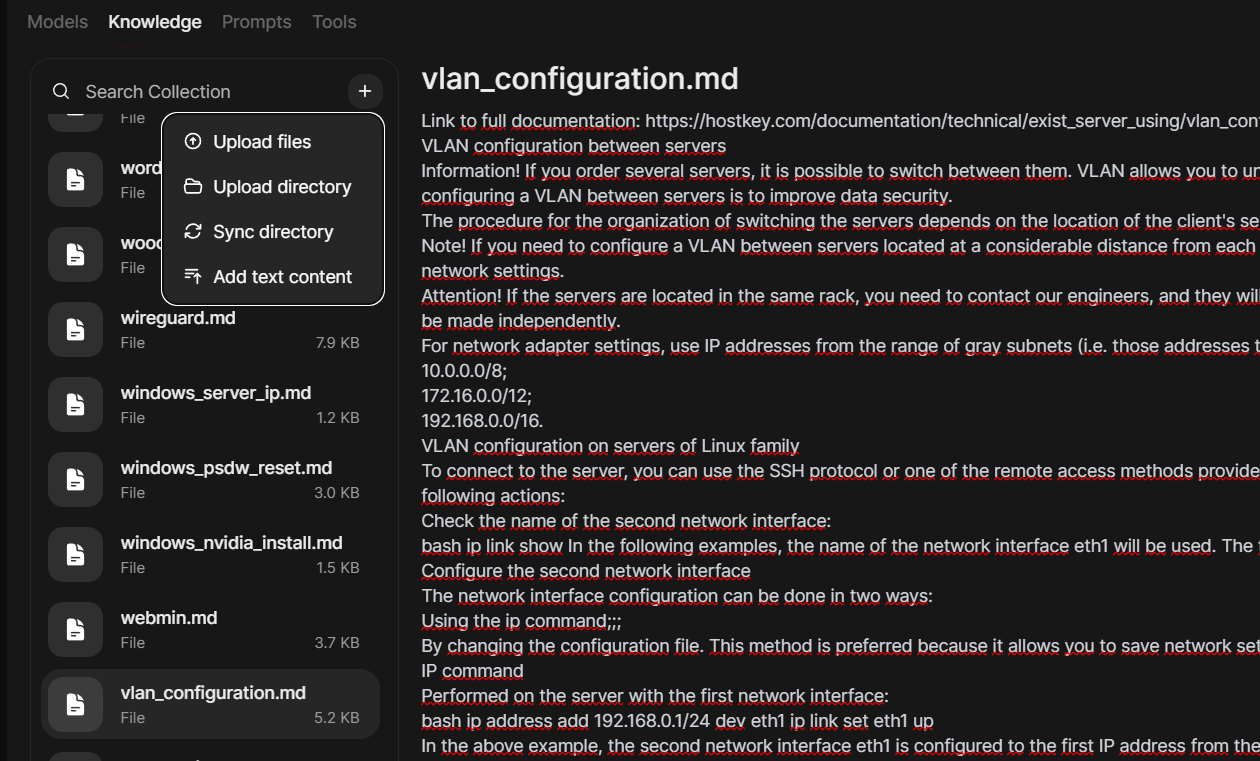
Enhanced Knowledge Base: This is a key improvement that makes building a knowledge base for Retrieval-Augmented Generations (RAG) requests much easier. You now create the collection and then add documents within it.
-
Recent updates made viewing and adding documents significantly more convenient. You can now add documents from entire directories, and synchronize changes between your local directory with files and those in the knowledge base (previously you had to delete files and re-upload them). There's also a built-in editor for adding text directly to the knowledge base.
-
Expanded Tag System: Tags now take up less space! Use the new tag search system (tag) to manage, search, and sort your conversations more effectively without cluttering the interface.
-
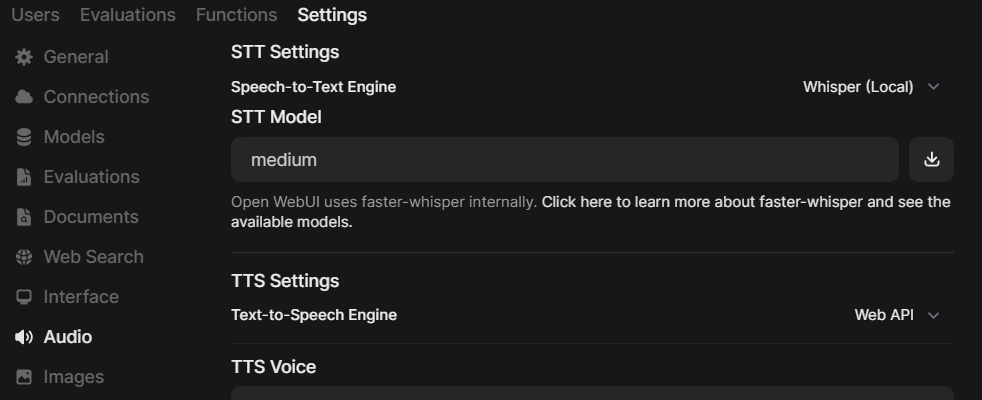
Convenient Whisper Model Settings: You can now specify which model to use for speech-to-text conversion. Previously, only the base model was available by default, which wasn't ideal for non-English languages where the medium model is more suitable.
Other notable changes:
- Experimental S3 support;
- Option to disable update notifications if they were bothering you;
- Citation relevance percentage in RAG;
- Copying Mermaid diagrams;
- Support for RTF formatting.
A long-awaited API documentation has also arrived, making it easier to integrate custom models with RAG from Open WebUI into external applications. The documentation is available in Swagger format through endpoints.
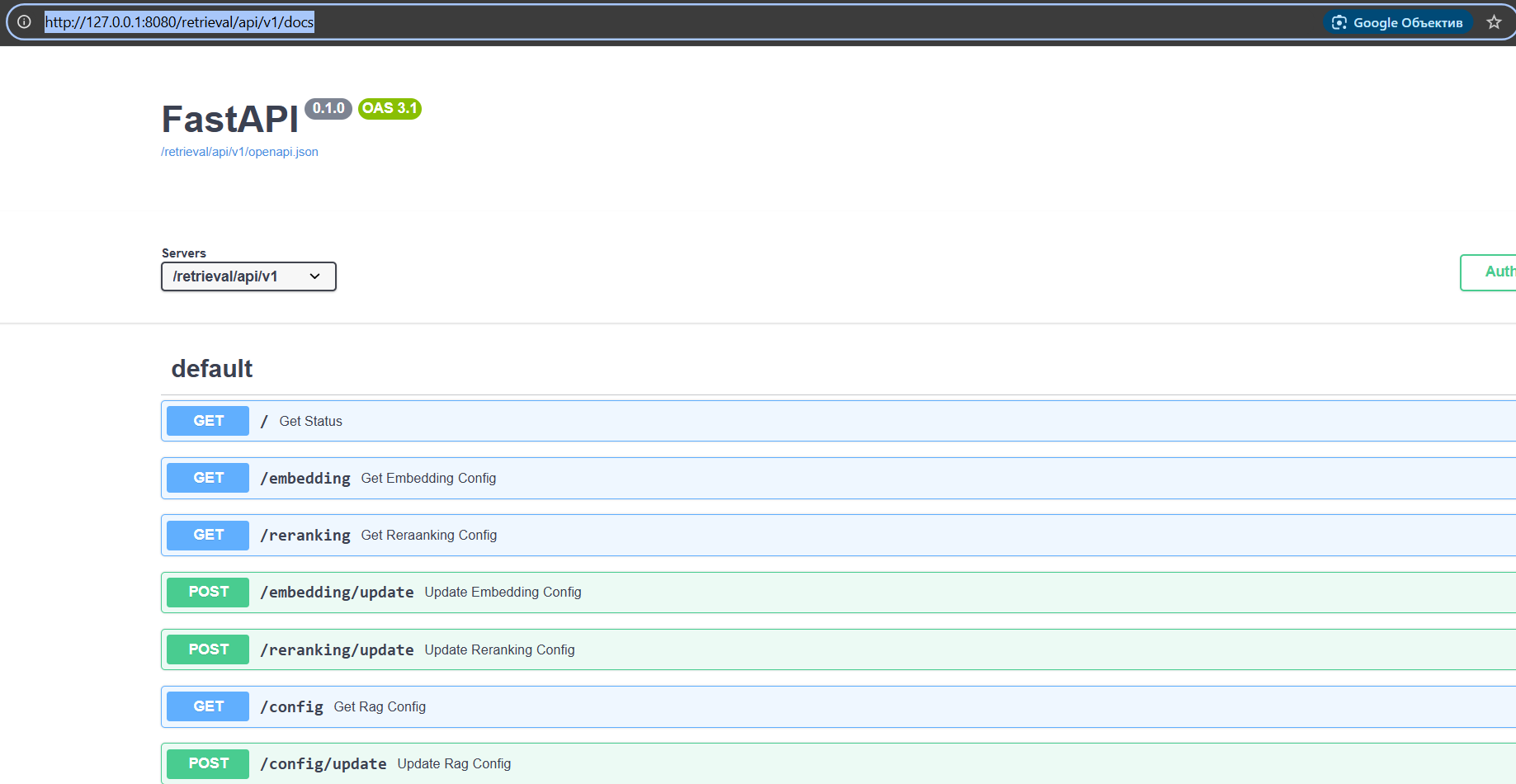
You can learn more about the API in the Open WebUI documentation.
0.4.5
The next big changes arrived with version 0.4.x. Sadly, it's become a pattern that immediately after releasing version 0.4.0, developers break a lot of previously working functionality and forget to include the planned new features. So, waiting was recommended, and after several releases (at the time of writing this article, Open WebUI was at version 0.4.5), it was safe to update. What's new in this version?
The first thing you notice is the speed improvement. Requests are processed and displayed two to three times faster because caching optimizations have been implemented in Open WebUI for quicker model loading.
The second major change affects user management. Now, you can create and manage user groups, which simplifies their organization, clearly defines access to models and knowledge bases, and allows permissions to be assigned not individually to each user but to groups. This makes using Open WebUI within organizations much easier.
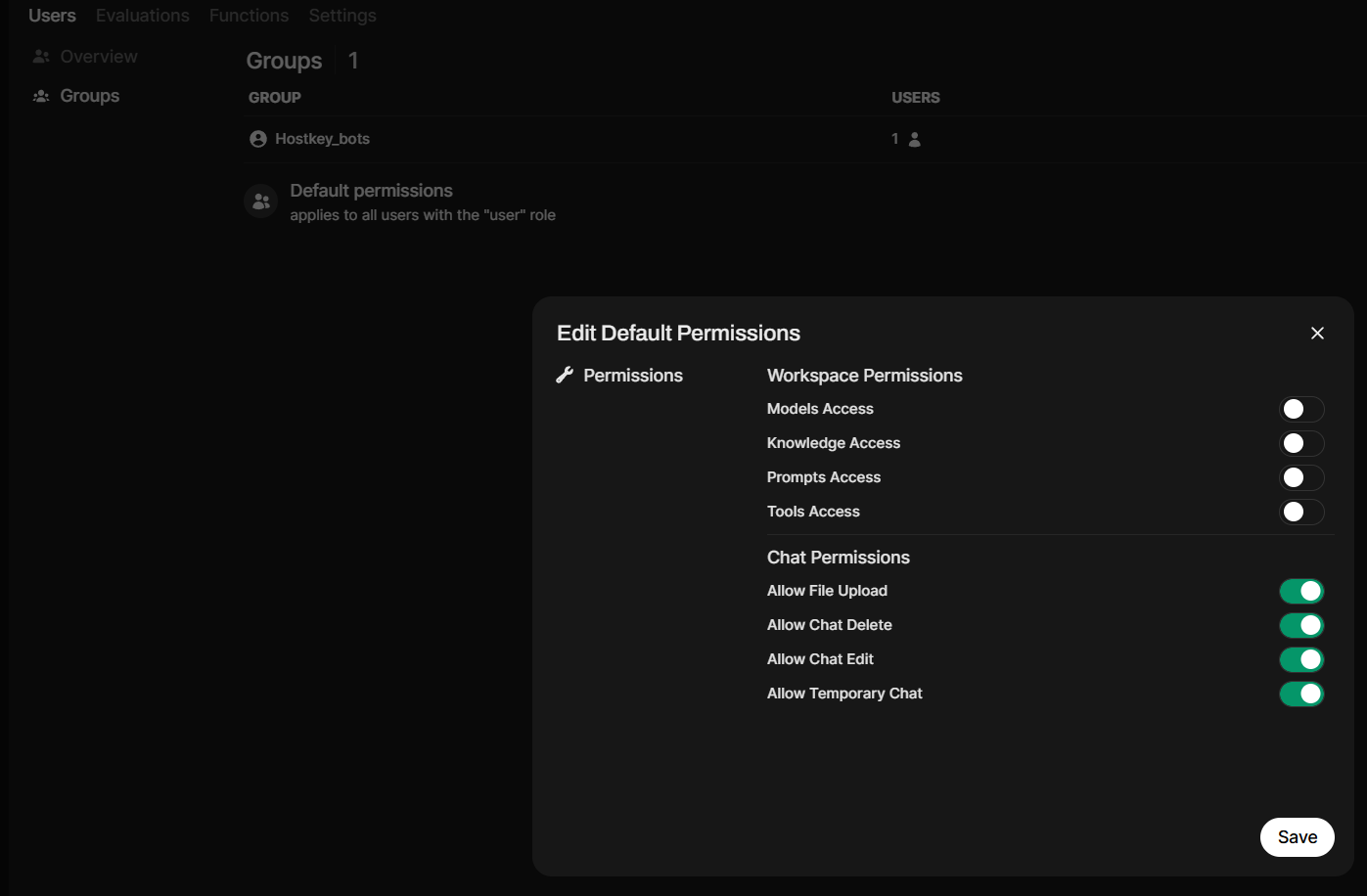
LDAP authentication is now available, along with support for Ollama API keys. This allows you to manage Ollama accounts when deployed behind proxies, including using ID prefixes to differentiate between multiple Ollama instances.
A new indicator also shows whether you have web search or other tools enabled.

Model management options in Ollama are now grouped in one place.
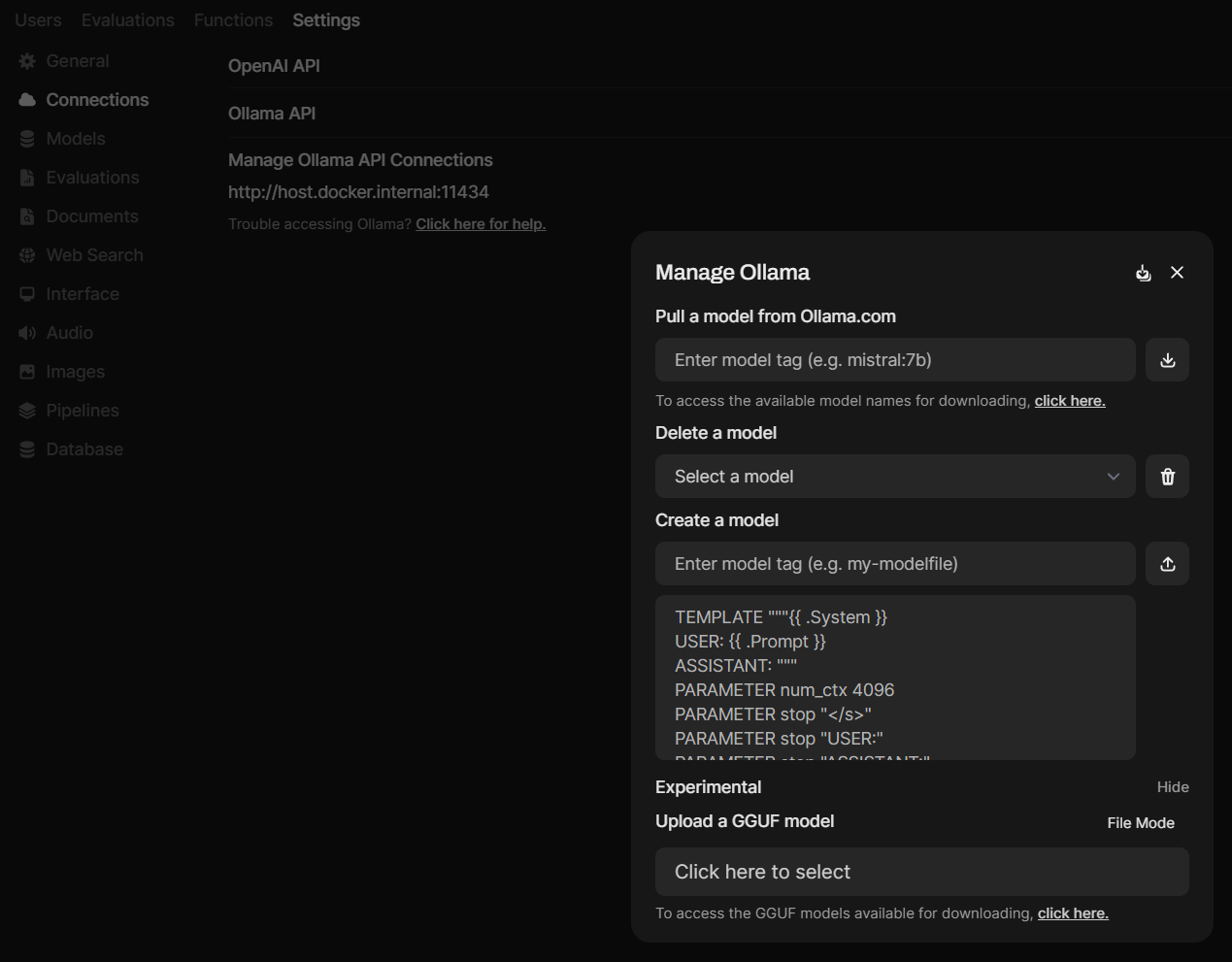
Other notable updates:
- Interface Improvements: Redesigned workspace for models, prompts, and requests.
- API Key Authentication Toggle: Quickly enable or disable API key authentication.
- Enhanced RAG Accuracy: Improved accuracy in Retrieval-Augmented Generations by intelligently pre-processing chat history to determine the best queries before retrieval.
- Large Text File Download Option: You can now optionally convert large pasted text into a downloadable file, keeping the chat interface cleaner.
- DuckDuckGo Search Improvements: Fixed integration issues with DuckDuckGo search, improving stability and performance within speed limits.
- Arena Model Mode: A new "Arena Model" mode allows you to send a chat request to a randomly selected connected model in Open WebUI, enabling A/B testing and selecting the best performing model.
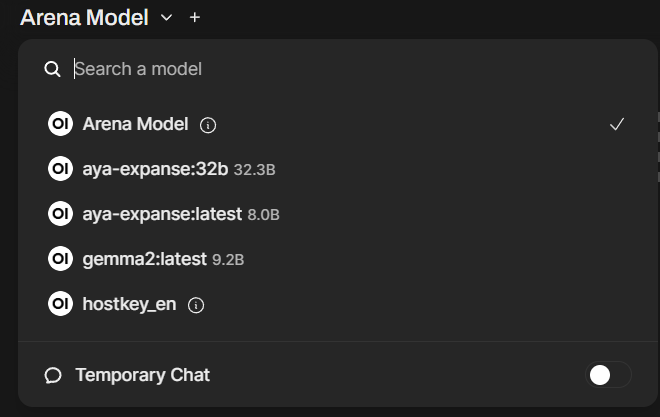
When updating to version 0.4.5, be aware that the model selection process has changed. The option to set a "default" model for a user is gone. Instead, the model you are currently using will be saved when creating a new chat.
The initial setup process is now improved, clearly informing users that they are creating an administrator account. Previously, users were directed to the login page without this explanation, often leading to forgotten admin passwords.
These are just some of the improvements; tools, features, and administrative functions have also been enhanced – check the Release Notes for each Open Web UI release for more details. Do you use Open Web UI at home or work?
P.S. Updating Ollama to version v0.4.4 (which is almost aligned with Open WebUI) will give you access to new models, such as:
- Marco-o1: A rational thinking model from Alibaba.
- Llama3.2-vision: A multimodal model that understands images.
- Aya-expanse: A general-purpose model that officially supports 23 languages.
- Qwen2.5-coder: One of the best models for writing software cod
Try for free our AI chatbot, built using the Ollama and Llama3 models, with the OpenWebU interface!