



 +31 20 820 3777
 Compliance & KYC
  Support
  Documentation
 Login
Login 




In our previous article, we detailed our experience testing a server with a single RTX 5090. Now, we decided to install two RTX 5090 GPUs on the server. This also presented us with some challenges, but the results were worth it.
We swapped out two GPUs – installed two GPUs
To simplify and speed up the process, we initially decided to replace the two 4090 GPUs already in the server with 5090s. The server configuration ended up looking like this: Core i9-14900KF 6.0GHz (24 cores)/ 192GB RAM / 2TB NVMe SSD / 2xRTX 5090 32GB.
We deployed Ubuntu 22.04, installed drivers using our magic script, which installed without issues, as did CUDA. nvidia-smi shows two GPUs. The power supply seems to be pulling up to 1.5 kilowatts of load.
AI Platform: GPU Servers with Pre-Installed AI and LLM Models
Rent a GPU server with professional and gaming NVIDIA graphics cards for your AI project. Pre-installed software is ready to work immediately after server deployment.
We installed Ollama, downloaded a model, and ran it – only to discover that Ollama was running on the CPU and not recognizing the GPUs. We tried launching Ollama with direct CUDA device specification, using the GPU numbers for CUDA:
CUDA_VISIBLE_DEVICES=0,1 ollama serveBut we still got the same result: Ollama wouldn't initialize on both GPUs. We tried running in single-GPU mode, setting CUDA_VISIBLE_DEVICE=0 and CUDA_VISIBLE_DEVICE=1 – same situation.
We tried installing Ubuntu 24.04 – perhaps the new CUDA 12.8 doesn't play well with multi-GPU configurations on the "older" Ubuntu? And yes, the GPUs worked individually.

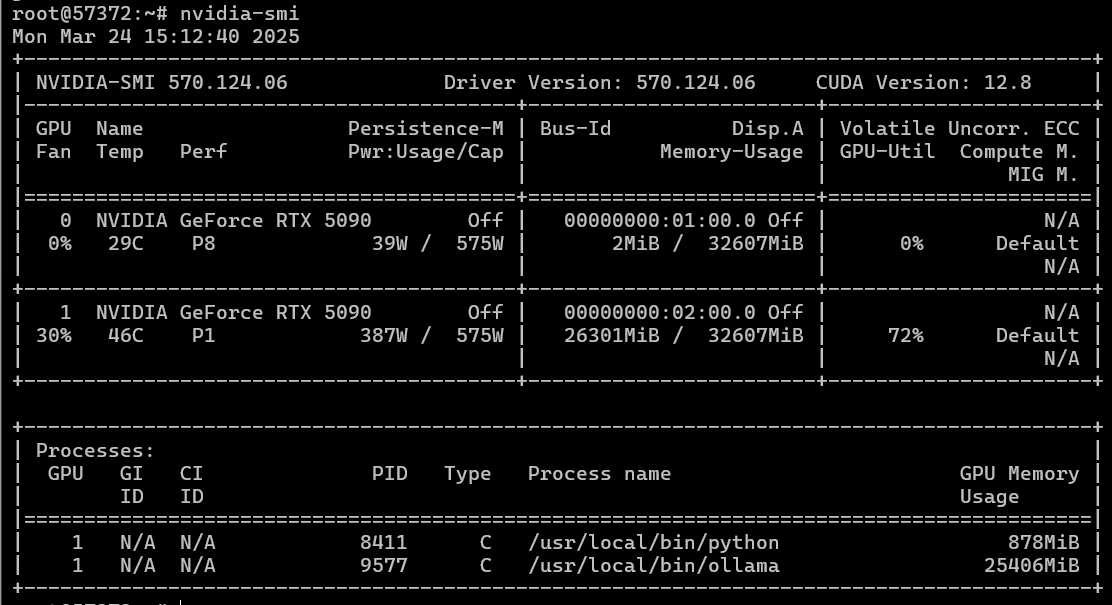
However, attempting to run Ollama on two GPUs resulted in the same CUDA initialization error.
Knowing that Ollama can have issues running on multiple GPUs, we tried PyTorch. Remembering that for the RTX 50xx series, we need installed a latest compatible version 2.7 with CUDA 12.8 support:
pip install torch torchvision torchaudioimport torch
if torch.cuda.is_available():
device_count = torch.cuda.device_count()
print(f"CUDA is available! Device count: {device_count}")
for i in range(min(device_count, 2)): # Limit to 2 GPUs
device = torch.device(f"cuda:{i}")
try:
print(f"Successfully created device: {device}")
x = torch.rand(10,10, device=device)
print(f"Successfully created tensor on device {device}")
except Exception as e:
print(f"Error creating device or tensor: {e}")
else:
print("CUDA is not available.")And we received an error when running on two GPUs and successful operation on each GPU when passing the CUDA usage variable.
For reliability, we decided to install and verify CuDNN following this guide and used these tests: https://github.com/NVIDIA/nccl-tests.
Testing also failed on two GPUs. We then swapped the GPUs, changed the risers, and tested each GPU individually – with no result.
New server and finally, the tests.
We suspect the issue might be with the hardware struggling to support two 5090s. We moved the two GPUs to another system: AMD EPYC 9354 3.25GHz (32 cores) / 1152GB RAM / 2TB NVMe SSD / PSU + 2xRTX 5090 32GB. We reinstalled Ubuntu 22.04, updated the kernel to version 6, updated drivers, CUDA, Ollama, and ran models…
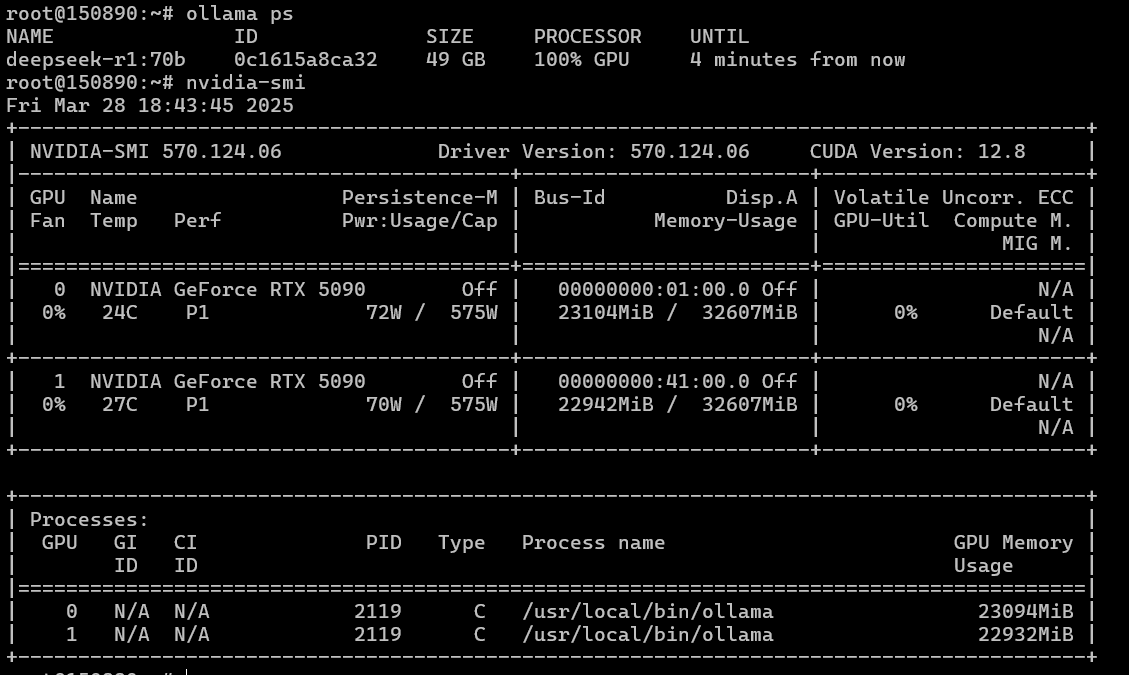
Hallelujah! - everything started working. Ollama scales across two GPUs, which means other frameworks should also work. We check NCCL and PyTorch just in case.
NCCL testing:
./build/all_reduce_perf -b 8 -e 256M -f 2 -g 2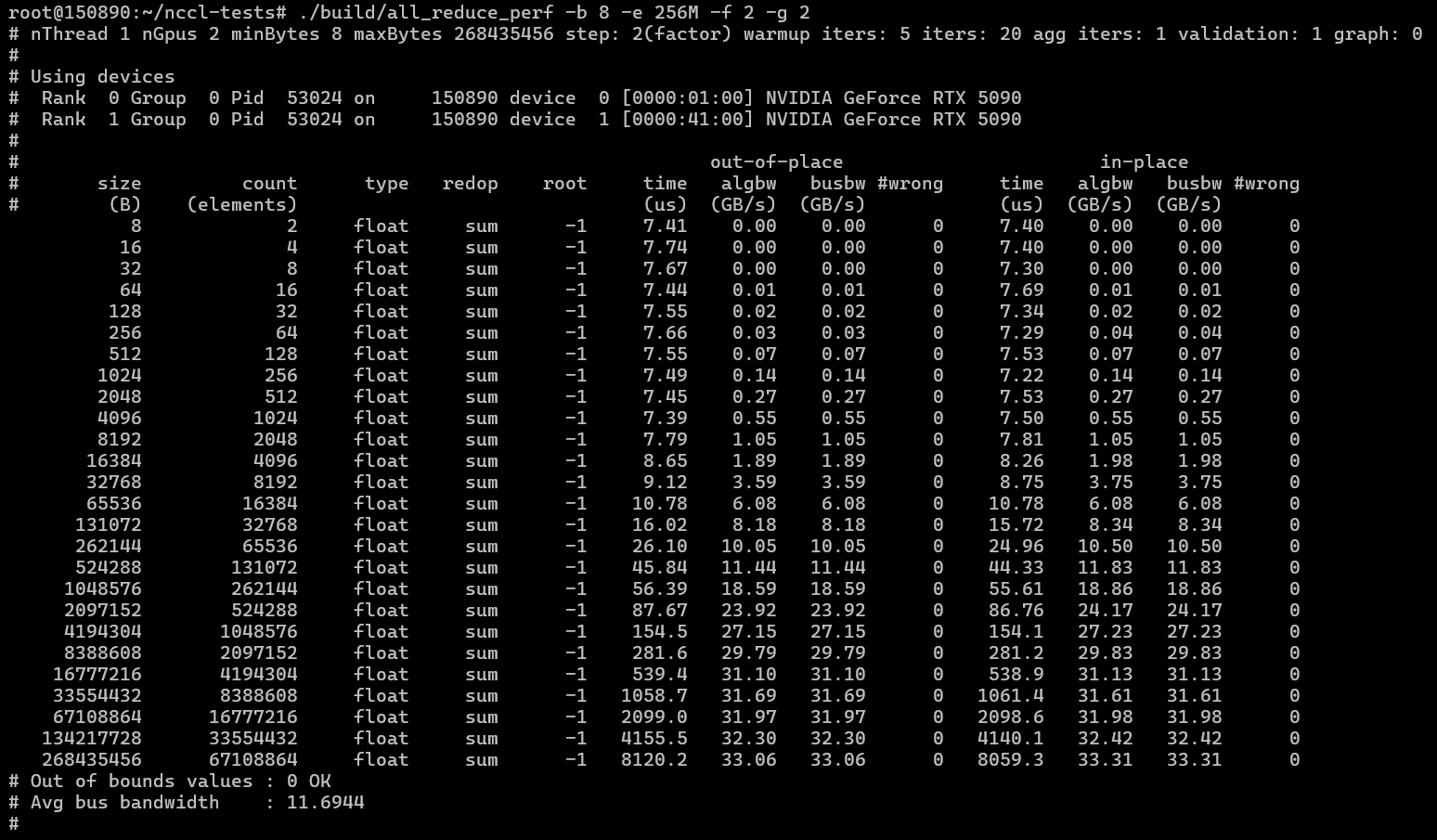
PyTorch with the test mentioned earlier:
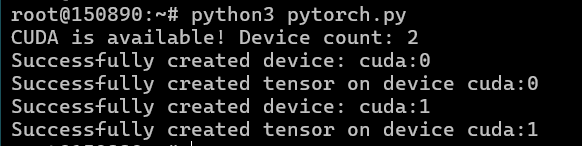
We're testing neural network models to compare their performance against the dual 4090 setup using the Ollama and OpenWebUI combination.
To work with the 5090, we also update PyTorch within the OpenWebUI Docker container for latest release 2.7 with Blackwell and CUDA 12.8 support:
docker exec -it open-webui bash
pip install --upgrade torch torchvision torchaudio
DeepSeek R1 14 B
Context size: 32768 tokens. Prompt: “Write code for a simple Snake game on HTML and JS”.
The model occupies one GPU:

Response rate: 110 tokens/sec, compared to 65 tokens/sec on the dual 4090 configuration. Response time: 18 and 34 seconds respectively.
DeepSeek R14 70B
We tested this model with a context size of 32K tokens. This model already occupies 64GB of GPU memory and therefore didn’t fit within the 48GB of combined GPU memory on the 2x4090 setup. This can be accommodated on two 5090s even with a significant context size.

If we use a context of 8K, the GPU memory utilization will be even lower.
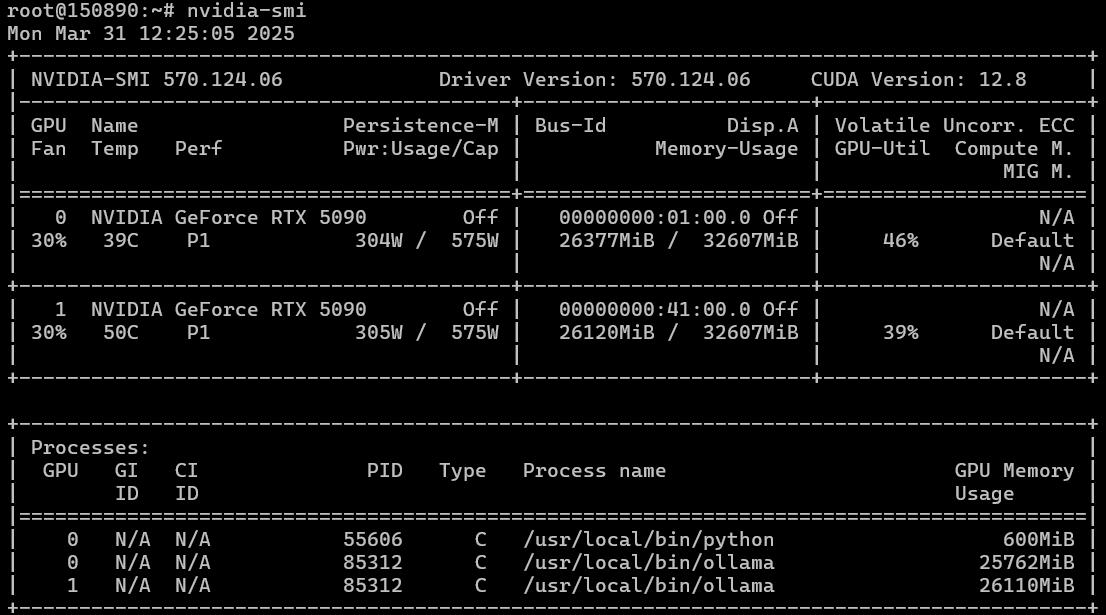
We conducted the test with a 32K context and the same prompt "Write code for simple Snake game on HTML and JS." The average response rate was 26 tokens per second, and the request was processed in around 50-60 seconds.
If we reduce the context size to 16K and, for example, use the prompt "Write Tetris on HTML," we'll get 49GB of GPU memory utilization across both GPUs.

Reducing the context size doesn't affect the response rate, which remains at 26 tokens per second with a processing time of around 1 minute. Therefore, the context size only impacts GPU memory utilization.
Generating Graphics
Next, we test graphics generation in ComfyUI. We use the Stable Diffusion 3.5 Large model at a resolution of 1024x1024.
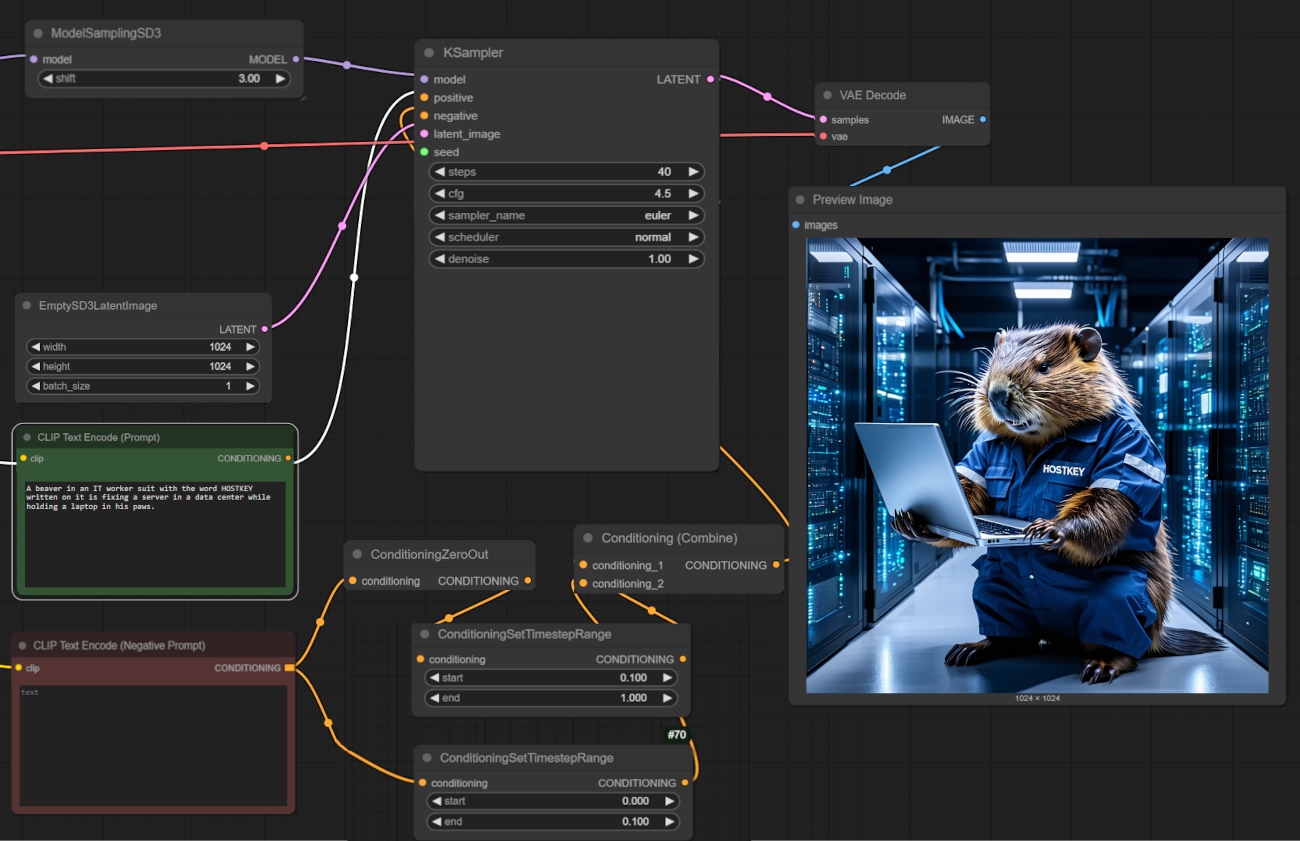
On average, the GPU spends 15 seconds per image on this model, utilizing 22.5GB of GPU memory on a single GPU. On the 4090, with the same parameters, it takes 22 seconds.

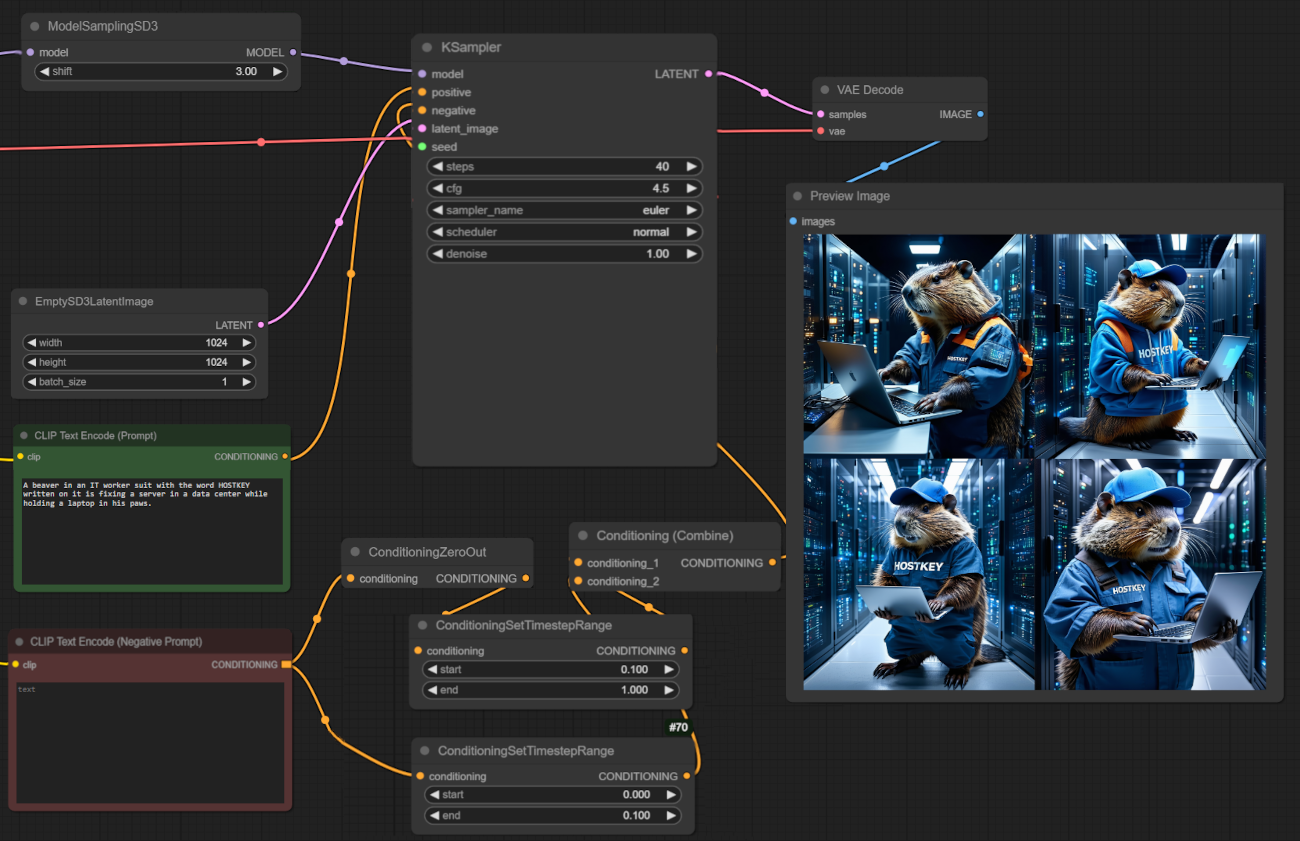
If we set batch generation (four 1024x1024 images), we spent a total of 60 seconds. ComfyUI doesn't parallelize the work, but it utilizes more GPU memory.

Conclusion
A dual NVIDIA RTX 5090 configuration performs exceptionally well in tasks requiring a large amount of GPU memory, and where software can parallelize tasks and utilize multiple GPUs. In terms of speed, the dual 5090 setup is faster than the dual 4090 and can provide up to double the performance in certain tasks (like inference) due to faster memory and tensor core performance. However, this comes at the cost of increased power consumption and the fact that not every server configuration can handle even a dual 5090 setup. More GPUs? Likely not, as specialized GPUs like A100/H100 reign supreme in those scenarios.