EN
EN
 All others
0%
All others
0%



Run Windows applications 24/7 with full control and predictable performance. Get an always-on Windows Server VPS with guaranteed CPU, RAM and storage. Manage IT easily via Remote Desktop from anywhere. Host corporate portals, web applications, and remote workstations running on IIS, .NET, MS SQL, and other Microsoft technologies with HOSTKEY’s Windows VPS. Get a licensed, reliably isolated, and consistently performing Windows Server with guaranteed resources and complete administrative access. Choose your preferred version and configuration from our diverse options to ensure the stable operation of Windows-based applications in a native environment.
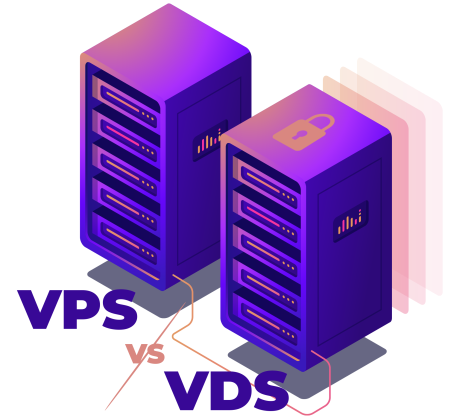
Shares physical resources with other virtual servers on the same physical machine. You are allocated a specific portion of CPU (cores), RAM, and disk space. However, access to these resources may be limited or affected by other users on the server, unlike with a VDS.
Provides fully dedicated resources such as CPU cores, RAM, and disk space. This guarantees consistent performance and ensures your server operates independently from others on the same physical host.
Each VPS comes with a fully dedicated GPU — one physical GPU per virtual server, without sharing. This guarantees consistent GPU performance for compute-intensive workloads such as ML, rendering, or video processing. CPU and RAM resources, however, are shared among all VPS on the host, allowing for efficient resource utilization while keeping costs reasonable.
Full remote control, HTML5 console, automated reinstall, ISO library, high-availability VM, free daily backups, 1GBps Internet access, Deployed in several minutes.
Please, note that instant cheap windows VPS servers come in a set configuration. If you need a custom dedicated server, use our online configurator instead.
Our VPS are fully managed through an API or a control panel. Thus, you will be able to use the HTML5 console, perform power actions, reboot, automatically reinstall cheap windows server hosting from standard OS images or do it manually from our ISO library. Buy cheap Windows VPS in a couple of clicks. Cheap Windows Server hosting is more cost-effective than a Windows cloud server.
Most popular apps pre-installed on your VPS servers.
Windows VPS hosting is HOSTKEY’s service that allows you to rent a virtual private server with a pre-installed Windows Server OS. Unlike Linux-based servers, this option is tailored for Microsoft-specific technologies and doesn’t require workarounds to run licensed Windows software. You can access your server via Remote Desktop Protocol, manage it through the familiar Windows graphical user interface, use Server Manager and PowerShell to set up your applications, and seamlessly integrate with Active Directory and Windows Services.
This service is also a happy middle ground between shared hosting and a dedicated physical server.
Unlike the former, it comes with a fixed set of CPU cores, RAM, disk space, and network resources that are not shared with other users running their virtual servers on the same physical machine.
Server Control Panel & API
Windows VPS hosting is commonly used when applications depend on Windows-specific technologies such as ASP.NET, .NET Framework, MSSQL, or commercial software that does not run on Linux. Windows VPS plans are usually more expensive due to licensing, which is a trade-off for compatibility and operational stability.
CPU, RAM, and storage are allocated exclusively to your virtual server.
Licensed Windows Server OS with full Microsoft ecosystem compatibility.
Administrator privileges for system configuration and management.
Freedom to install required applications and services.
Server access via Remote Desktop Protocol.
Better stability and isolation than shared hosting.
 Licensed Windows Server
Each HOSTKEY Windows VPS has an up-and-running Windows Server OS to provide native support for Windows-based applications and full compatibility with the whole Microsoft ecosystem.
Licensed Windows Server
Each HOSTKEY Windows VPS has an up-and-running Windows Server OS to provide native support for Windows-based applications and full compatibility with the whole Microsoft ecosystem.
 Dedicated resources
Your applications’ performance won’t suffer from workload spikes since your server doesn’t share CPU, RAM, and disk space with other users on the same physical machine.
Dedicated resources
Your applications’ performance won’t suffer from workload spikes since your server doesn’t share CPU, RAM, and disk space with other users on the same physical machine.
 Full administrator access
The administrator privileges allow you to configure core settings, install any required software, and run the services you need without restrictions.
Full administrator access
The administrator privileges allow you to configure core settings, install any required software, and run the services you need without restrictions.
 NVMe or SSD Storage
Depending on your performance requirements and budget, you can choose a suitable data storage technology and capacity, including speedy drives for I/O-intensive workloads.
NVMe or SSD Storage
Depending on your performance requirements and budget, you can choose a suitable data storage technology and capacity, including speedy drives for I/O-intensive workloads.
 Server access via RDP
You can securely connect to your virtual server using Remote Desktop Protocol and easily manage it through the standard Windows GUI rather than a less user-friendly command line interface.
Server access via RDP
You can securely connect to your virtual server using Remote Desktop Protocol and easily manage it through the standard Windows GUI rather than a less user-friendly command line interface.
 Enterprise-grade network speed
While our 1 Gbps internet access is sufficient for the vast majority of standard server tasks, you can get a connection speed of up to 10 Gbps for heavy enterprise workloads.
Enterprise-grade network speed
While our 1 Gbps internet access is sufficient for the vast majority of standard server tasks, you can get a connection speed of up to 10 Gbps for heavy enterprise workloads.
 Built-in DDoS protection
Our protection system monitors the incoming traffic in real time and reliably detects and sifts out anomalies to keep your server available for users even when under attack.
Built-in DDoS protection
Our protection system monitors the incoming traffic in real time and reliably detects and sifts out anomalies to keep your server available for users even when under attack.
 Wide selection of data centers for VPS deployment
Feel free to ensure low latency by choosing a location closer to your end users from our selection of data centers in different regions around the world.
Wide selection of data centers for VPS deployment
Feel free to ensure low latency by choosing a location closer to your end users from our selection of data centers in different regions around the world.








Windows VPS is often used for ERP systems, CRMs and other applications that are developed for the Windows ecosystem. This seems to make sense when software requires Windows Server, IIS or specific Microsoft components.
A Windows VPS can be used as a shared or individual remote desktop environment. Teams use it to access tools and files from anywhere without decentralizing data.
Developers use Windows VPS to test updates, patches and configurations in an isolated environment. This lowers the risk of the break-in production systems.
For projects that are based on ASP.NET or need the IIS, Windows VPS is a reasonable option. It provides full control over server settings as compared to shared hosting.
Some enterprise or legacy software only runs on the Windows operating system and requires certain versions of the OS. A Windows VPS makes it possible to keep such systems running without the need to maintain physical servers.
|
Windows Server 2019 |
Windows Server 2022 |
Windows Server 2025 |
|
|
Overview |
A time-tested, stable, and cost-effective solution |
A mature balance between stability, security, and functionality |
A future-proof platform with maximum out-of-the-box performance and security |
|
Best for |
Legacy applications, existing infrastructures that don’t require upgrades, software with strict compatibility requirements |
Most new IIS, .NET, MS SQL deployments, existing infrastructures with planned modernization |
Heavy databases, AI/ML, GPU-accelerated VDI, large domains, zero-downtime infrastructures |
|
Lifecycle |
Extended support until 2029 |
Extended support until 2031 |
Mainstream support until 2029, extended support until 2034 |
|
Upsides |
Reduced resource requirements, high compatibility, predictable behavior, strong security, convenient browser-based Windows Admin Center, simplified hybrid management, native Kubernetes integration, support for Linux containers, System Insights predictive analytics |
Good compatibility, runs on almost any hardware, long support cycle, enhanced Secured-core security, advanced Hyper-V, strong Azure/hybrid integration, high-speed TLS 1.3, SMB compression, container improvements |
Longest lifecycle, high scalability, state-of-the-art Hyper-V, improved security defaults, Azure Arc/hybrid, hotpatching without reboots, increased IOPS with optimized NVMe storage, GPU partitioning |
|
Downsides |
Security patches only; no modern security or performance features |
No new features from October 2026, reduced potential compared with the 2025 version |
Requires more modern hardware, NTLM used in legacy software is disabled, less field-tested |
 Windows Server Licensing
 Additional IP Addresses
Backup Services
Additional IP Addresses
Backup Services
 DDoS Protection
Increased Bandwidth and Traffic Packages
Custom VPS Configurations
DDoS Protection
Increased Bandwidth and Traffic Packages
Custom VPS Configurations





Resources

Knowledge base


FAQ

Technical support
Windows VPS hosting is a Windows Server based virtual private server. You get dedicated resources, access to the OS administrator and complete control over the OS. It's used when the software requires Windows or specific Microsoft technologies. This is a reasonable alternative to physical servers.
Access is done using Remote Desktop Protocol (RDP). You connect from any Windows, macOS, or Linux device to RDP clients. The login credentials are sent after deployment.
There is no best option that is universal. Windows Server 2022 is a good option for stability and security and 2019 is good for legacy software. Newer versions may have more features but they may have higher requirements. Choice depends on workload and software compatibility.
Select a Windows VPS plan on the HOSTKEY website, select the necessary version of the Windows Server and complete the order. This licensing is managed by HOSTKEY. Deployment begins immediately upon payment.
In most cases, the deployment will be a few minutes to one hour. This is time dependent upon the configuration selected and the version of the OS. Delays are a rarity, but possible on a peak load.
Windows VPS plans that are affordable will typically come with Windows Server 2019 and 2022. Newer versions can be available at a higher cost. Exact availability is dependent on the provider and licensing model.
Open Remote Desktop, enter the VPS IP address, username, and password provided by HOSTKEY, and save the connection.
Yes, as an official Microsoft partner, HOSTKEY offers properly licensed versions of Windows Server with Microsoft’s SPLA fee included in our VPS pricing.
A Windows VPS runs on Windows Server, which natively supports Microsoft-specific technologies and ensures optimal performance for Windows-based applications. However, the proprietary OS requires licensing, thus adding costs to the hosting fee. A Linux VPS uses open-source systems like Ubuntu and supports a wide range of free software, so a Linux-based VPS is usually cheaper. On the flip side, Linux is managed primarily through the command line rather than the familiar graphical interface provided by RDP and is not easily compatible with Microsoft’s stacks and frameworks.
Yes, this hosting service offers native support for Microsoft-specific technologies, including IIS, ASP.NET, MS SQL, RDP, Hyper-V, Active Directory, PowerShell, and more.
Yes, you can both upgrade and downgrade your private server by selecting the required CPU, RAM, storage, and network configurations.
By default, HOSTKEY’s Windows servers are self-managed, but we offer professional server administration as a separate service.
Start Your Windows VPS Today Сreate your own Windows VPS including Windows Servers.
 +31 20 820 3777
 Compliance & KYC
  Support
  Documentation
 Login
Login