



 +31 20 820 3777
 Compliance & KYC
  Support
  Documentation
 Login
Login 


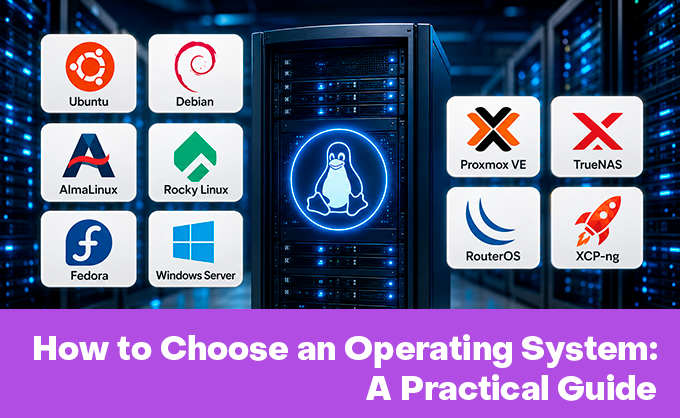

Author: Irina Fedorova, Technical Writer
Choosing an operating system is a perennial source of debate and second-guessing among professionals. Every self-respecting sysadmin will argue themselves hoarse about which OS is the best. But as with any choice, opinions carry bias — no one else can stand in your shoes and make this decision for you.
Here's the approach we recommend when choosing:
- Determine your goals — what will you use the OS for? A home game server, an online store, a platform for deploying accounting systems, or a serious software-development server? The best OS will be different in each case.
- Check your existing hardware — it's no secret that software products evolve unevenly. Some OSes are perfect for hardware that's still serving you well — reliable, if no longer new — while running an OS with a short support horizon on cutting-edge hardware makes little sense.
- Think about the future — an OS is a fairly long-term commitment. Things evolve, requirements shift — try to anticipate where your goals might head. You may want to size resources with headroom, or to cap costs in favor of management simplicity.
We can't stand in your shoes, assess your hardware, or predict the near future, so we'll focus on the goals you're picking an OS for.
You Need a Server for Business/Hosting
When picking an OS for relatively standard workloads, proceed with care and forethought. The sheer number of options, each with its own trade-offs, can give even seasoned sysadmins pause. The good news is that the choice isn't permanent; we recommend hedging your bets and, where possible, testing a few distributions before committing. So let's get into it.
For a general-purpose server handling databases, applications, and web infrastructure — and if your team tracks new releases (and is willing to put them into production) — you can confidently go with Ubuntu 24.04 LTS. If you use developer tools like LinuxPatchAppliance, your favorite DB is ClickHouse, and you use Strapi for content management, Ubuntu 24.04 is a good fit. It's the best balance of stability, hardware support, and ecosystem.
That said, for day-to-day reliability, the battle-tested Ubuntu 22.04 LTS is still hard to beat. If you're migrating and need to keep all your existing (team-critical) tools running, this is the OS to look at. Chasing the bleeding edge isn't always worth it — not every company can run the latest hardware (budgets matter), and not every team has the bandwidth to reconfigure everything. Sometimes choosing stability is the mark of experience — especially given that the support cycle runs until 2032. Just check compatibility with your hardware first.
What about the Debian family? Debian 12 also lets you migrate as-is. Given where it is in its lifecycle, it's stable and predictable — regression risk is minimal. If you consider yourself an enthusiast and your environment doesn't demand rock-solid stability, you can try out Debian 13. Like any new release, it still has a few rough edges, but you can count on excellent compatibility with the latest hardware and software.
For Red Hat ecosystem fans, AlmaLinux 9 is the obvious pick. It fits corporate environments with certification requirements, with Rocky Linux 9 as a fallback. For server support in banking or government, 100% binary compatibility with RHEL along with security certifications (FIPS, STIG) is a significant advantage and a familiar choice.
You Need a Virtualization Platform
Giving advice to a virtualization specialist is tricky. These folks usually have strong opinions and deep experience. Still, it's never too late to try something new — especially in a field this fast-moving and broad. Let's compare two of the best-known options — Proxmox VE 9 and XCP-ng 8.3. Both platforms are full-fledged open-source Type 1 (bare-metal) hypervisors, but with different architectures and philosophies.
But what's under the hood? Proxmox bundles it all (KVM hypervisor + LXC for containers + Debian 13 "Trixie"), while XCP uses the Xen Hypervisor (paravirtualization + hardware virtualization) on its own distribution base with CentOS 7 components in dom0.
For ease of management, Proxmox VE 9 has a slight edge: it has a built-in interface for managing VMs, containers, storage, and the cluster. Add built-in LXC containers and OCI image support (in 9.1), plus integration with Proxmox Backup Server (PBS) for incremental backups and deduplication — and we have our winner? Not necessarily.
Backup and an advanced web interface in XCP-ng 8.3 are easily covered by installing Xen Orchestra. If raw network throughput is your priority, Xen + OVS deliver the most impressive numbers. And if you're migrating from Citrix Hypervisor/XenServer, XCP-ng 8.3 is essentially the only sensible choice.
You Need a Kubernetes Cluster
If life has dropped you into the Kubernetes ecosystem, you deserve both sympathy and envy. On one hand, you're at the leading edge of modern tech; on the other — same thing. At this point it's less about choosing an OS and more about picking an infrastructure approach that fits your dev team. If you prefer a traditional OS with Kubernetes installed via tools like kubeadm, go with Debian 13 + kubeadm/k3s. Your team gets full SSH access and room for manual intervention.
You can quickly onboard newcomers to how Kubernetes works and pull in specific drivers or libraries from outside the ecosystem. If the stakes are high and security is paramount, don't hesitate — install Talos OS. Fintech, government, healthcare — anywhere predictability matters and manual changes are unwelcome, where resources and uninterrupted cluster operation are critical — Talos is a real find. Yes, you'll need to manage the cluster via API, but in return you get a genuinely purpose-built tool tailored to a specific environment.
You Need an OS for Network Equipment
If your main job is networking gear and you want our take, the clear choice is RouterOS 7. This OS powers MikroTik routers (from the budget hAP to professional CCR) for building corporate networks, ISP solutions, access points, and complex network infrastructures.
It gives you full support for routing protocols, including an improved BGP implementation with multipath routing. An extensive firewall and support for modern VPN technologies, including native WireGuard, will keep your networks secure. You can easily manage Wi-Fi access points, configure radio channels, and set up guest networks. RouterOS 7 has plenty of strengths — released in 2021, it's been developing steadily ever since, which suggests those strengths are real.
You Need an OS for Storage Systems
If you run a home lab, small business, or enterprise that needs reliable, full-featured storage with the ability to run various services, your clear choice is TrueNAS Scale 25. This open-source, Debian-based OS for NAS/SAN systems gives you reliable storage with support for file protocols (SMB, NFS, AFP) and block models (iSCSI with ALUA).
Data protection comes via ZFS — preserving integrity, taking snapshots, and handling replication. The scalability is genuinely impressive — up to 1,200 disks and 25+ PB per system. Add the ability to run containerized apps (Docker-like) for media servers, cloud storage, and other services, and it becomes a clear winner.
Instead of a Conclusion — Here's a Table
Some readers absorb information better in tabular form — we've put together a table to make it easier to draw your conclusions.
|
Your Role |
Recommended OS |
Alternative |
|
Home User |
Ubuntu 22.04 |
Ubuntu 24.04 |
|
Sysadmin (Servers) |
AlmaLinux 9 (RHEL) or Debian 12/13 (independent) |
Ubuntu Server 24.04 LTS |
|
DevOps / Cloud |
Ubuntu 24.04 LTS |
Debian 12 (or 13 on new hardware) |
|
Virtualization Administrator |
Proxmox VE 9 |
XCP-ng 8.3 (only if Xen is needed) or Ubuntu + KVM |
|
Kubernetes Engineer |
Talos Linux 1.9.5 |
Debian 13 + kubeadm/k3s |
|
Student / Enthusiast |
Arch Linux (in a VM) |
Fedora Workstation |
One last reminder: if you're unsure which OS to pick, don't lean on someone else's opinion. Installing the wrong system means lost time and frustration, guaranteed. If you're on the fence, go with Ubuntu 22.04 LTS — or Ubuntu 24.04 LTS if you've got new hardware. They're versatile, with clear, thorough documentation. The time for specialized solutions will come.