



 +31 20 820 3777
 Compliance & KYC
  Support
  Documentation
 Login
Login 


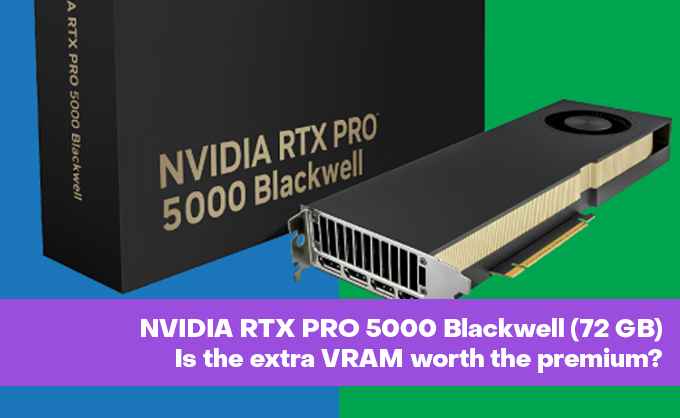

NVIDIA is making things increasingly confusing with its Blackwell lineup. A look at the PCI.ids for released professional Blackwell GPUs reveals the following:
  # RTX PRO Blackwell Series (Desktop / Workstation)
  "10de:2bb5|RTX PRO 6000 Blackwell Server Edition"
  "10de:2bb4|RTX PRO 6000 Blackwell Workstation Edition"
  "10de:2bb1|RTX PRO 6000 Blackwell Max-Q"
  "10de:2bb3|RTX PRO 5000 Blackwell"
  "10de:2c31|RTX PRO 4500 Blackwell"
  "10de:2c37|RTX PRO 4000 Blackwell"
  "10de:2c36|RTX PRO 3000 Blackwell"
  "10de:2d30|RTX PRO 2000 Blackwell"
  "10de:2c35|RTX PRO 2000 Blackwell (Alternative)"

  # RTX PRO Blackwell Series (Server / Embedded)
  "10de:2c3a|RTX PRO 4500 Blackwell Server Edition"
  "10de:2c77|RTX PRO 5000 Blackwell Embedded GPU"

  # RTX PRO Blackwell Series (Laptop / Mobile)
  "10de:2c38|RTX PRO 5000 Blackwell Generation Laptop GPU"
  "10de:2f38|RTX PRO 3000 Blackwell Generation Laptop GPU"
  "10de:2db8|RTX PRO 1000 Blackwell Generation Laptop GPU"
Each version can also have multiple variants, as seen with our current test subject: the NVIDIA RTX PRO 5000 Blackwell with an expanded 72 GB of VRAM. We effectively have two versions:
- RTX PRO 5000 Blackwell (48 GB GDDR7): The original base version. It features single-sided memory chips and supports MIG (Multi-Instance GPU) split into two 24 GB instances.
- RTX PRO 5000 Blackwell (72 GB GDDR7): A special high-memory variant released later for inferencing larger AI models. This uses a clamshell configuration (double-sided memory chips). It supports MIG in a 2 x 36 GB mode.
In the current market, the base 48 GB model starts at approximately $5,000. The 72 GB version is estimated to start at $9,999 — effectively double the price.
When compared to the flagship PRO 6000 Blackwell, the purchase seems questionable at first glance:
|
Feature |
RTX PRO 5000 (72 GB) |
RTX PRO 6000 (96 GB) |
|---|---|---|
|
VRAM Capacity |
72 GB GDDR7 ECC |
96 GB GDDR7 ECC |
|
CUDA Cores |
14,080 |
24,064 |
|
Tensor Cores |
440 (5th Gen) |
752 (5th Gen) |
|
Memory Bandwidth |
1,344 GB/s |
1,792 GB/s |
|
FP32 Performance |
72.2 TFLOPS |
125 TFLOPS |
|
TDP |
300 W |
600 W |
Given the original MSRP of $8,000 for the PRO 6000 Blackwell, the existence of a 72 GB 5000-series version raises questions. However, current memory market realities mean this card is now retailing at twice its original launch price. Interestingly, while the RTX PRO 5000 Blackwell has half the power consumption, it isn't only "half" as performant — it actually delivers about 60% of the flagship's performance (a ~40% deficit). The trade-off is significantly lower requirements for power delivery and cooling.
The form factor remains standard: a dual-slot, full-height, full-length (FHFL) design with active blower-style cooling, identical to the RTX PRO 6000.
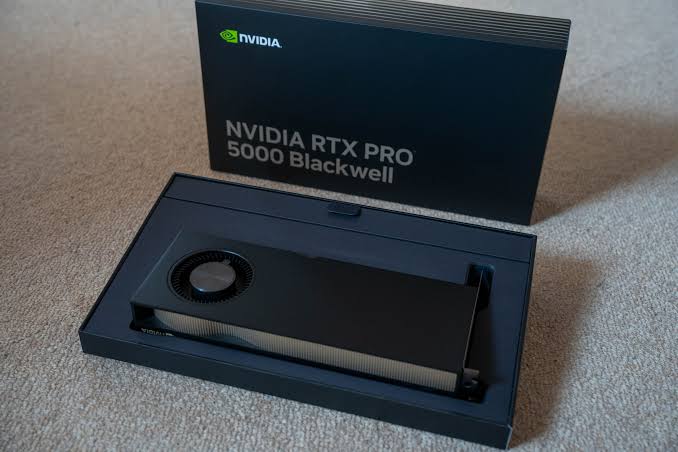
Installation and Testing
We secured a sample card and conducted comparative benchmarks. We had our team build a server, installed Ubuntu 24.04, and loaded drivers using our updated script.
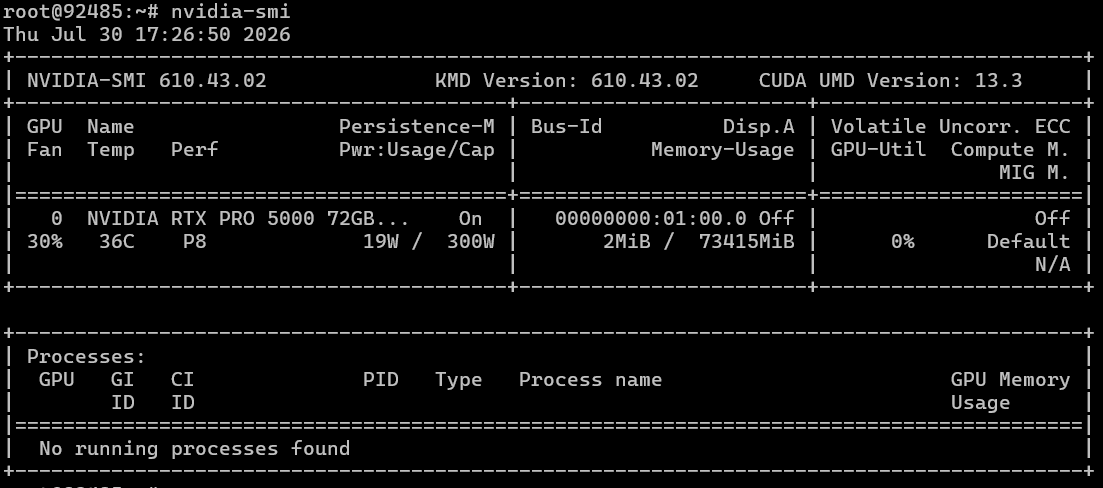
We then ran our GPU benchmark suite. Unfortunately, we couldn't source an RTX PRO 6000 for a full cross-model comparison, so all comparisons were conducted against the DeepSeek R1 model.
|
GPU |
VRAM |
Model |
Tokens/sec (avg) |
Max Ctx |
Load (s) avg |
Gen (s) avg |
|---|---|---|---|---|---|---|
|
NVIDIA RTX PRO 5000 Blackwell |
72 GB |
deepseek-r1:32b |
50.77 |
128,000 |
4.32 |
50.69 |
|
NVIDIA RTX PRO 5000 Blackwell |
72 GB |
deepseek-r1:70b |
25.08 |
96,000 |
6.67 |
99.12 |
|
NVIDIA RTX PRO 5000 Blackwell |
72 GB |
gpt-oss:120b |
156.52 |
128,000 |
9.43 |
21.70 |
|
NVIDIA RTX PRO 5000 Blackwell |
72 GB |
qwen3-coder-next:q4_K_M |
192.13 |
128,000 |
7.50 |
14.97 |
|
NVIDIA RTX 6000 PRO Blackwell (gen5) |
96 GB |
deepseek-r1:32b |
58.73 |
128,000 |
2.44 |
42.91 |
|
NVIDIA RTX 6000 PRO Blackwell (gen5) |
96 GB |
deepseek-r1:70b |
30.19 |
112,000 |
4.5 |
84.23 |
|
NVIDIA RTX A5000 (gen3) |
24 GB |
deepseek-r1:32b |
25.77 |
12,000 |
11.49 |
94.10 |
|
2x AMD RADEON AI PRO R9700 |
64 GB (2x32) |
deepseek-r1:32b |
25.90 |
96,000 |
15.2 |
92.1 |
|
3x AMD RADEON AI PRO R9700 |
96 GB (3x32) |
deepseek-r1:70b |
12.77 |
76,000 |
17.0 |
210.1 |
|
3x AMD RADEON AI PRO R9700 |
96 GB (3x32) |
gpt-oss:120b |
60.75 |
128,000 |
21.05 |
57.34 |
|
3x AMD RADEON AI PRO R9700 |
96 GB (3x32) |
qwen3-coder-next:q4_K_M |
37.42 |
128,000 |
17.85 |
79.55 |
The 72 GB of VRAM allows the PRO 5000 Blackwell to handle large context windows (up to 128k tokens in our tests for mid-sized models) and run heavy models (up to 120B) without issues. Model loading speeds are exceptionally high, averaging between 4 and 9 seconds, which highlights excellent memory bandwidth.
Comparison with the Flagship (RTX PRO 6000 Blackwell, 96 GB)
Despite having inferior raw hardware specs, the RTX PRO 5000 demonstrated results remarkably close to the flagship in our tests, trailing by only 15–20%.
- DeepSeek-R1 (32B): The speed difference is minimal. The RTX 5000 delivers 50.77 tokens/sec compared to 58.73 on the RTX 6000. Generation time differs by only about 8 seconds. Both cards maintain a max context of 128,000 tokens.
- DeepSeek-R1 (70B): On larger models, the gap widens slightly: 25.08 vs. 30.19 tokens/sec (~17% deficit). Here, memory capacity becomes a factor. The RTX PRO 5000 is limited to a 96k token context, whereas the RTX PRO 6000's 96 GB of VRAM allows for up to 112k tokens.
Comparison with Previous Generation (RTX A5000, 24 GB)
The leap here is massive, driven by both the Blackwell architecture and the increased memory capacity. Note that we are not even considering optimized models like those using NVFP4 in this comparison.
On the deepseek-r1:32b model, the new RTX PRO 5000 is nearly twice as fast as the previous generation (50.77 vs. 25.77 tokens/sec). Response time dropped from 1.5 minutes (94s) to just 50 seconds. This improvement is due to both the architecture and the modernized memory type.
Furthermore, due to its modest 24 GB of VRAM, the older RTX A5000 "chokes" on heavy workloads, strictly limiting the context window to 12,000 tokens. The 72 GB on the RTX PRO 5000 allows for 10x more context (128k+ tokens), which fundamentally transforms performance when working with long documents or extensive chat histories.
The AMD Showdown (Radeon AI PRO R9700)
Even against multi-card AMD setups, a single RTX PRO 5000 shows absolute dominance in generation speed — likely due to superior software optimization for the NVIDIA/CUDA ecosystem. To be fair to AMD, you can purchase three R9700 cards for the price of one 48 GB PRO 5000 (current pricing), giving you 96 GB of VRAM total.
- DeepSeek-R1 (32B): A single RTX 5000 is twice as fast as a dual-card AMD R9700 setup.
- GPT-OSS (120B): The RTX 5000 delivers an incredible 156.52 tokens/sec, outperforming a triple-card AMD setup (60.75 tokens/sec) by 2.5x. NVIDIA responds in 21 seconds; AMD takes nearly a minute (57s).
- Qwen3-Coder-Next (q4_K_M): This was a total blowout for the "Red Team." The RTX 5000 generates 192.13 tokens/sec — more than 5x faster than three AMD cards (37.42 tokens/sec). NVIDIA finishes in 15 seconds, while the AMD setup takes nearly 80 seconds.
AMD's strength lies purely in memory capacity and price-per-GB; in terms of raw speed, they are outperformed by a single mid-range Blackwell chip.
Verdict
If I were writing this article six months ago, my verdict would have been: "Just pay the extra and get the RTX PRO 6000 Blackwell."
However, given current market prices and memory shortages, the NVIDIA RTX PRO 5000 Blackwell is the ideal "sweet spot" for enthusiasts and professionals working with local LLMs. In practical inference tasks, it trails the flagship by only about 25% while consuming half the power — all while leaving the previous generation (A5000) in the dust by removing context length bottlenecks.
Additionally, thanks to MIG 2 support, you can split this card into two isolated virtual GPUs with 36 GB of VRAM each and guaranteed QoS, providing significant savings if you are running your own virtual GPU server infrastructure.