EN
EN
 All others
0%
All others
0%



Rent NVIDIA GPU servers for AI, machine learning, rendering and high-performance computing. Compare current NVIDIA models by VRAM, GPU count, server configuration and price, or build a custom system for your workload.
Compare NVIDIA GPU server configurations by GPU model and VRAM, GPU count, CPU, RAM, NVMe storage, network, location, availability and current pricing. Choose hourly or monthly billing on supported servers, or configure a custom NVIDIA GPU server for your workload.
The selected collocation region is applied for all components below
All

Iceland
IS


France
FR

Netherlands
NL

Germany
DE

Finland
FI

USA
US

Russia
RU
Choose an NVIDIA GPU based on VRAM, architecture, workload, GPU count and software requirements. Use the table below as a starting point, then check the live catalog for current configurations, availability and pricing.
|
GPU model |
VRAM |
Best fit |
NVIDIA features / notes |
|---|---|---|---|
|
NVIDIA H100 |
80 GB |
Large AI training/inference, demanding data-center compute |
NVLink / MIG only where supported by exact HOSTKEY SKU |
|
NVIDIA A100 |
80 GB |
AI/ML training, inference, data science |
MIG / NVLink depend on form factor/configuration |
|
NVIDIA RTX PRO 6000 Blackwell |
96 GB |
High-VRAM AI, professional visualization, rendering, scientific workloads |
Confirm exact server SKU and multi-GPU support |
|
GeForce RTX 5090 |
32 GB |
Development, inference, rendering, image generation, selected training |
Blackwell; do not imply NVLink |
|
RTX A6000 |
48 GB |
Professional AI/ML, rendering, visualization, research |
Confirm multi-GPU/NVLink implementation |
|
GeForce RTX 4090 |
24 GB |
Inference, development, rendering, image generation |
Do not imply NVLink |
|
RTX A5000 |
24 GB |
Development, rendering, smaller AI/ML workloads |
Confirm current inventory |
|
RTX A4000 |
16 GB |
Entry professional GPU workloads, prototyping, visualization |
Confirm current inventory |
Start with a clean operating system or use supported pre-installed environments for AI, machine learning and data workloads. Available tools may include PyTorch, TensorFlow, JupyterLab, Anaconda, Apache Spark and Apache Airflow. Explore AI Platform and Pre-installed Apps
 NL
NL 
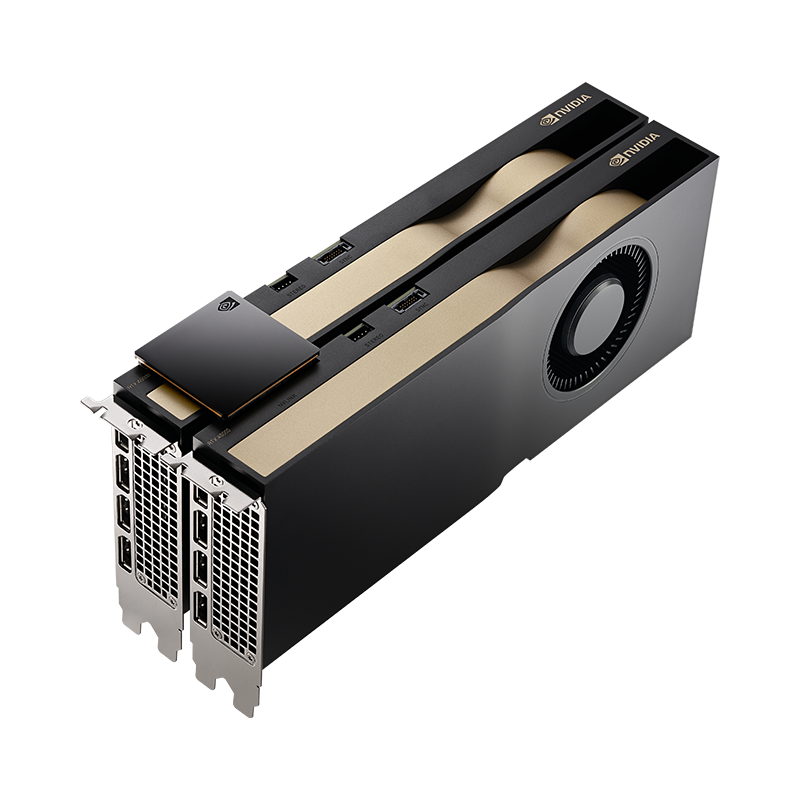
Custom dedicated server with cutting-edge GPU cards like the RTX A4000 / A5000 / A6000 / 5090 / 6000 PRO
 EU
EU  USA
USA 
Pre-configured GPU dedicated servers based on professional cards like the RTX A4000 / A5000 / A6000 / 5090 or more budget-friendly options from previous generations.
EU USA 
The GPU card in virtual servers is dedicated to the VM and its resources are not shared among other clients.
Address:
W. Frederik Hermansstraat 91, 1011 DG, Amsterdam, The Netherlands
Order: hostkey.com

Address:
W. Frederik Hermansstraat 91, 1011 DG, Amsterdam, The Netherlands
Order: hostkey.com
Address:
W. Frederik Hermansstraat 91, 1011 DG, Amsterdam, The Netherlands
Order: hostkey.com
Rent instant server with RTX 5090 GPU in 15 minutes!
 Wide NVIDIA GPU Selection
 Single- and Multi-GPU Configurations
 NVIDIA Software Ecosystem
 Hourly and Monthly Billing
 High-Speed Storage and Networking
 Custom Server Configurations
 Infrastructure Protection
 24/7 Technical Support
 High-end Green technologies
 Traffic
 Free DDoS protection
 IP addresses
 Customer support 24/7
 Pre-installed software










There is no single best NVIDIA GPU for every AI workload. H100 and A100 are designed for demanding data-center training and inference, while RTX PRO and GeForce RTX GPUs can be suitable for development, fine-tuning, inference and smaller training workloads. The right choice depends on model size, VRAM requirements, GPU count, software stack and budget.
Pricing depends on GPU model and count, CPU, RAM, storage, network, location and billing period. Use the live catalog for current hourly or monthly prices and availability.
Hourly and monthly billing are available on supported configurations. Exact billing options are shown for each server in the catalog.
Start with workload type, VRAM, software requirements, GPU count and budget. H100/A100 target demanding data-center compute, while RTX PRO and GeForce RTX can suit development, rendering, inference and selected training workloads.
Supported NVIDIA software depends on GPU, operating system and deployment environment. CUDA-based tools and major AI/ML frameworks can be installed, while pre-installed options vary by configuration.
Yes, multi-GPU configurations are available for selected models and locations. GPU count and interconnect options such as NVLink depend on the exact hardware configuration.
Yes. NVIDIA GPU servers can support AI/ML, rendering, video processing, scientific computing and other GPU-accelerated workloads, depending on software compatibility and hardware requirements.
Ready configurations can be available from 15 minutes. Custom hardware requires additional provisioning time depending on components and location.
| Location | Server type | GPU | Processor Specs | System RAM | Local Storage | Monthly Pricing | 6-Month Pricing | Annual Pricing | |
|---|---|---|---|---|---|---|---|---|---|
| NL | Dedicated | 1 x GTX 1080Ti | Xeon E-2288G 3.7GHz (8 cores) | 32 Gb | 1Tb NVMe SSD | €170 | €160 | €150 | |
| NL | Dedicated | 1 x RTX 3090 | AMD Ryzen 9 5950X 3.4GHz (16 cores) | 128 Gb | 480Gb SSD | €384 | €327 | €338 | |
| RU | VDS | 1 x GTX 1080 | 2.6GHz (4 cores) | 16 Gb | 240Gb SSD | €92 | €86 | €81 | |
| NL | Dedicated | 1 x GTX 1080Ti | 3.5GHz (4 cores) | 16 Gb | 240Gb SSD | VDS | €94 | €88 | €83 |
| RU | Dedicated | 1 x GTX 1080 | Xeon E3-1230v5 3.4GHz (4 cores) | 16 Gb | 240Gb SSD | €119 | €112 | €105 | |
| RU | Dedicated | 2 x GTX 1080 | Xeon E5-1630v4 3.7GHz (4 cores) | 32 Gb | 480Gb SSD | €218 | €205 | €192 | |
| RU | Dedicated | 1 x RTX 3080 | AMD Ryzen 9 3900X 3.8GHz (12 cores) | 32 Gb | 480Gb NVMe SSD | €273 | €257 | €240 |
The NVIDIA RTX A4000 and A5000 are stable options to consider in the case of startups or academic research or entry-level AI development. These GPUs provide a great combination of CUDA cores and VRAM memory to perform such tasks as model prototyping, image recognition, or executing small NLP models. In case you require a quality NVIDIA GPU that will be used in AI and that is cost-effective, this line is a wise place to begin.
The RTX 5090 and 4090 GPUs are much more powerful, which makes them suitable to medium-scale AI training and inference workloads. These are the most expensive choices when you are upgrading entry level. This tier is your sweet spot when trying to find the best NVIDIA GPU to use in AI that does both deep learning and inference well.
Nothing can beat the raw power of NVIDIA RTX 6000 PRO, Tesla H100 and Tesla A100 in training LLMs, transformer models, or high-resolution computer vision applications. These GPUs are the most powerful in the industry and the benchmark of serious AI projects.
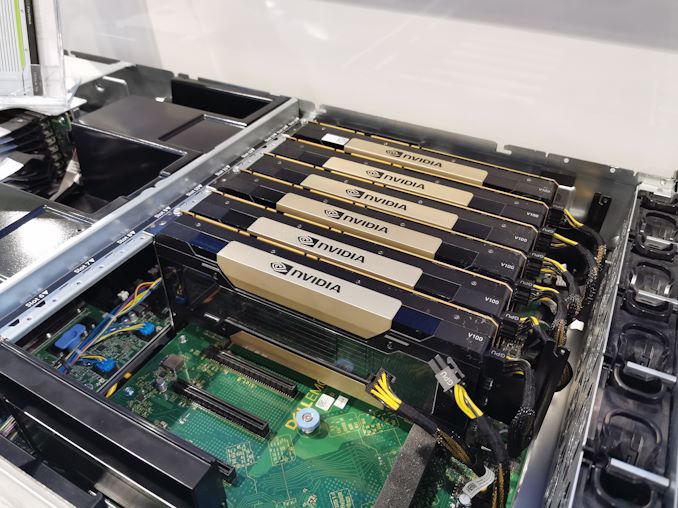
Select the servers with dedicated AI GPU NVIDIA with up to 8 GPUs in a node. Horizontally scale as your AI model scales. Our infrastructure is compatible with NVLink-based systems, which provides extremely high speed GPU-to-GPU communication.
All four models are optimized for mixed-precision computing:
In comparison to gaming GPUs, NVIDIA AI GPUs are optimized to perform tensor calculations, scale to massive parallelism, and memory bandwidth.
Tensor cores are for matrix operations for neural networks, and CUDA cores for parallel computing.
NVIDIA AI GPU servers are all tested to be compatible with major AI libraries.
Get full CUDA, cuDNN, TensorRT support on any model.
Run your AI workloads in Docker, K8s or GPU passthrough.
Regarding the speed of inference, NVIDIA Tesla H100 is the overall champion in all benchmark tests. It delivers:
It is based on the H100 architecture which runs thousands of inferences per second with a dramatically reduced compute overhead than previous generations, powered by fourth-generation Tensor Cores and Transformer Engine.
To be efficient in training, the NVIDIA RTX 6000 Ada Generation (PRO) presents quite astonishing outcomes:
This speed can be used to reduce the time it takes to develop and also iterate the models more often.
The new generation of AI GPUs produced by NVIDIA are designed not only to be fast, but also to be energy efficient and thermally optimized:
This performance-efficiency combination makes them well suited to hyperscale data center and on-premise AI infrastructure.
The appropriate NVIDIA GPU to use in your AI workloads will vary depending on several factors such as the task (training or inference), project size, budget, and infrastructure. The decision making process is examined in more depth below:
To run trained AI models in production or in real-time systems, you want low-latency and high-throughput optimized GPUs. Recommended options:
Such GPUs are perfectly suited to real-time chatbots, recommendation engines, edge-to-cloud inference systems, and batch-based prediction systems.
Performance in training is paramount as regards model development, especially in case of large data or complex architecture. Choose:
Such cards are very good at fine-tuning, transfer learning, training vision models, and experimenting with LLMs on a workstation or a lab system.
It does not require the best hardware to begin with every project. This is one way of doing it:
Entry-level GPUs (e.g., RTX A4000, A5000) are the best choice to test code or conduct small-scale experiments or learn.
This is useful to trade-off between performance needs and monetary limitations, particularly in the case of start-ups, research & development teams, or research labs.
Prototyping / R&D – RTX A4000
It is perfect to develop and experiment with, and to run small models. Cost effective and testable to code and create proof-of-concepts.
Medium-scale training – RTX 6000 PRO (Ada Generation)
Provides high training rates, huge memory and professional level performance. Excellent to train medium-sized vision or language models on a workstation.
Real-time inference – A100
Designed to be efficient at inference at scale. It can be applied to such tasks as recommendation systems, search ranking, and real-time chatbot responses.
Enterprise-grade inference – H100
Massive-scale inference and ultra-low latency. Enables Transformer Engine super-optimized execution of LLMs like GPT or BERT.
LLM training with multi-GPU setups – H100 or GH200
Designed for large-scale distributed training across multi GPUs. Supports NVLink and high memory bandwidth, which makes it suitable for training GPT-4-class large language models such as.
Edge inference – Jetson AGX Orin or Jetson Xavier
Power-efficient GPUs that are compact, designed to be deployed at the edge. Ideal to use in robotics, intelligent cameras and IoT AI processing.
In a few minutes, make your NVIDIA GPU work on your AI project.
Implicit immunity and access to the world.
Get to speak with real pros that do AI infrastructure.
 +31 20 820 3777
 Compliance & KYC
  Support
  Documentation
 Login
Login