



 +31 20 820 3777
 Support
  Documentation
 Login
Login 


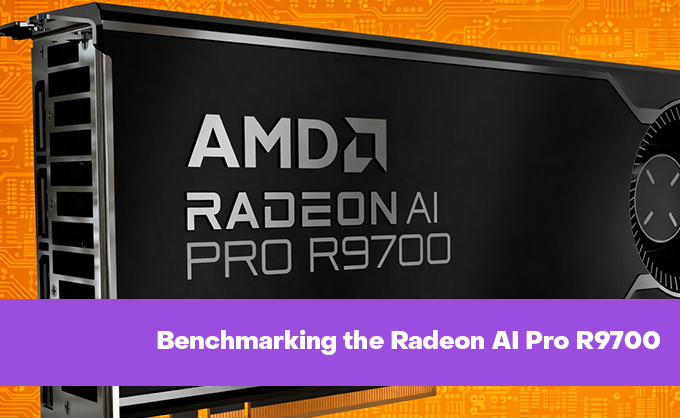


Testing NVIDIA graphics cards one after another can get tedious, especially since the differences between recent generations mainly lie in the power of the Blackwell series processors, memory capacity, and bus width. However, it’s more interesting to see what competitors have to offer, especially when they boldly label these features as “AI.”
Today, we’ll put the AMD Radeon AI Pro R9700 to the test with 32 gigabytes of video memory. This is AMD’s first professional graphics card ever designed specifically for local acceleration of artificial intelligence (AI) on workstations. It’s not a traditional card for 3D rendering or CAD tasks (like the Radeon PRO W series); rather, it represents a new category of product: an “AI accelerator for desktop systems.” Although, in terms of hardware specifications, it’s essentially the same as the Radeon RX 9070 XT, as both cards use the same Navi 48 chip with 64 compute units (CU) and 4,096 stream processors. The Radeon AI Pro R9700 does come with twice as much memory (and, of course, a higher price).
Officially, this GPU is aimed at AI developers for prototyping and testing models without relying on cloud services, researchers for conducting experiments with open-source models, and enterprises for deploying private AI assistants within their corporate networks.
Taking a Look Under the Hood
The specifications for this GPU are listed in the table below. We’ll also compare its features directly with the previous generation of NVIDIA GPUs, namely the RTX A5000 with 24GB of memory, as well as the Blackwell series, represented by the RTX PRO 4000 with 24GB of memory.
|
Parameter |
AMD Radeon™ AI PRO R9700 32GB |
NVIDIA RTX PRO 4000 Blackwell |
NVIDIA RTX A5000 24GB |
|---|---|---|---|
|
Release Date |
July 2025 (OEM), October 2025 (retail) |
Q1 2025 (March-May 2025) |
April 2021 |
|
Architecture |
RDNA™ 4 (Navi 48) |
Blackwell (GB203/GB204) |
Ampere (GA102) |
|
Manufacturing Process |
4 nm (TSMC) |
5 nm (TSMC) |
8 nm (Samsung) |
|
Transistors |
53.9 billion |
26 billion |
28.3 billion |
|
Computing Units |
4096 stream processors, 64 Compute Units |
8960 CUDA Cores |
8192 CUDA Cores |
|
Specialized Accelerators |
128 AI Accelerators (2nd generation), 64 Ray Accelerators (3rd generation) |
280 Tensor Cores (5th generation), 70 RT Cores (4th generation) |
256 Tensor Cores (3rd generation), 64 RT Cores |
|
Video Memory |
32 GB GDDR6 with 256-bit bus and 20 Gbps speed |
24 GB GDDR7 with ECC, 192-bit bus and 28 Gbps speed |
24 GB GDDR6 with ECC, 384-bit bus and 19.5 Gbps speed |
|
Memory Bandwidth |
640 GB/s |
672–896 GB/s (depending on configuration) |
768 GB/s |
|
Additional Cache |
64 MB Infinity Cache |
None |
None |
|
Clock Rates |
Base: 1660 MHz; Boost: up to 2920 MHz |
Base: 975 MHz; Boost: 1950 MHz |
Base: 1170 MHz; Boost: 1695 MHz |
|
Performance |
FP16: 95.7 TFLOPS; INT4: ~1531 TOPS |
FP16/BF16: 140–160 TFLOPS; AI TOPS: 750–900 (FP8/INT8) |
FP32: 27.8 TFLOPS; FP16: 111.2 TFLOPS |
|
Power Consumption (TDP) |
300 W |
140 W |
230 W |
|
AI Efficiency |
5.1 TOPS/Watt (INT4) |
5.4–6.4 TOPS/Watt |
0.8 TOPS/Watt (for older Tensor Cores) |
|
Interface |
PCIe 5.0 ×16 |
PCIe 5.0 ×16 (standard) / ×8 (SFF) |
PCIe 4.0 ×16 |
|
Video Outputs |
4× DisplayPort 2.1a + 1× HDMI 2.1b |
4× DisplayPort 2.1 |
4× DisplayPort 1.4a |
|
Form Factor |
Full-size (267×111 mm) |
Standard and SFF (Small Form Factor) |
Two-slot, full-height |
|
Cooling |
Active (turbomotor fan) |
Active (turbomotor fan) |
Active (turbomotor fan) |
|
AI Support |
ROCm 6.0+, DirectML, Windows ML |
TensorRT, Blackwell Transformer Engine |
TensorRT |
|
Target Applications |
Local AI inference, training of 10B–30B models, generative AI with large datasets |
Professional visualization, AI inference in compact systems |
Classic 3D visualization, CAD/CAM, AI inference |
|
Estimated Price |
$1299 |
$1559 |
$1800–2200 (on the secondary market); new model: ~$2500 |
As can be seen, although AMD’s new GPU is built using a more advanced manufacturing process, it uses GDDR6 memory and has the highest power consumption among the three models. However, it also comes with 16 GB more video memory and a lower price point.
Testing the Card in Action
For testing, two servers were used: one with a more powerful configuration featuring an AMD Ryzen 9 7950X processor (4.5GHz, 16 cores), 128GB of DDR5 memory, and 1TB of NVMe SSD; the other was less powerful, equipped with a Core i9-9900K processor (5.0GHz, 8 cores), 64GB of DDR5 memory, and also 1TB of NVMe SSD. To be upfront, the first platform delivered better results, especially in tasks that relied heavily on the CPU or required quick loading of large files from the SSD. In GPU testing, the difference between the two platforms was less than 1%.
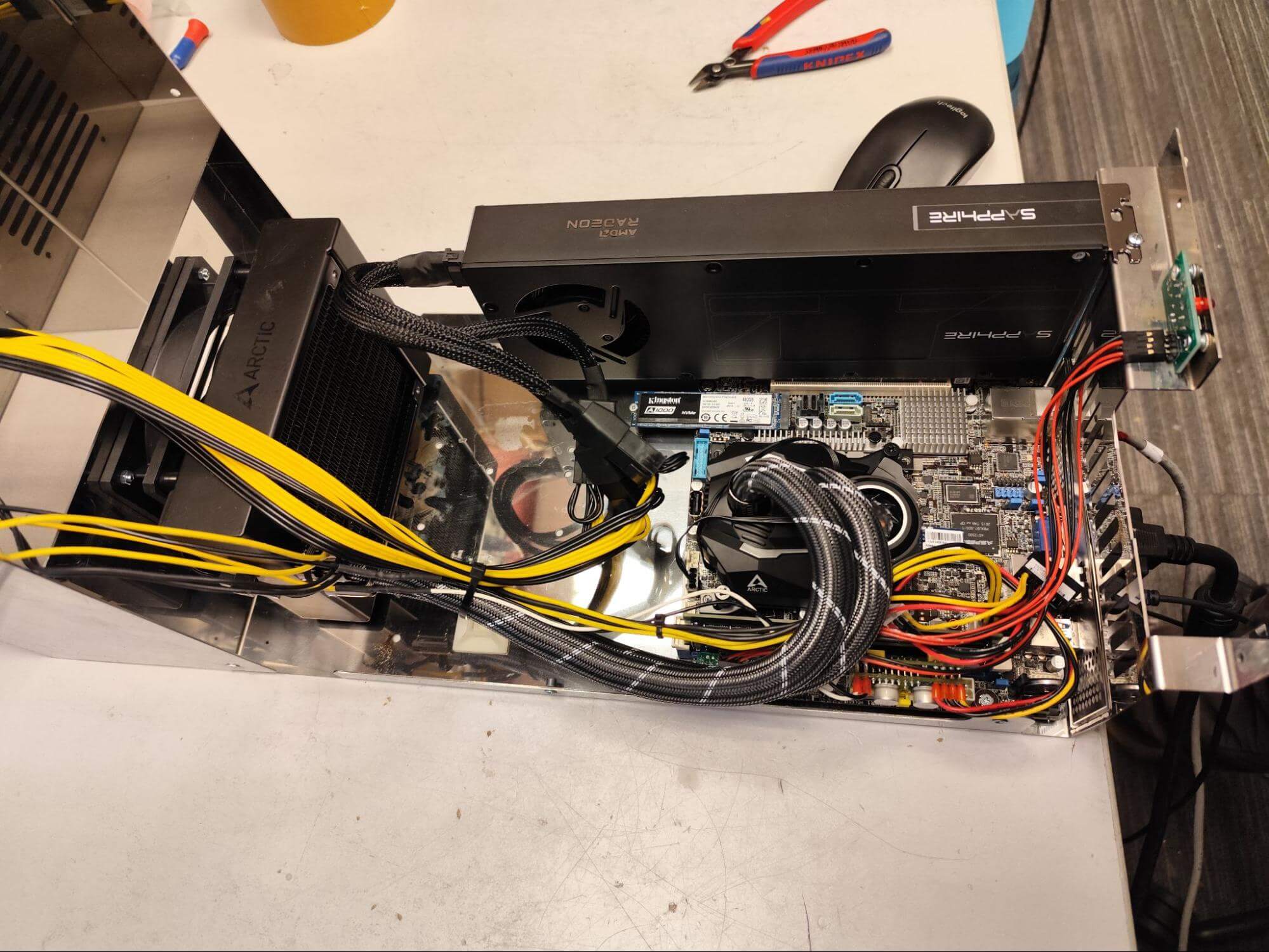
Unfortunately, we didn’t manage to take photos of the first build (which used EPYC processors); however, we will show you the second build. Both servers were assembled in a custom chassis developed by us, which can be stacked three high on a rack, occupying 3U of space. We can provide more details about these chassis in upcoming articles.
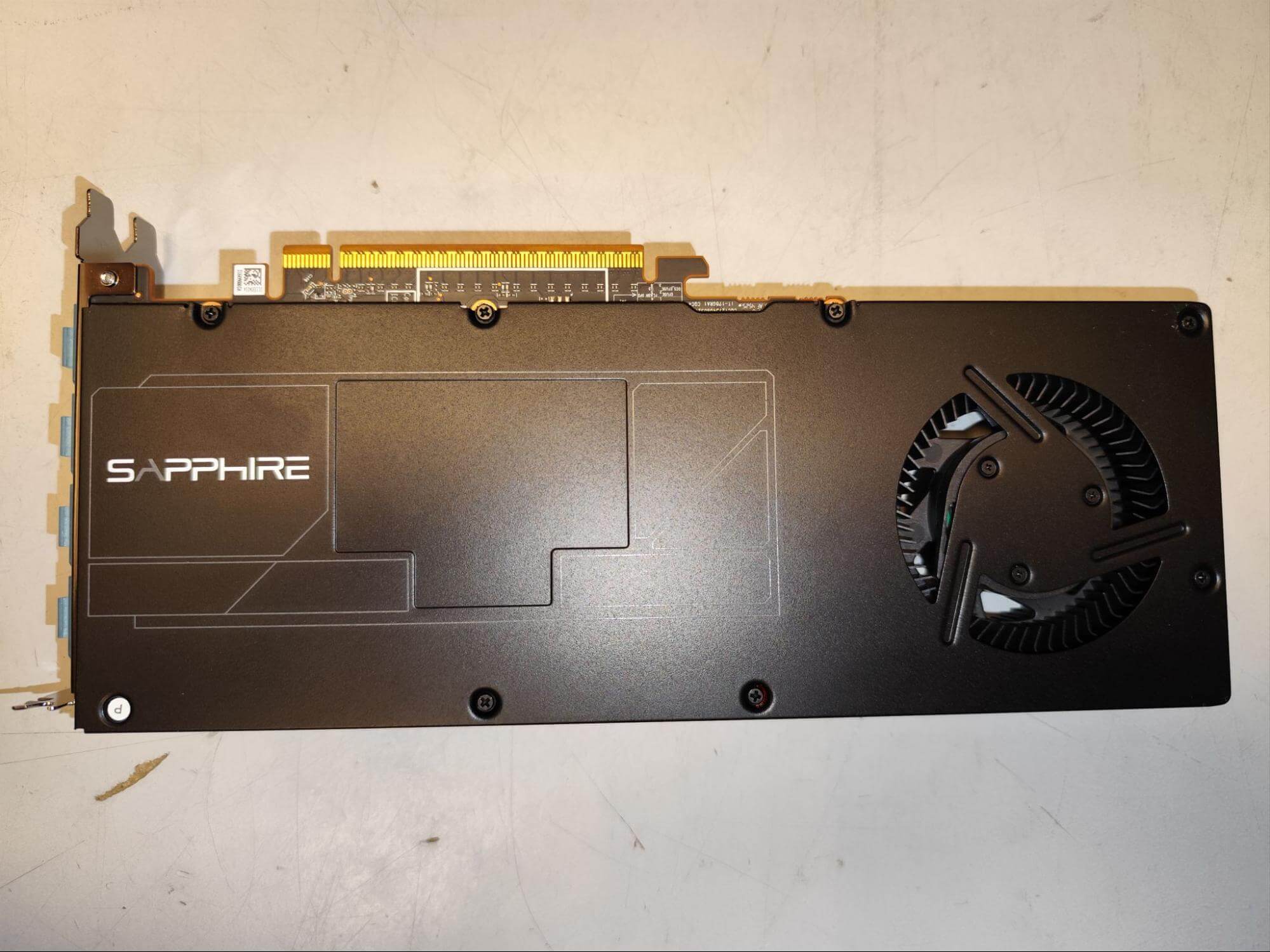
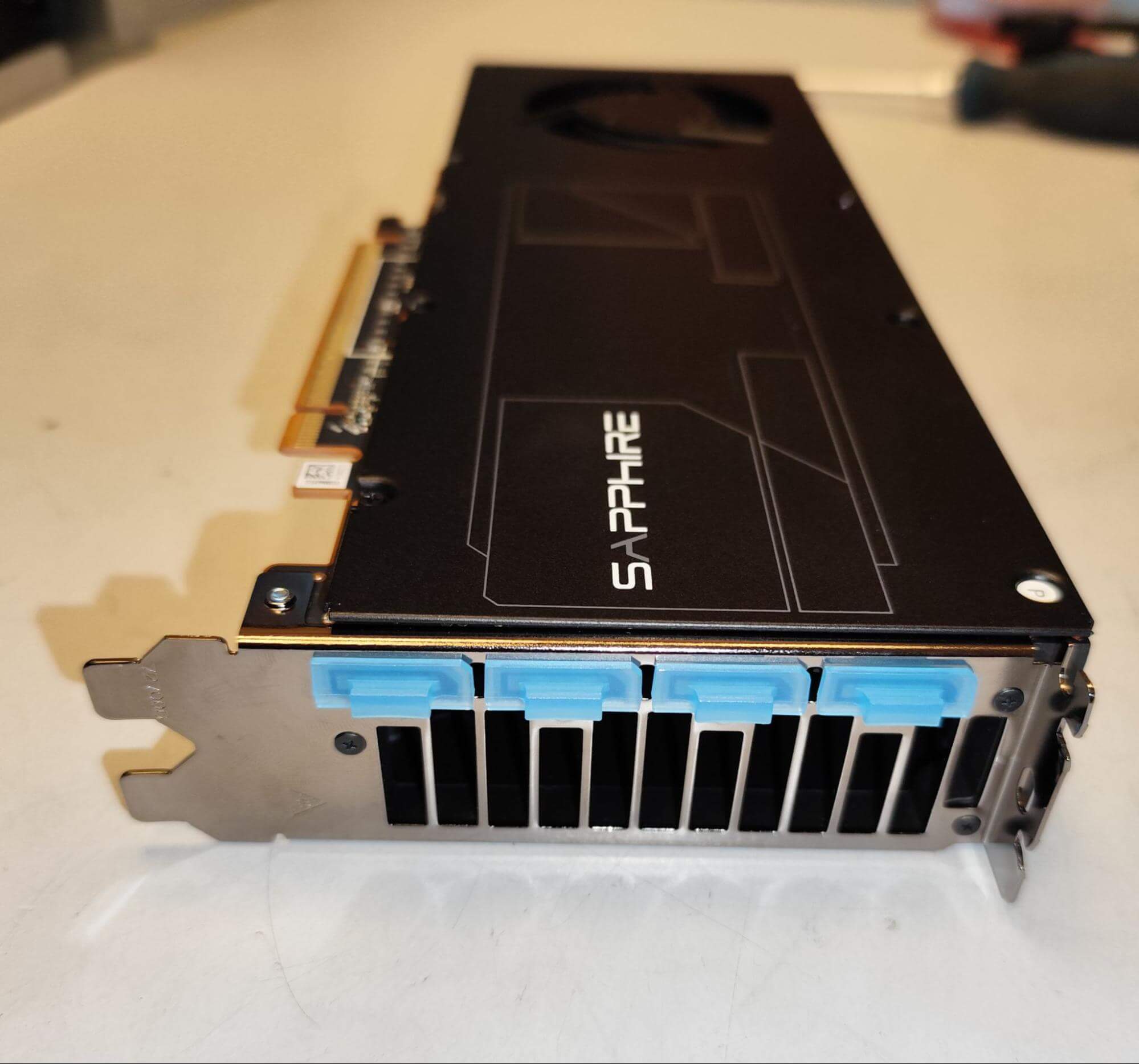
Here are photos of the actual graphics card itself, produced by Sapphire.
As well as a photo of it installed in a custom chassis.
As you can see, this is a dual-slot graphics card with cooling designed around a single fan/turbine, similar to the cooling systems used by Nvidia for their professional GPUs.
Now onto the tests
First, we need to get the card working properly. We used Ubuntu 24.04 as the operating system, as this card can only be properly configured on kernels version 6.13 or later; therefore, we required the mainline Linux distribution branch, which is not available for Ubuntu 22.04. In the end, we succeeded in getting the card running with a kernel version of 6.18.2 (we tested it towards the end of last year). As usual, we provided detailed instructions on how to do this, as well as a special installation script (also included in the documentation); you can simply copy that script, run it from the root account in the command line, and it will handle all the necessary settings for you. Our main goal was to get ROCm running on the card, but we also tested its performance in 3D rendering using the HIP framework.
If everything goes smoothly for you (just as it did for us), then the amd-smi command (does it remind you of anything?…) will provide you with similar results. The first screenshot shows the performance on an EPYC processor (which is indicated by the presence of that second AMD-related component in the screenshot), and the second screenshot shows the performance on an i9 processor. In both cases, we used ROCm version 7.1.1.
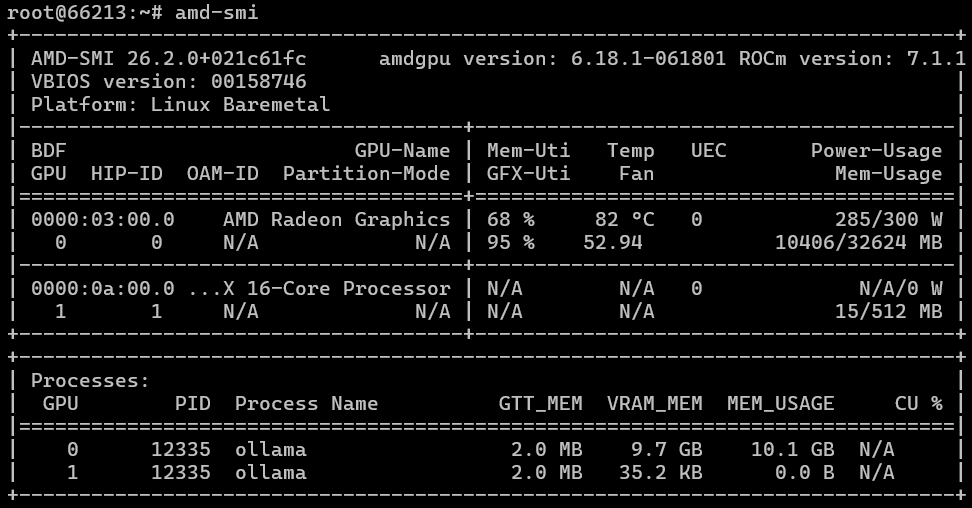
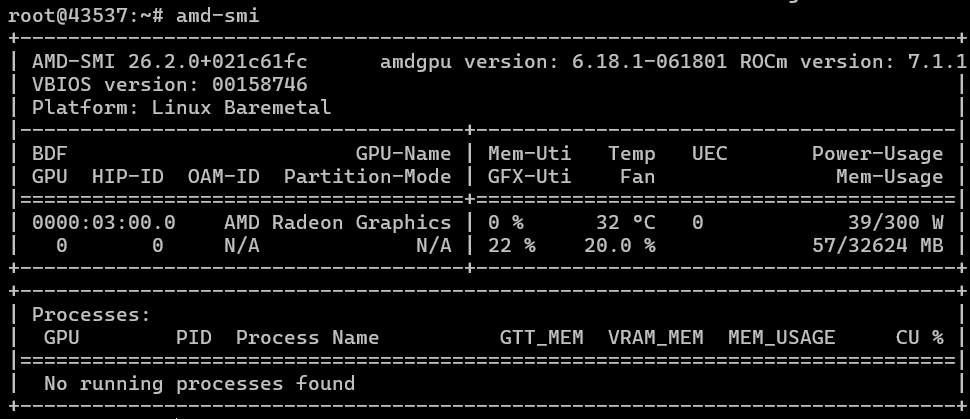
Subsequently, we had to further develop our AI test based on Ollama to ensure it could work with and output information from AMD GPUs. We ran the test using various models (in our case, DeepSeek R1 and gpt-oss:20b) and obtained the following results:
|
GPU |
VRAM |
Model |
Tokens/sec (average) |
Max Contexts |
Load Time (sec) (average) |
Generation Time (sec) (average) |
Notes |
|---|---|---|---|---|---|---|---|
|
AMD RADEON AI PRO R9700 |
32 GB |
deepseek-r1:14b |
53.52 |
80,000 |
6.74 |
50.50 |
|
|
AMD RADEON AI PRO R9700 |
32 GB |
deepseek-r1:32b |
26.29 |
36,000 |
8.11 |
92.89 |
|
|
AMD RADEON AI PRO R9700 |
32 GB |
gpt-oss:20b |
102.40 |
128,000 |
5.71 |
28.22 |
“Mixture of Experts” model |
|
NVIDIA RTX A5000 (gen3) |
24 GB |
deepseek-r1:14b |
53.15 |
48,000 |
9.15 |
49.11 |
|
|
NVIDIA RTX A5000 (gen3) |
24 GB |
deepseek-r1:32b |
25.77 |
12,000 |
11.49 |
94.10 |
|
|
NVIDIA RTX A5000 (gen3) |
24 GB |
gpt-oss:20b |
119.46 |
128,000 |
6.12 |
22.72 |
“Mixture of Experts” model |
|
NVIDIA GeForce RTX 5090 (gen5) |
32 GB |
deepseek-r1:32b |
65.38 |
32,000 |
3.02 |
39.35 |
As can be seen from the table, the performance of these GPUs is roughly comparable to that of the NVIDIA RTX A5000 (note that the RTX A5000 was not even running on a fast PCI bus). Moreover, more powerful GPUs from AMD’s “Green” series, using the same amount of video memory (even consumer-grade models), outperform the NVIDIA “Red” series by nearly three times.
A full comparison table of GPUs can be found here.
On the other hand, support for ROCm is starting to be quite promising. In some cases, it even outperforms CUDA; however, with CUDA, we still sometimes have to rely on nightly builds of PyTorch and similar tools.
And what about in other tasks?
Following our testing tradition, we’ll try rendering graphics and video within ComfyUI. Using the Z-image Turbo model, with a resolution of 1024x1024… and a quick test with the “bears” theme.

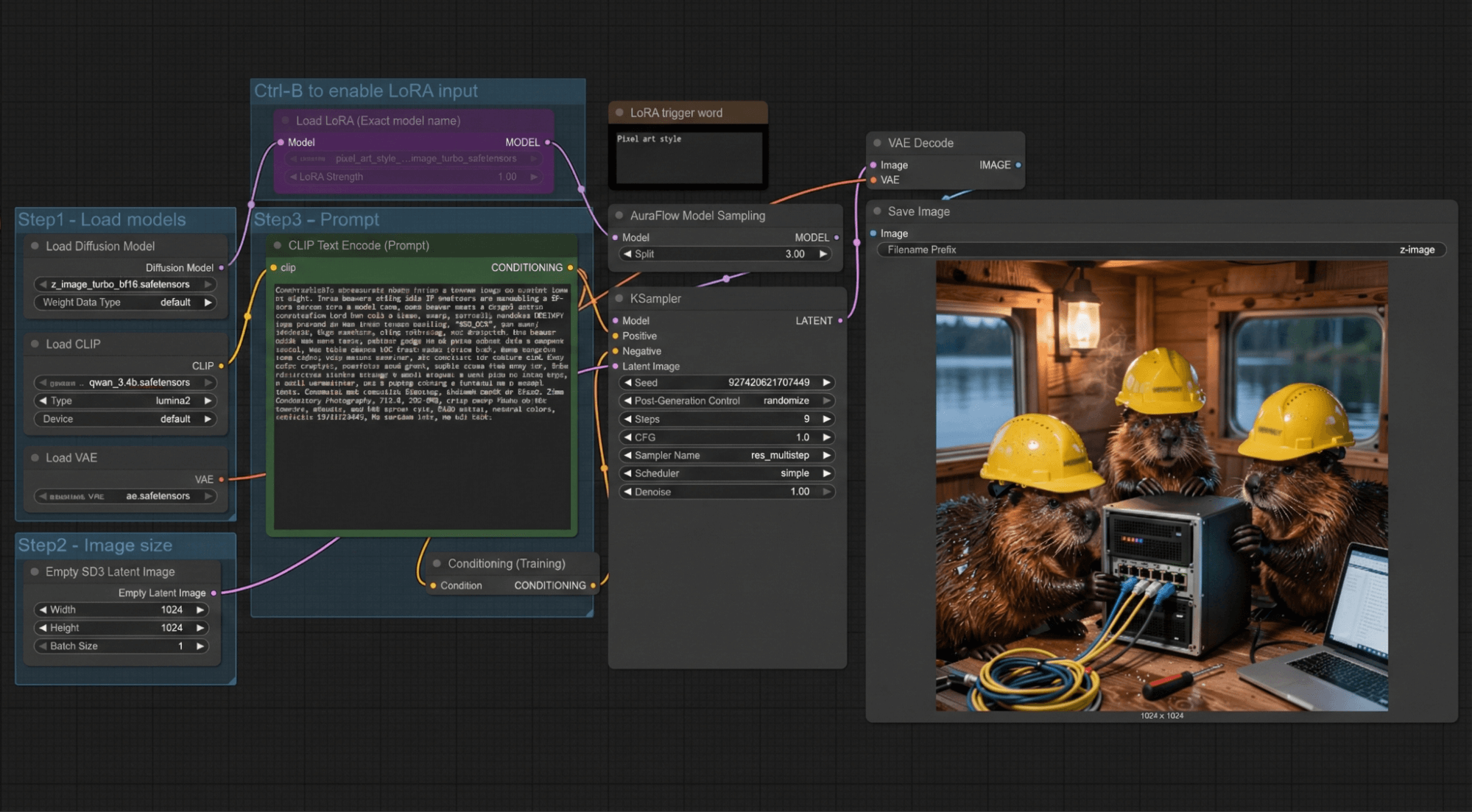
The generation process takes 6–7 seconds, with a total time of 14–15 seconds even when the resolution is increased to HD. For comparison, the RTX PRO 2000 takes 26 seconds for the total process and 14 seconds just for the generation phase alone. Unfortunately, we haven’t conducted graphics generation tests on our other cards before.
For Kandinsky 5 Lite, using the “text in video” mode with the same theme, this mode puts a full load on the card, consuming between 280 and 300 watts of power.
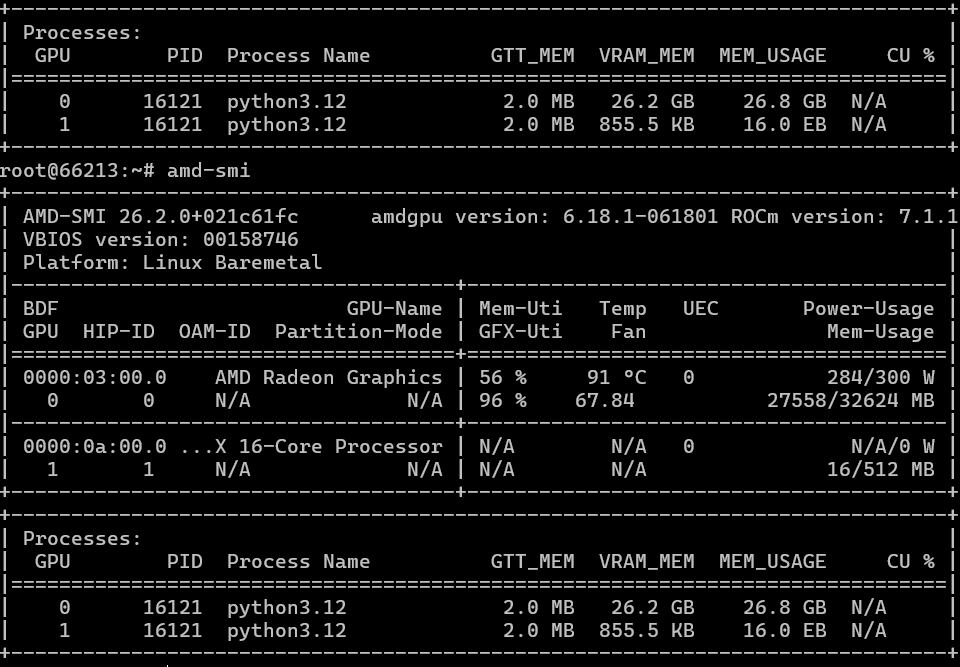

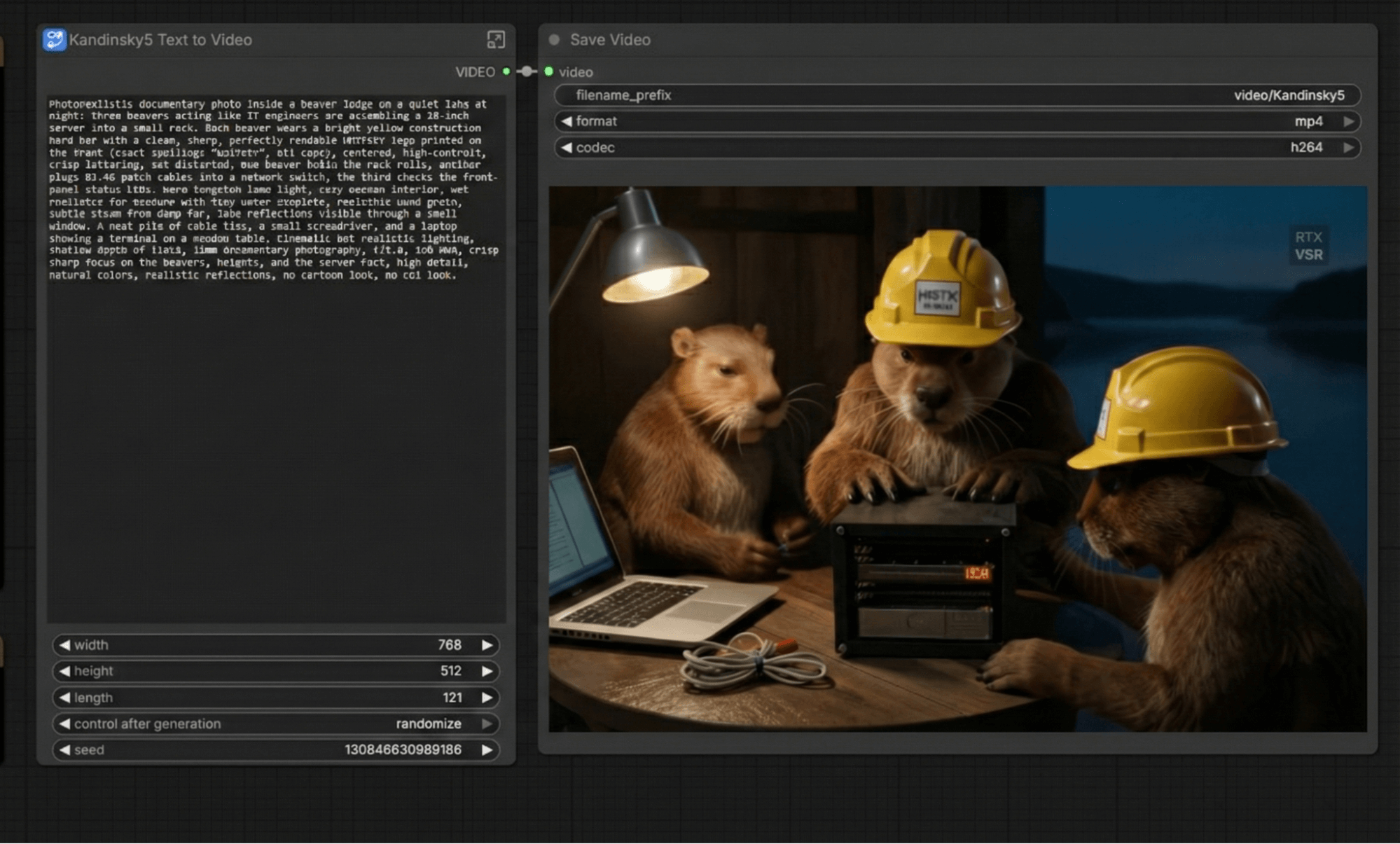
In summary, it took 24 minutes. The NVIDIA RTX PRO 2000 also took 24 minutes. This means that when generating videos, the “red team” (those with the less efficient optimization methods) suffers a significant loss in performance. Previously, in the latest versions of ROCm branch 6, there was already a 30% regression in video generation performance, and it’s possible that this issue has carried over to branch 7 as well. In this case, however, NVIDIA’s optimization efforts are significantly better.
We’ll additionally test the “video image generation” process to further verify the results.

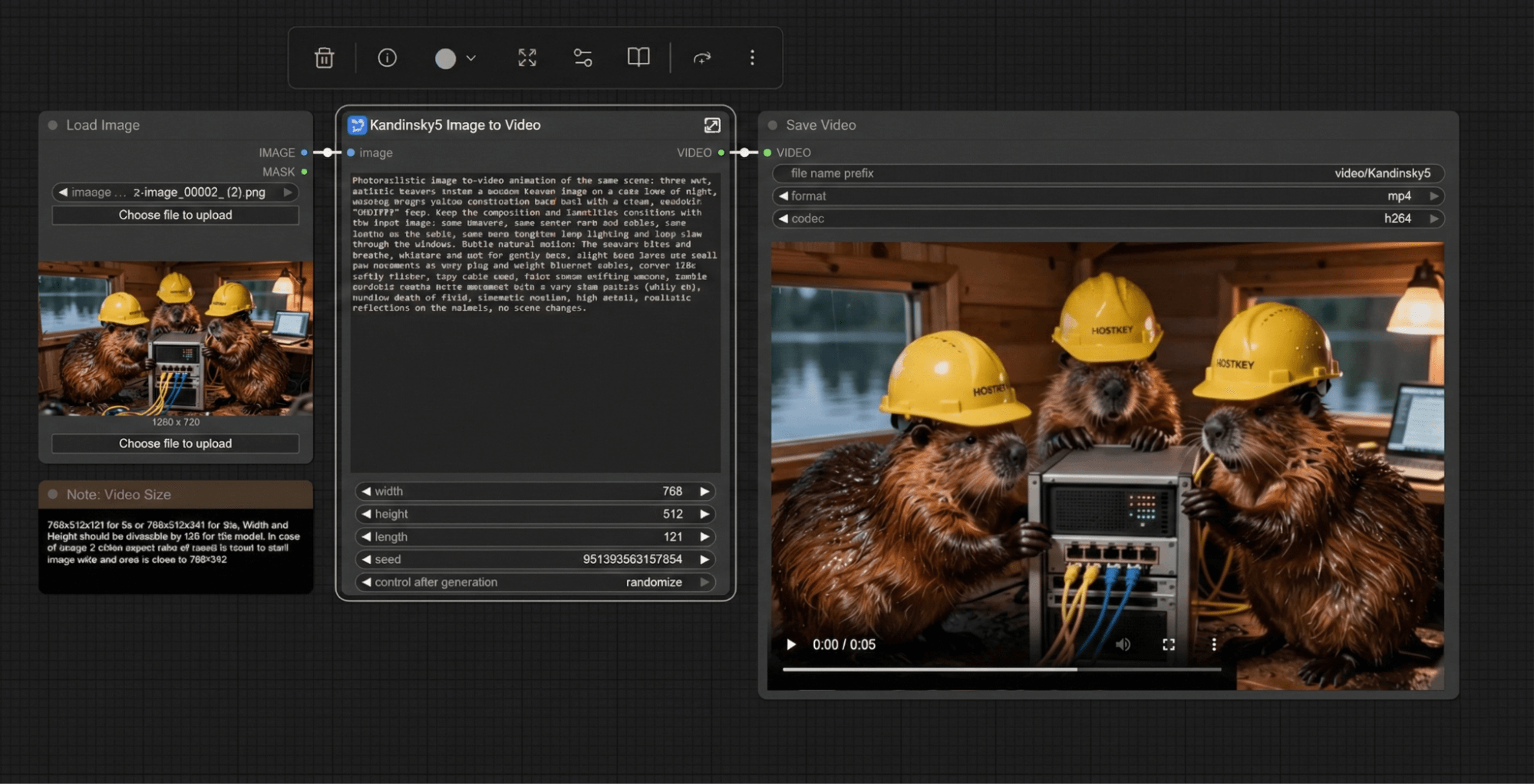
The same 24 minutes of testing time as compared to the NVIDIA RTX PRO 2000 as well.
And what about AI tasks?
As we recall, AMD positions the RADEON AI PRO R9700 for AI-related tasks. Moreover, AMD’s own technology stack is divided into different components, so it’s interesting to test the card in the same 3D rendering tasks within Blender. For rendering, AMD uses HIP (Heterogeneous Interface for Portability), which is compatible with the CUDA API. HIP provides basic functionality in Blender, but it doesn’t offer competitive performance compared to OptiX + RTX Core.
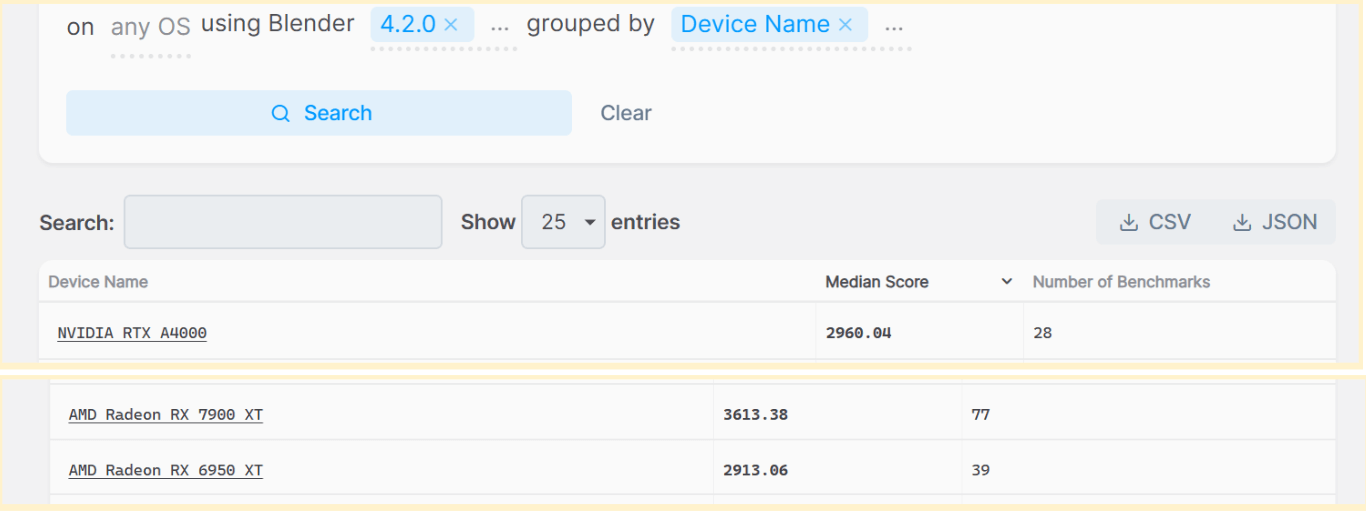
We used this test link https://opendata.blender.org/ for the evaluation. It was only possible to run this test on the LTS version of Blender 4.2.
In total, the card scored 2957 points. Looking at the results, it performs slightly better than the RX 6950 XT and is comparable to the NVIDIA RTX A4000. However, it lags significantly behind the consumer-grade Radeon RX 7900 XT from 2022. It’s worth noting that the RX 7900 XT has more RT cores (84 versus 64) and stream processors (5376 versus 4096), as well as a wider bus. Although it’s based on the previous RDNA3 generation, it’s better optimized for 3D graphics rendering.
Summary
The conclusion of this comparison is rather inconclusive. While NVIDIA offers a range of professional graphics cards that are clearly categorized based on memory capacity and core performance (such as the RTX PRO 2000/4000/6000 Blackwell series, with each model having its own distinct specifications), AMD’s offerings seem to fall short of meeting these clear distinctions.
On one hand, the libraries and applications designed for working with neural network models perform quite stably on this card; when using tools like Ollama or VLMM, as well as llama.cpp, we see performance that is comparable to NVIDIA’s A5000/RTX PRO 4000 Blackwell series cards. Additionally, this AMD card comes with a larger memory capacity (32GB versus NVIDIA’s 24GB) and is also more affordable. However, it laggs behind in terms of video generation and rendering capabilities.
Another potential issue arises from support for this card within operating systems: the necessary kernel and driver components will only be available in the LTS (Long-Term Support) versions of Ubuntu starting with version 26.04, this spring.
In summary: if you need a professional graphics card for tasks involving text model inference or image generation with ample memory capacity, but are not willing to pay a premium for NVIDIA’s mid-to-high-end models, then the RADEON AI PRO R9700 is a viable option. However, if you plan to render videos, 3D graphics, or perform further training on models, then you should take a closer look at the "green" camp.