Disable HSTS in Google Chrome
Information
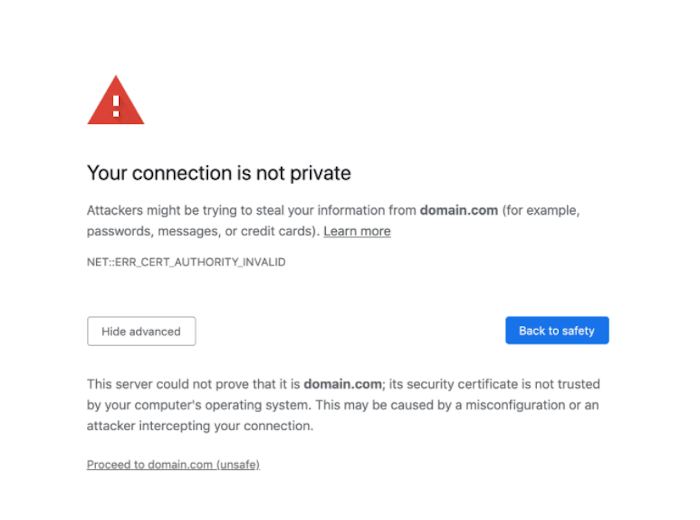
In the case of the error NET :: ERR_CERT_AUTHORITY_INVALID in Google Chrome, the browser reports that the connection is not private. Since the browser does not identify the validity of the SSL certificate, it cannot encrypt the data and keep it secure.
The error looks like:
Attention
Attackers might be trying to steal your information from domain.com (for example, passwords, messages, or credit cards).
The common variants of this error in Chrome include the following codes:
- NET::ERR_CERT_AUTHORITY_INVALID
- NET::ERR_CERT_COMMON_NAME_INVALID (certificate does not match the domain)
- NET::ERR_CERT_WEAK_SIGNATURE_ALGORITHM
- NET::ERR_CERTIFICATE_TRANSPARENCY_REQUIRED
- NET::ERR_CERT_DATE_INVALID
- SSL CERTIFICATE ERROR
In each of the provided cases, Chrome identifies the origin of the error in the certificate. The user makes the decision to continue working with the website.
To prevent the appearance of this error, you must perform the following sequence of actions:
-
Open the Google Chrome HSTS settings page
chrome://net-internals/#hstsin the address bar (this also works in other Chromium-based browsers, for example Microsoft Edge:edge://net-internals/#hsts); -
In the domain policy query section (depending on the browser version, it is called Query HSTS/PKP domain or Query HSTS domain), input the domain and click
Queryto check whether an HSTS policy is stored for the site: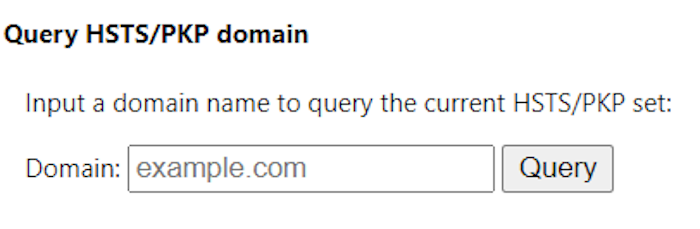
-
In the Delete domain security policies section, you must input the domain and click
Delete. This action will reset the dynamically stored security policy for the domain (policies from the built-in HSTS preload list cannot be removed this way):
-
Reload browser