Installing an OS to ASUS P10S-I - based server
Previous-generation servers
These instructions are for previous-generation servers (with a Java-based IPMI/KVM module) that are still in use by customers. For new servers, use the current instructions in this section.
To install the operating system from the ISO file on the ASUS P10S-I-based server, follow the steps below:
-
Download ISO file with operating system.
-
Install Java Runtime Environment version 8.
-
Connect to the server with the credentials you get (you should enable pop-up windows in your browser):
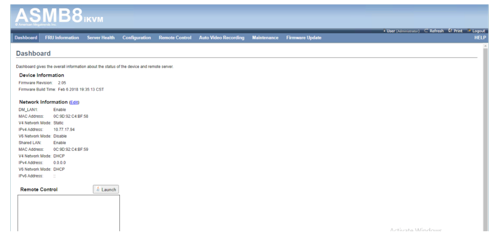
- Press
Launchbutton in the Remote control section and run the downloaded file.
If you get the Java security error like this:
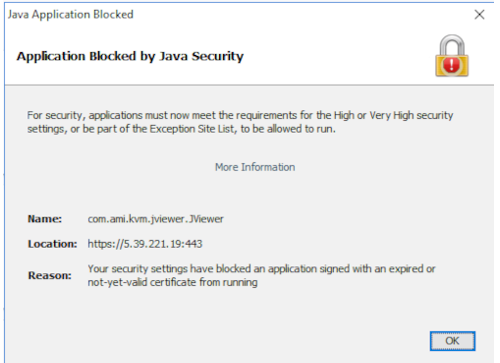
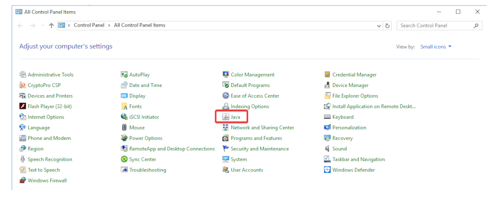
You should go your Computer Control Panel >> Java
And add the IPMI IP to the Exception Site List:
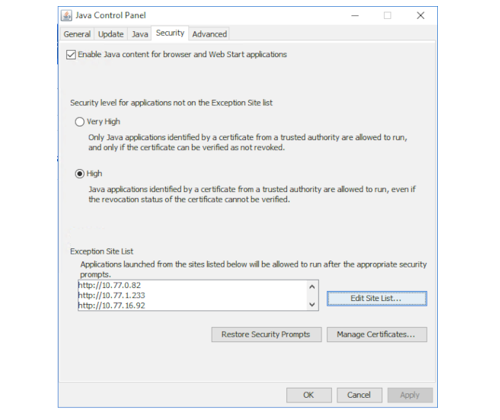
For example: https://5.139.221.19/ (https prefix is required).
After that you will be able to launch the downloaded file.
Information
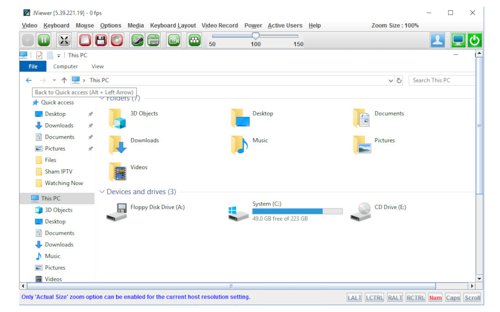
You can connect the ISO file you need in the Media >> Virtual Media Wizard >> CD/DVD Media >> Browse >> select the ISO file >> Connect CD/DVD.
Power control options are available in the Power menu