Telegram MTProxy
In this article
Information
MTProxy (MTProto Proxy) is a specialized proxy server developed by the Telegram team to bypass blocks and censorship. It operates on the proprietary MTProto cryptographic protocol, which is used to encrypt all traffic within the Telegram infrastructure.
Deployment Features
| ID | Name of Software | Compatible OS | VM | BM | VGPU | GPU | Min CPU (Cores) | Min RAM (GB) | Min HDD/SDD (GB) | Custom Domain | Active |
|---|---|---|---|---|---|---|---|---|---|---|---|
| 595 | Telegram MTProxy | Ubuntu 22.04 | + | + | + | + | 1 | 1 | 20 | No | ORDER |
For information on deployment features of this software, see this link
Note
Unless otherwise specified, by default we install the latest release version of software from the developer's website or operating system repositories.
Getting Started After Deploying Telegram MTProxy
After payment, a notification regarding server readiness will be sent to the email address provided during registration. This email will contain the VPS IP address, as well as the login and password for connection. Clients manage hardware via the Server Control Panel and API — Invapi.
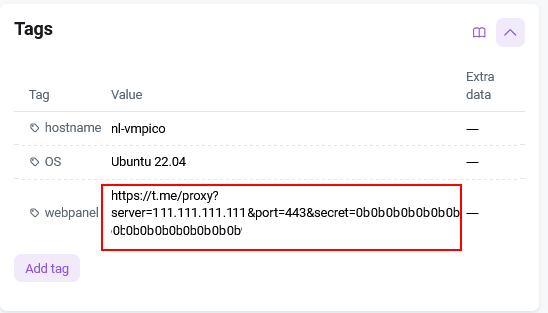
Authorization credentials can be found either in the Configuration >> Tags tab of the server control panel or in the sent email:
- Login and Password for server management: Sent via email upon server delivery. Matches the
rootpassword of the server.
Configuring Telegram Using a Link
Note
The Telegram client must be running during configuration.
-
Follow the link found either in the Configuration >> Tags tab of the server control panel or in the sent email:

-
In the window that opens, click
Apply MTPROXY Settings.
-
The Proxy Server settings window will open automatically in Telegram; click
Connect Proxy.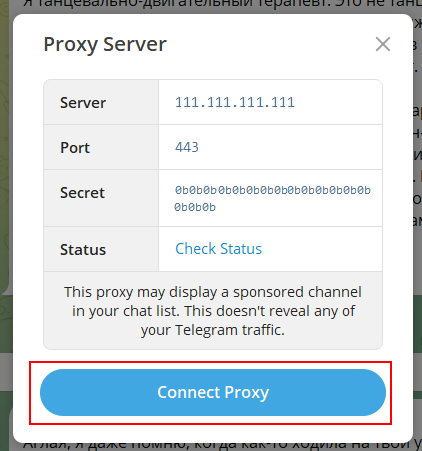
Configuring Telegram Using a Secret
-
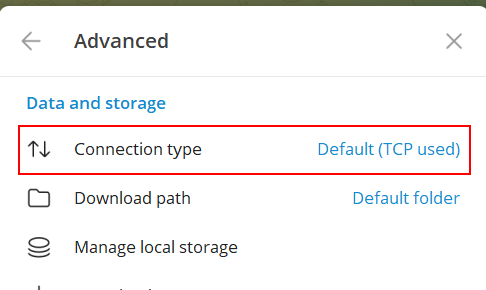
Open Telegram settings, go to the Advanced tab, and select Connection Type.
-
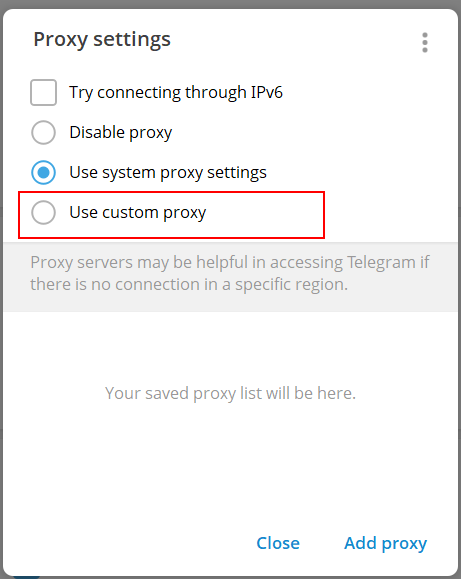
In the Proxy settings window that opens, select Use custom proxy.
-
The Edit Proxy window will open.
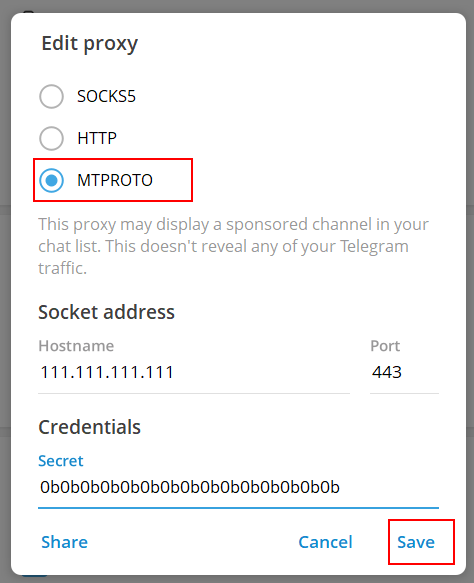
- Select the protocol type MTPROTO.
-
Fill in the fields: Hostname = your server's IP address, Port = 443, Secret = matches the link from the webpanel tag.

-
Click
Save.
Ordering Telegram MTProxy via API
To install this software using the API, follow these instructions