Keycloak
In this article
Note
Keycloak is a powerful open-source Identity and Access Management (IAM) system. Originally developed by Red Hat, it is now one of the most popular open-source solutions in this field and is widely used in modern cloud and microservices architectures. Its primary goal is to centrally manage user authentication and authorization across applications and services. Keycloak acts as a "single gateway" for different systems. A user logs in once and gains access to all connected applications without having to re-enter their username and password.
Keycloak Core Features
- Single Sign-On (SSO) for multiple applications - The user logs into the system once and gains access to all linked services without re-entering a password.
- Seamless integration - Compatibility with existing corporate directories, such as LDAP or Microsoft Active Directory, without the need for data migration or duplication of user data.
- Identity brokering - Ability to configure login via social networks (Google, GitHub, Facebook) or other external corporate identity providers.
- Multi-Factor Authentication (MFA/2FA) - Built-in support for one-time passwords (TOTP, e.g., Google Authenticator) and the WebAuthn standard (hardware security keys).
- Flexible permission management - Assigning access rights by roles, groups, and user attributes, including fine-grained authorization at the individual application resource level.
- Isolation via realms - Each realm is a separate isolated environment with its own users, roles, and settings. This is convenient if you need to serve several different projects or clients on a single Keycloak instance.
- Mature and supported solution - The project is developed by a large community and corporate sponsors; regular updates and security patches are released.
Note
You can deploy Keycloak as a Managed App. To do this, select Marketplace > Managed Apps in the Invapi server control panel.
Deployment Features
| ID | Name of Software | Compatible OS | VM | BM | VGPU | GPU | Min CPU (Cores) | Min RAM (GB) | Min HDD/SDD (GB) | Custom Domain | Active |
|---|---|---|---|---|---|---|---|---|---|---|---|
| 636 | Keycloak | Ubuntu 22.04 | + | + | + | + | 1 | 2 | 15 | No | ORDER |
Information
You can find information regarding the deployment features of this software at this link
Note
Unless otherwise specified, we install the latest release version of the software from the developer's website or operating system repositories by default.
Getting Started After Deploying Keycloak as a Managed App
After deploying Keycloak as a managed app, you can find the following in the My Apps tab of the server control panel:
- an application link;
- login and password for access;
- information regarding service usage and management.
For more details on working with managed apps, see the instructions.
Getting Started After Keycloak Deployment from the Marketplacet
After payment is processed, a notification will be sent to the email address provided during registration once the server is ready for operation. It will contain the VPS IP address, as well as the login and password for connection. Customers can manage their hardware in the Server Control Panel and API — Invapi.
The authorization credentials can be found in the Configuration >> Tags section of the server control panel or in the sent email:
- Link to access the Keycloak web interface: in the webpanel tag;
- Username:
root; - Password for server management: sent via email once the server is ready after software deployment.
Authorization and Changing Credentials
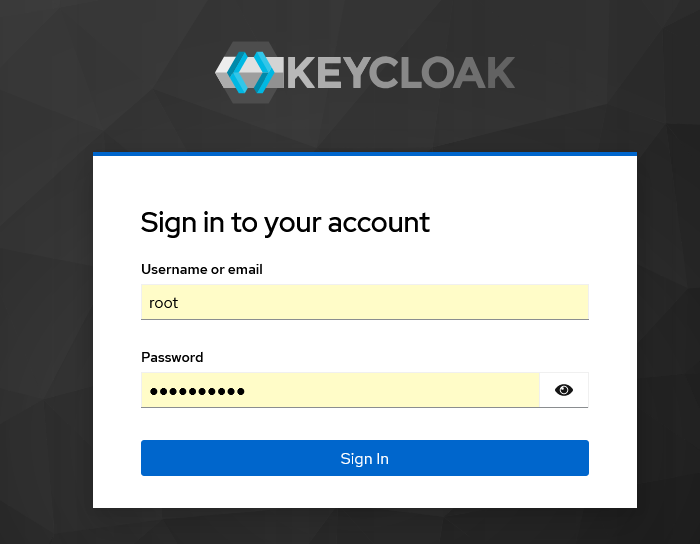
To access the admin panel, navigate to https://keycloak{server_id}.hostkey.com/ and enter your credentials: Username - root, Password - from the email. Then click the Sign in button:
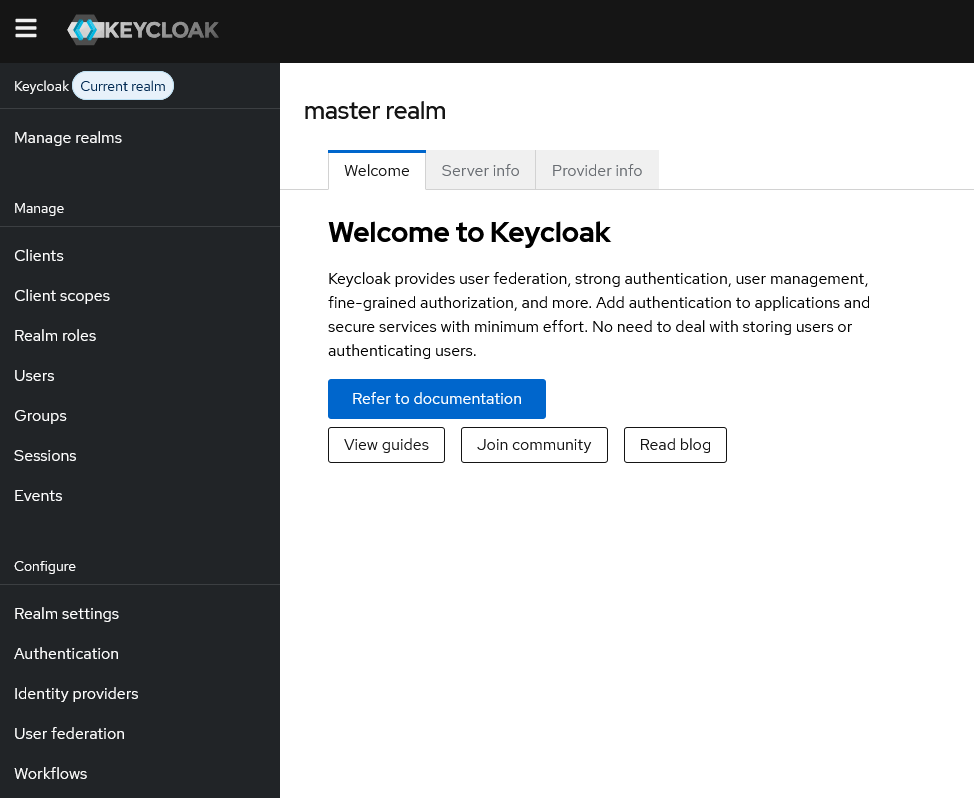
After successful authorization, you will be redirected to the administrative panel start page:
After your initial login, it is recommended to change the default administrator password to increase security:
-
Click on the profile icon in the top right corner of the interface and select Manage account.
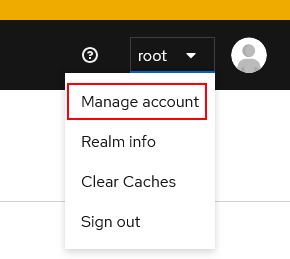
-
Select the Account security menu, then select Signing in, and in the My password field, click the
Updatebutton.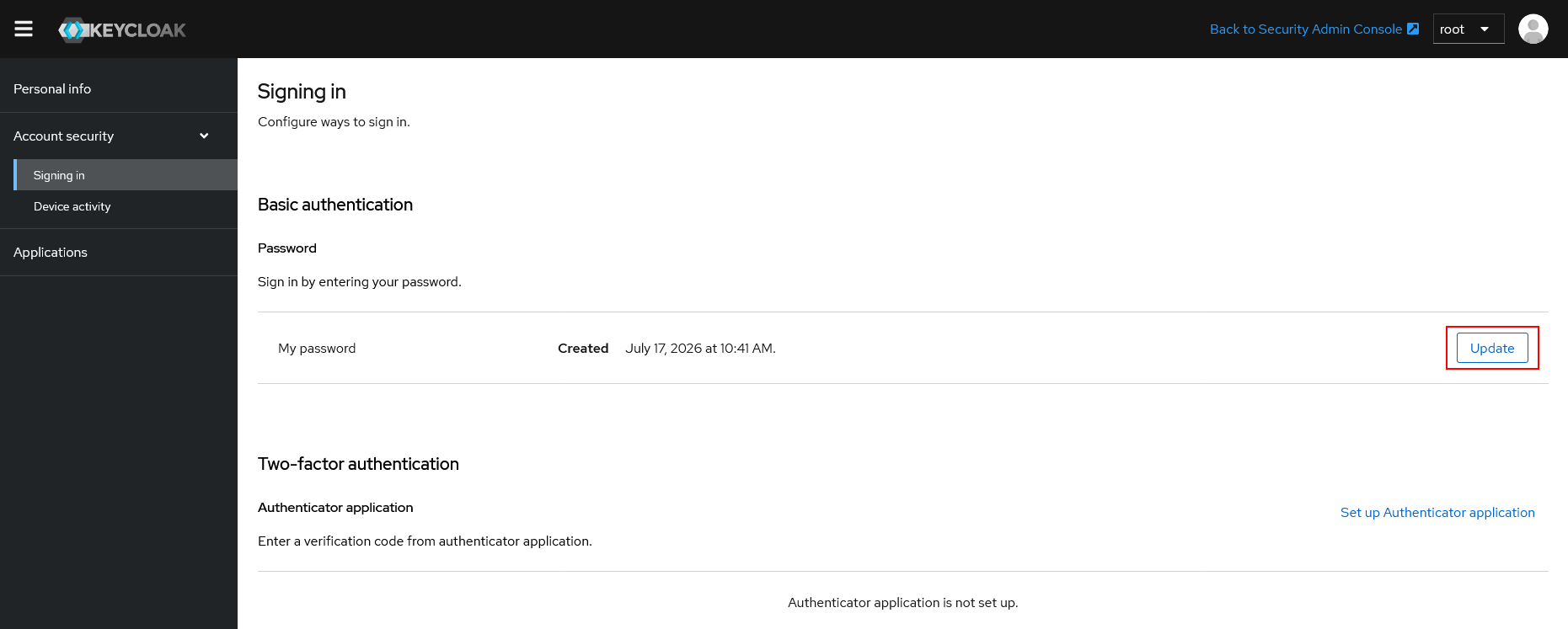
-
On the page that opens, enter a new password value.
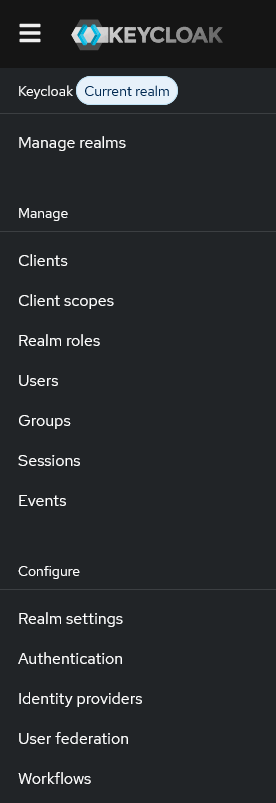
Keycloak Start Screen
After successful authorization, you will arrive at the Keycloak start screen, which allows you to manage and configure various parameters to ensure security:
Note
Detailed information on the main Keycloak settings can be found in the developer documentation.