OmniRoute
In this article
Information
OmniRoute is an open-source software solution that acts as a middleware layer between your application and various Large Language Model (LLM) providers, such as OpenAI, Anthropic, Google Gemini, Mistral, as well as locally deployed models (via Ollama, vLLM, etc.). Its primary goal is to abstract the complexity of working with multiple APIs by providing developers with a single entry point (usually fully compatible with the OpenAI API format) and intelligently managing request routing.
OmniRoute Key Features
- Unified API. You don't need to rewrite code for every new provider. OmniRoute accepts requests in a standard format (e.g., OpenAI-compatible) and automatically translates them into the required format for the selected backend.
- Smart Routing
- Fallback: If the primary provider (e.g., OpenAI) returns an error or exceeds a timeout, the proxy instantly and seamlessly redirects the request to a fallback provider (e.g., Anthropic or a local model) without the user noticing.
- Load Balancing: Distributes requests between multiple API keys or accounts to bypass the rate limits of a single key.
- Cost or Latency-based Routing: Simple requests can be automatically routed to cheaper and faster models, while complex requests are sent to flagship models.
- Advanced Caching. Supports both exact match and semantic caching. If a similar request has already been processed, OmniRoute returns the cached response, which drastically reduces latency and token costs.
- Cost Management and Analytics. Built-in real-time monitoring: token usage counting, request cost estimation, response time tracking (TTFT — Time To First Token), and dashboards for analyzing the efficiency of different models.
- Security and Access Control. Centralized storage and rotation of provider API keys (keys are not stored in the client application code). Request filtering capabilities: PII (Personally Identifiable Information) masking, protection against prompt injection, and setting usage limits for different users or teams.
Deployment Features
| ID | Name of Software | Compatible OS | VM | BM | VGPU | GPU | Min CPU (Cores) | Min RAM (GB) | Min HDD/SDD (GB) | Custom Domain | Active |
|---|---|---|---|---|---|---|---|---|---|---|---|
| 654 | OmniRoute | Ubuntu 24.04 | + | + | + | + | 1 | 2 | 20 | No | ORDER |
Information
You can find information regarding the deployment features of this software at this link.
Note
Unless otherwise specified, we install the latest release version of the software from the developer's website or the operating system repositories by default.
Getting Started After OmniRoute Deployment
After payment, a notification regarding the server's readiness will be sent to the email address provided during registration. This notification will include the VPS IP address, as well as the login and password for connection. Customers can manage their hardware in the server and API control panel — Invapi.
Authorization data can be found in the Info >> Tags tab of the server control panel or in the sent email:
- Web Interface Control Panel Link: in the webpanel tag;
- Password: for the administrator - sent via email when the server is delivered;
Connection and Initial Setup
After clicking the link from the webpanel tag, the login window will open.
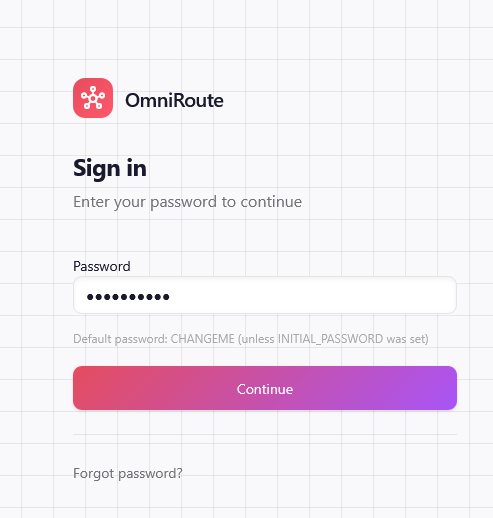
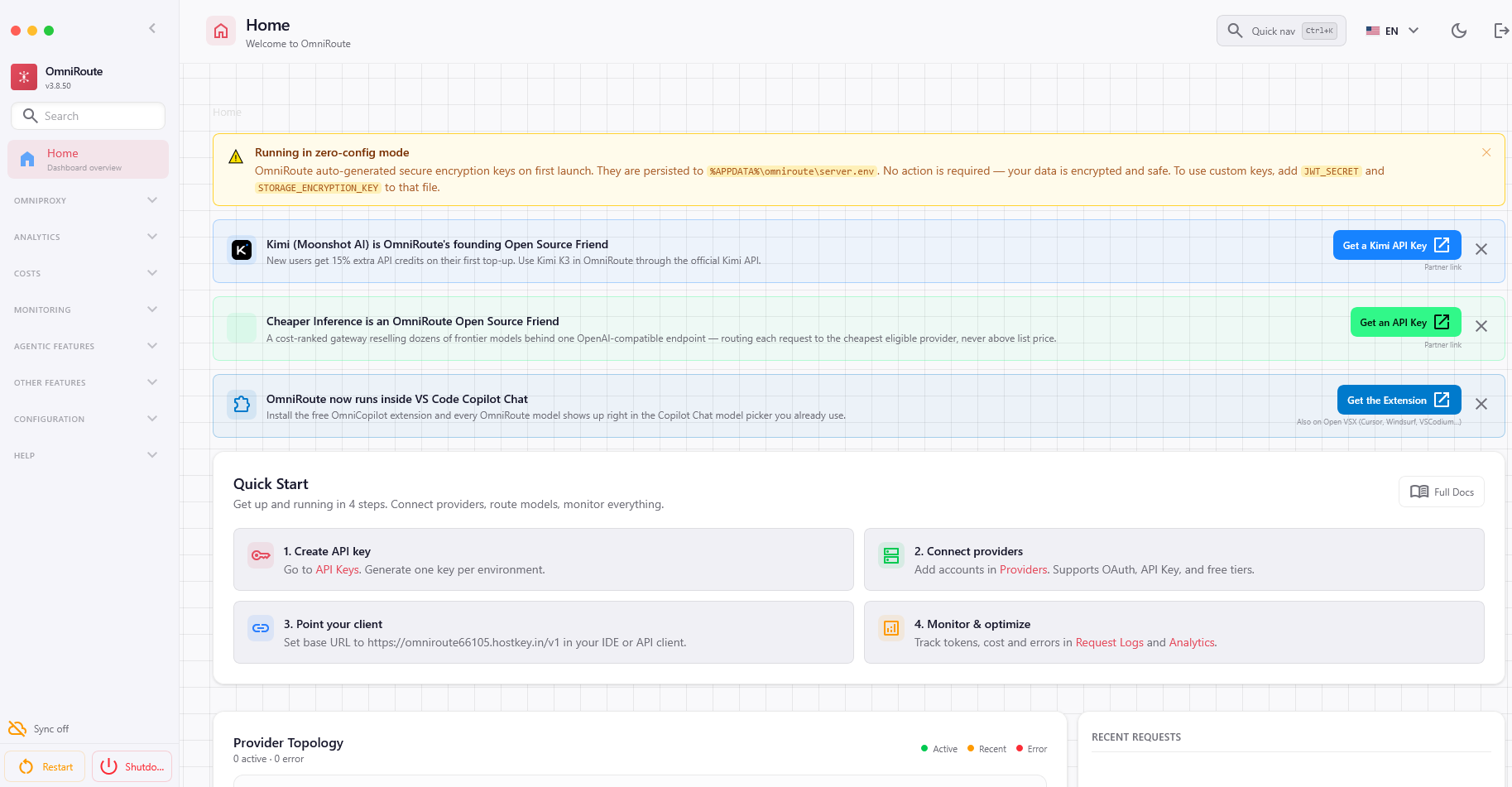
After entering the password, you will be redirected to the OmniRoute main management screen.
Information
Please note that you must change the administrator password after your initial login to the application. A warning and instructions for the change will be displayed on the main screen.
You can now begin working with OmniRoute.
Note
Detailed information on the main OmniRoute settings can be found in the developer documentation.
Ordering a Server with OmniRoute via API
To install this software using the API, follow these instructions.