LiteLLM
In this article
Information
LiteLLM is a popular open-source Python library and proxy server that provides a unified, OpenAI-compatible interface for calling APIs of more than 100 different Large Language Models (LLMs).
LiteLLM. Main Features
- Unified API (OpenAI Compatibility). To switch from gpt-4o to claude-3-5-sonnet or a local llama-3, you only need to change a single line (the
modelparameter) without rewriting your application logic. - Massive Provider Ecosystem. Supports over 100 providers out of the box: OpenAI, Azure OpenAI, Anthropic, Google Gemini, AWS Bedrock, Cohere, HuggingFace, Ollama, vLLM, Groq, and many others.
- Cost and Budget Management (Cost Tracking). Built-in precise calculation of the cost of each request in dollars (or tokens). You can set strict spending limits (budgets) for individual users, API keys, or teams to avoid unexpected bills.
- Fault Tolerance (Fallbacks and Retries). If the primary API is unavailable, returns an error, or hits a rate limit, LiteLLM can automatically retry or seamlessly switch to a fallback model or a different provider without the user noticing.
- Load Balancing. Allows you to distribute requests among multiple API keys from the same provider or different deployments of the same model to effectively bypass rate limits.
- Observability and Logging. Seamless integration with popular monitoring and debugging tools (Langfuse, Prometheus, Datadog, Arize Phoenix, Helicone) to track latency, errors, and costs in real time.
- Asynchrony and Streaming. Full support for asynchronous calls (
asyncio) and response streaming for all supported providers, which is critical for creating fast and responsive chat interfaces.
Deployment Features
| ID | Name of Software | Compatible OS | VM | BM | VGPU | GPU | Min CPU (Cores) | Min RAM (GB) | Min HDD/SDD (GB) | Custom Domain | Active |
|---|---|---|---|---|---|---|---|---|---|---|---|
| 657 | LiteLLM | Ubuntu 24.04 | + | + | + | + | 1 | 4 | 20 | No | ORDER |
Information
Deployment information for this software can be found at this link.
Note
Unless otherwise specified, we install the latest release version of the software from the developer's website or the operating system repositories by default.
Getting Started After LiteLLM Deployment
After payment, a notification regarding the server's readiness will be sent to the email address provided during registration. It will contain the VPS IP address, as well as the login and password for connection. Customers can manage their hardware in the server and API control panel — Invapi.
Authorization data can be found in the Config >> Tags tab of the server control panel or in the sent email:
- Web interface control panel link: in the webpanel tag;
- Login:
admin; - Password: for the administrator - sent via email to your email address upon server delivery;
Connection and Initial Setup
After clicking the link from the webpanel tag, the login window will open.
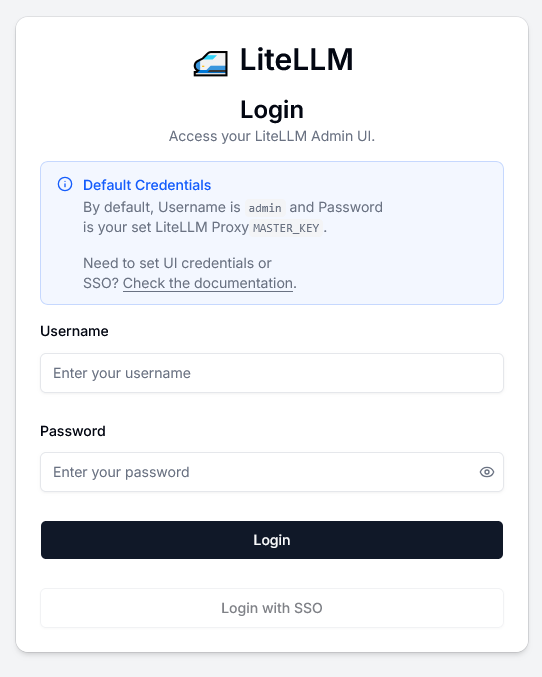
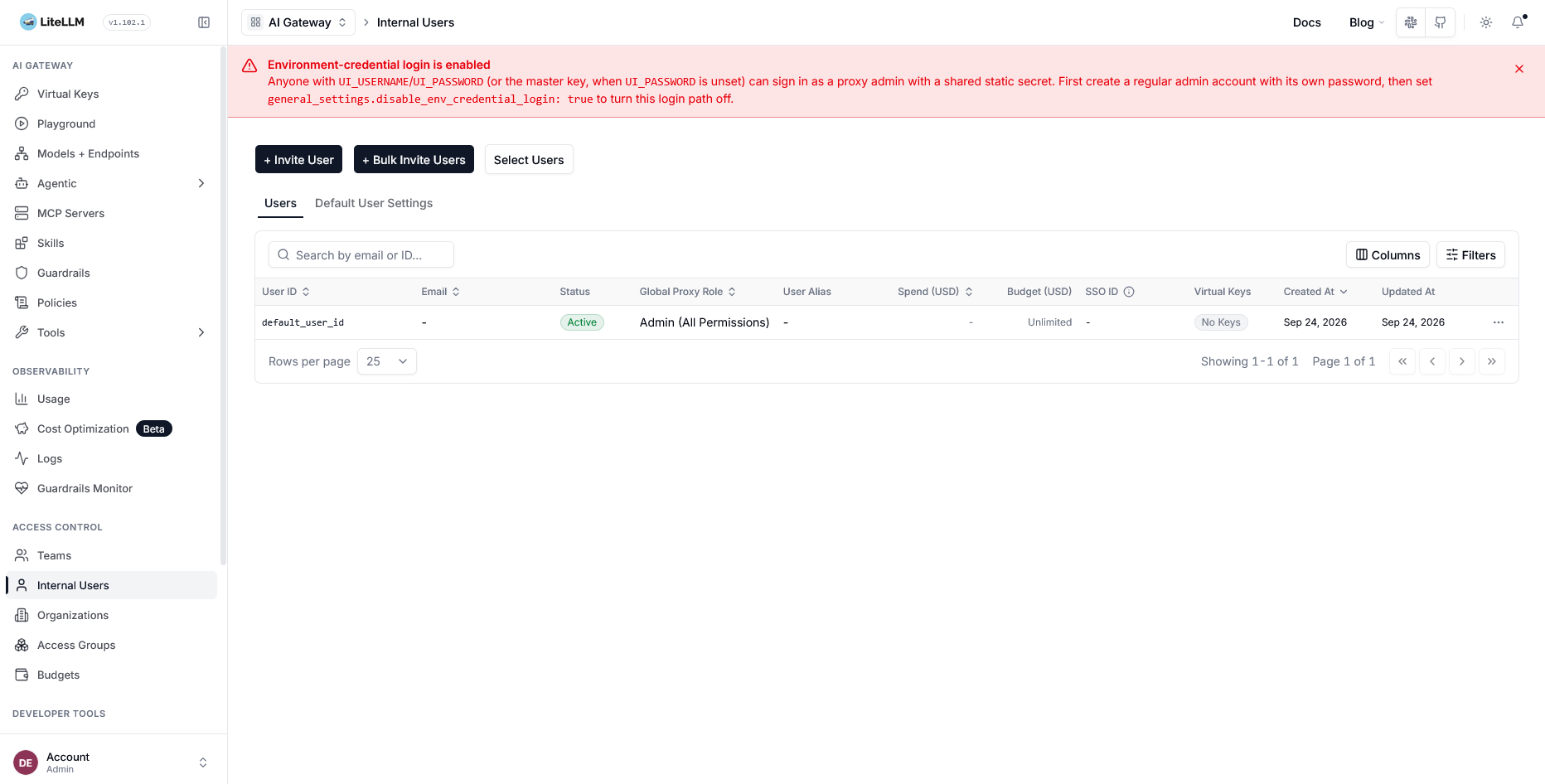
After entering your login and password, you will be redirected to the LiteLLM main management screen.
Information
Please note that you must change the administrator password after your first login to the application. A warning and instructions for the change will be displayed on the main screen.
You can now start working with LiteLLM. Please note that adding additional users is only available after configuring the email delivery service.
Note
Detailed information on the main LiteLLM settings is contained in the developer documentation.
Ordering a Server with LiteLLM via API
To install this software using the API, follow these instructions.