Server API Key Management
In this article
Information
An API key is a convenient way to authorize API requests to Invapi and access a specific server's Control Panel independently from your control center and personal account.
To access the entire account or a specific server, generate an API access key in the personal area of the Invapi control panel. Follow these instructions to obtain it.
Obtaining an API key for a specific server
-
Go to Invapi;
-
Please select the server for which you would like to access the external server control panel: My Servers >> Required Server;
-
Generate an API key:
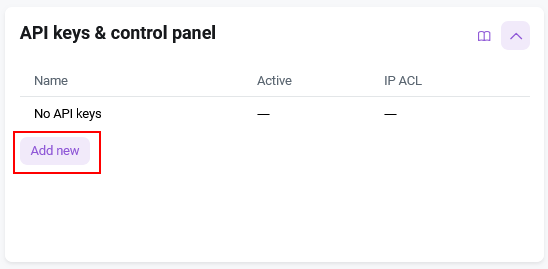
- Navigate to the Configuration tab and choose the API keys & control panel section.
- Click the
Create API keybutton;
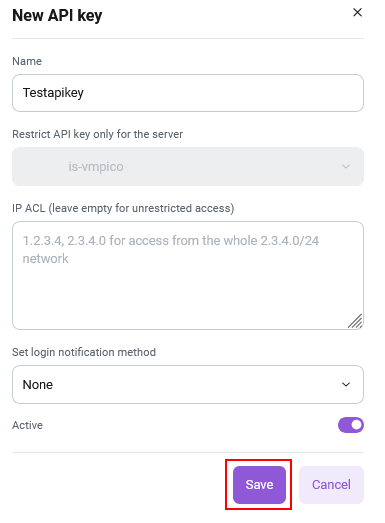
- In the Name field, enter the name of the key to identify it;
- Specify IP addresses only from which this key will be allowed access in the IP ACL field, or leave it blank for unrestricted access;
- Select the login notification method (None, Email, Webhook)
- Check the Active box to activate the key;
- Click
Savebutton.
After this, your API key will be displayed.
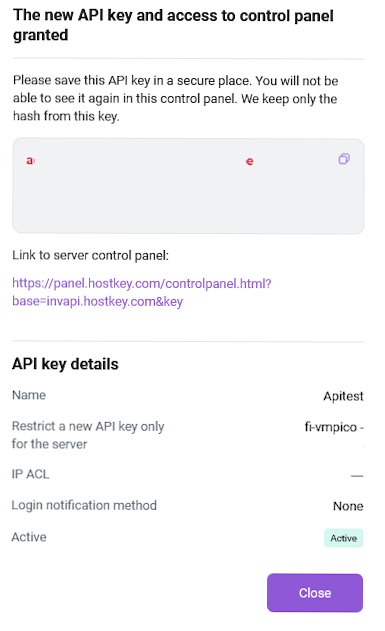
Attention
Be sure to copy and save the API key value as it will only be displayed once. Invapi stores only the hash value of the key, so if the original key is lost, it will need to be recreated.
Editing the API Key
To edit or delete an API key, go to either your account or a specific server, as described above during its generation, and click on the required API key. In the window that opens, you can:
- change the key name (Name field);
- set the IP addresses from which calls using the key will be allowed (IP ACL field);
- enable or temporarily disable it (checkbox Active).
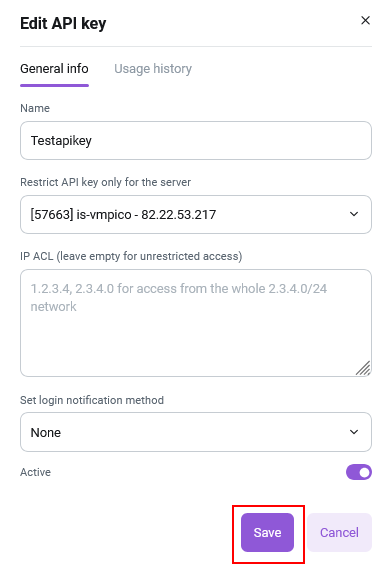
Next, you can click the Save button to save the changes.
Deleting the API Key
To delete an API key, go to the user profile - API Keys section
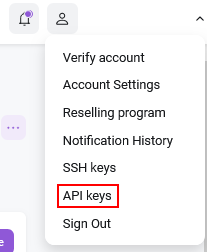
In the list of keys, find the one you need to delete. Click ....
In the dropdown menu, click the Delete button

Attention
The API key is deleted without the possibility of recovery.
Using an API key
The API key can be used in the following ways:
-
To obtain a session token required for subsequent API requests to an account or server in Invapi, authorization is necessary. Authorization can be obtained via an API key for access to either the entire account or a specific server through the auth/login call, depending on the API key used. If authorization is successful and the key is found in the database, the system will return the session token
$HOSTKEY_TOKEN. -
To access the Server Control Panel, which allows server access without logging into your Invapi Control Center account, and to embed it as a standalone module in your billing system to manage HOSTKEY servers, you must generate server-specific API keys.
API key usage information
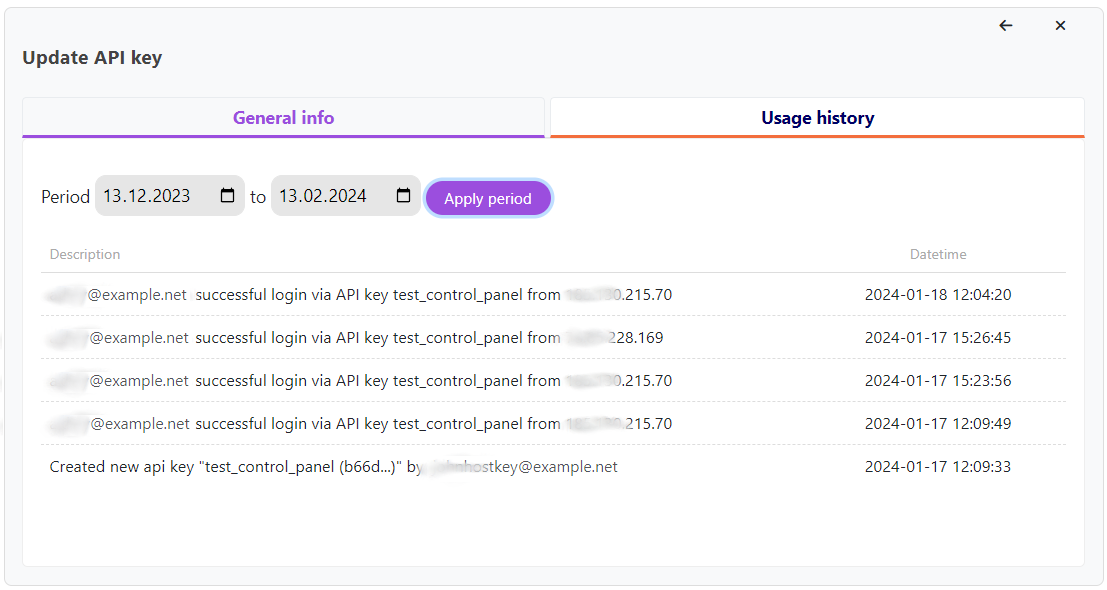
In the Usage history tab, select a specific key for an account or server and click on it to view all logins made with this API key during a certain period. The output will include the email and IP address used for the login, its success status, as well as the date and time of the event.
Obtaining an API key without a web panel
An API key can be obtained without using the web control panel by utilizing the API methods for working with API keys. These methods can be executed from the command line or embedded into web solutions