Marketplace
In this article
HOSTKEY provides its customers with a wide selection of applications to solve a broad range of tasks. You can purchase the required server and install an application on it at the time of purchase, or you can use only the application at a fixed rate without purchasing a server.
Log in to your Invapi client area, choose the most convenient method, and enjoy applications with guaranteed uptime, 24/7 support, and version tracking.
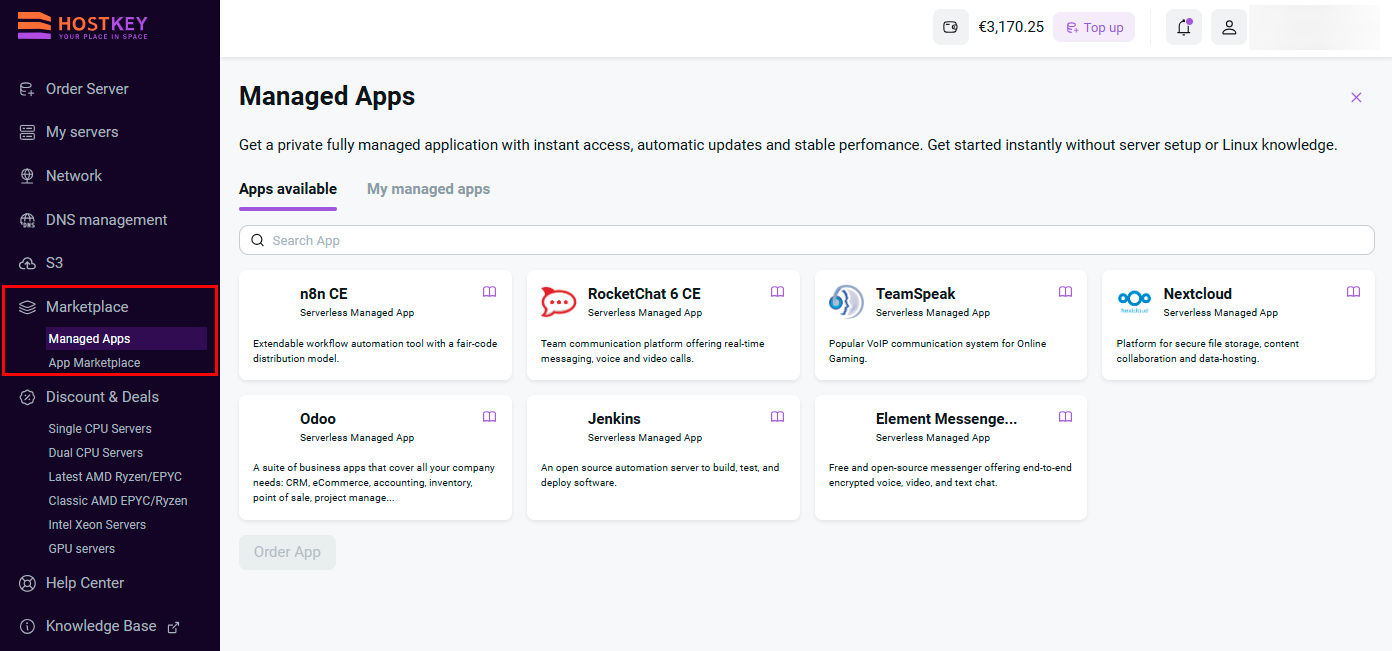
Managed Applications
Information
Managed Applications is a service where applications are deployed, maintained, and supported by the provider, including infrastructure, updates, security, and monitoring, while the client receives access to the application. This allows customers to use applications without renting a server or needing to perform administrator tasks themselves.
The Managed Applications service provides:
- Private fully managed application with instant access.
- Stable performance — infrastructure and resources are maintained on the HOSTKEY side.
- Zero configuration start — no server rental or Linux knowledge required: work begins immediately after ordering.
- Resource monitoring — current consumption (traffic, RAM, and CPU usage) is displayed in the client area on the My Applications tab.
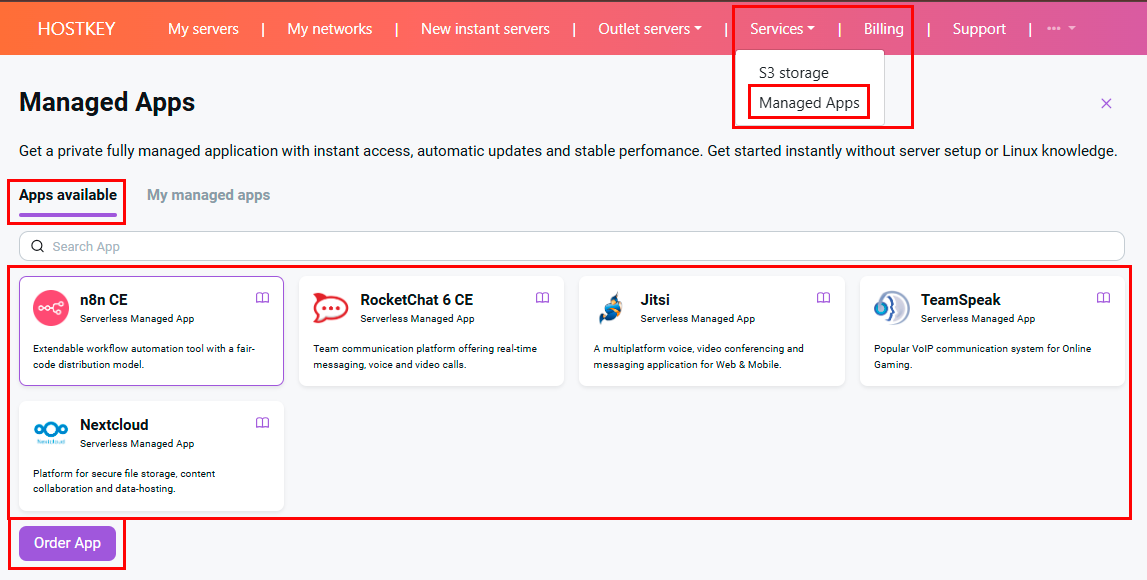
You can learn more about how managed applications work in the Managed Applications documentation section.
App Marketplace
Information
The App Marketplace allows you to select an application from the marketplace that perfectly fits your needs and order a server tailored to the application's requirements in just a few steps.
To select the required application and order a server, follow these steps:
- Log in to your Invapi client area, go to Marketplace > App Marketplace.
-
Select the desired application and click the
Continuebutton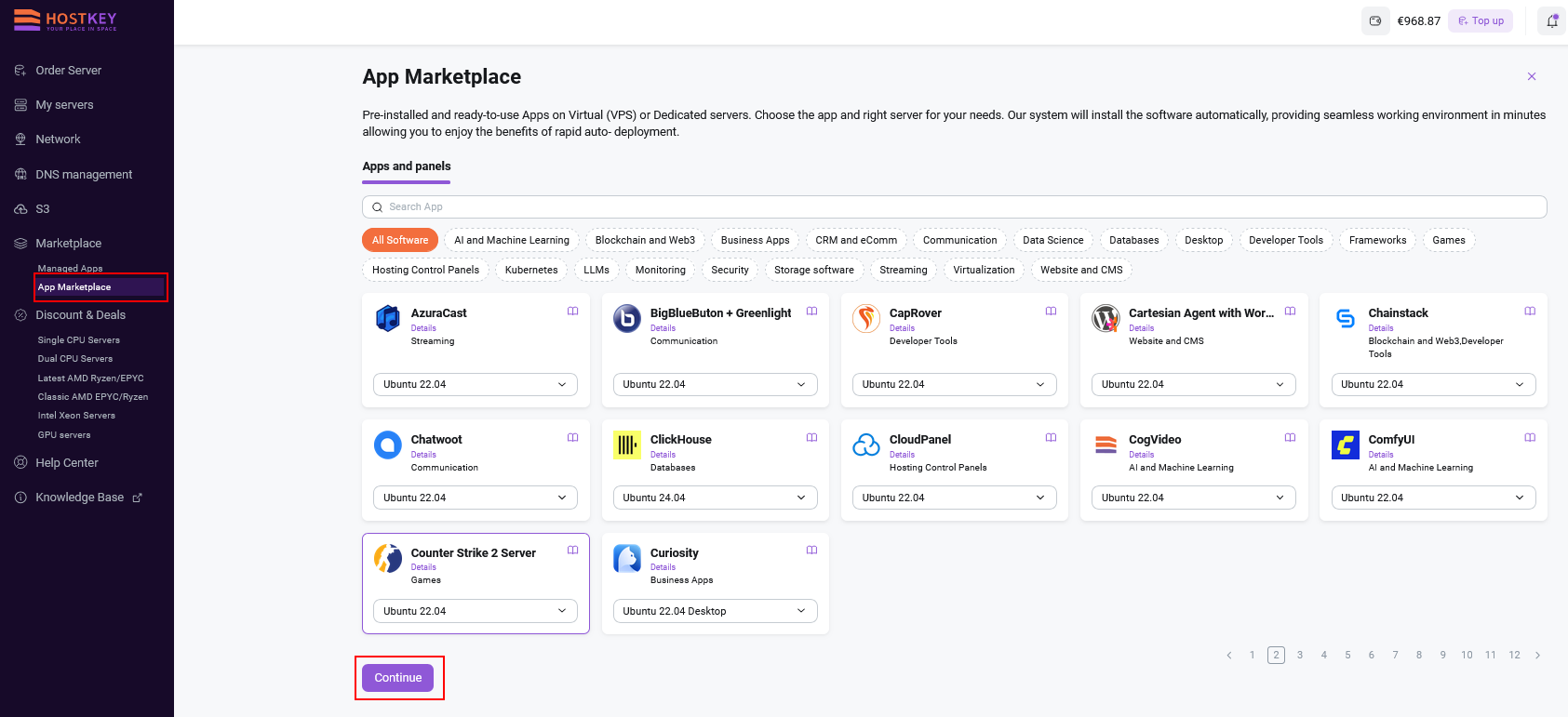
-
In the window that opens, select your preferred server and plan, then click the
Orderbutton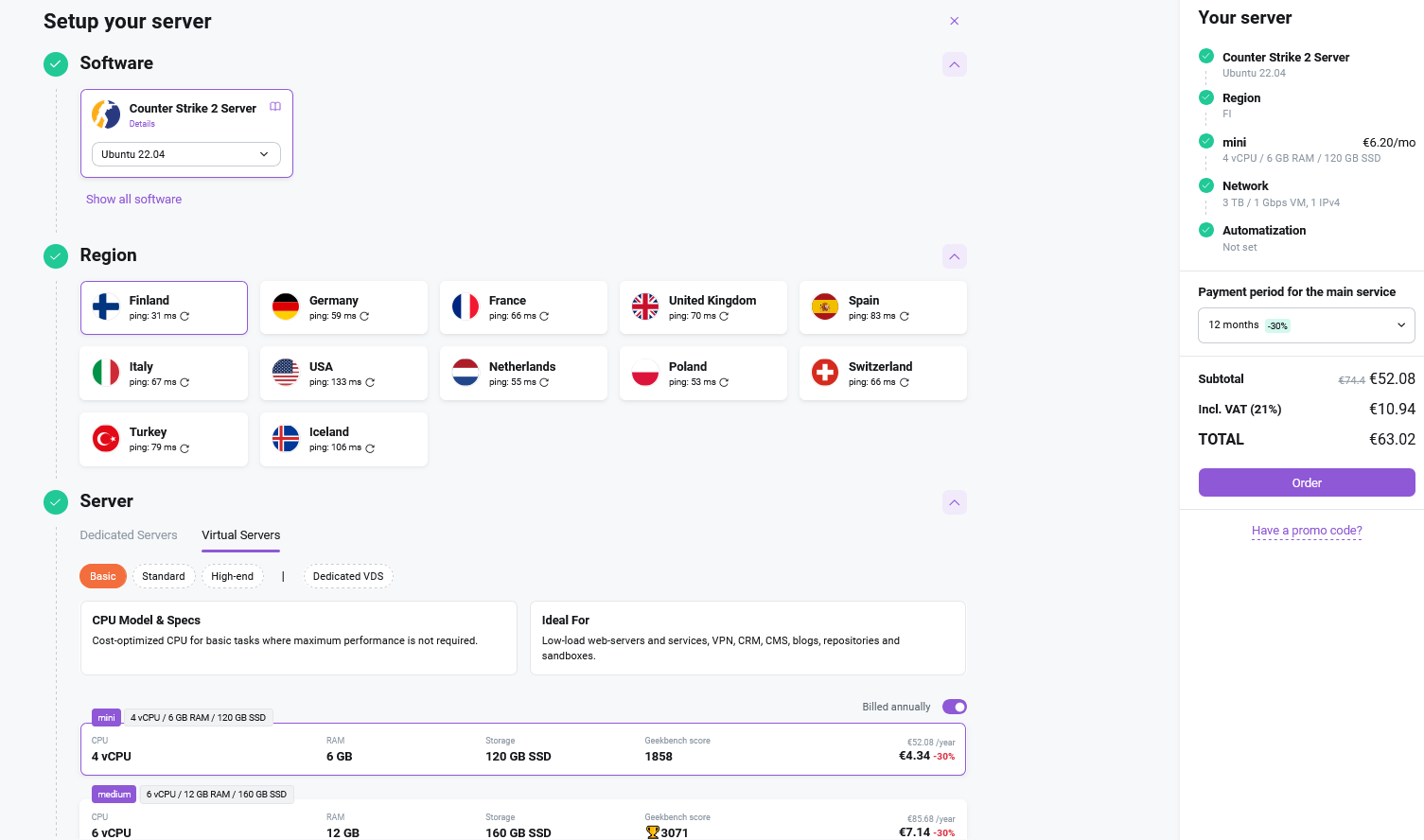
Information
In the window that opens, you will see a list of servers that have already been selected based on the technical requirements for installing the application.
- To further customize order parameters if necessary, use the Instant server ordering in Invapi instructions.