Managed Apps
In this article
Information
Managed Apps is a service where applications are deployed, maintained, and supported by the provider, including infrastructure, updates, security, and monitoring, while the client gains access to the application. This allows clients to use applications without renting a server or performing administrative tasks themselves.
Key Features
The Managed Apps service provides:
- Private fully managed application with instant access.
- Stable performance — infrastructure and resources are maintained by HOSTKEY.
- No setup required — no need to rent a server or know Linux: operation starts immediately after ordering.
- Resource monitoring — current consumption (traffic, RAM, and CPU usage) is displayed in the personal account under the "My Applications" tab.
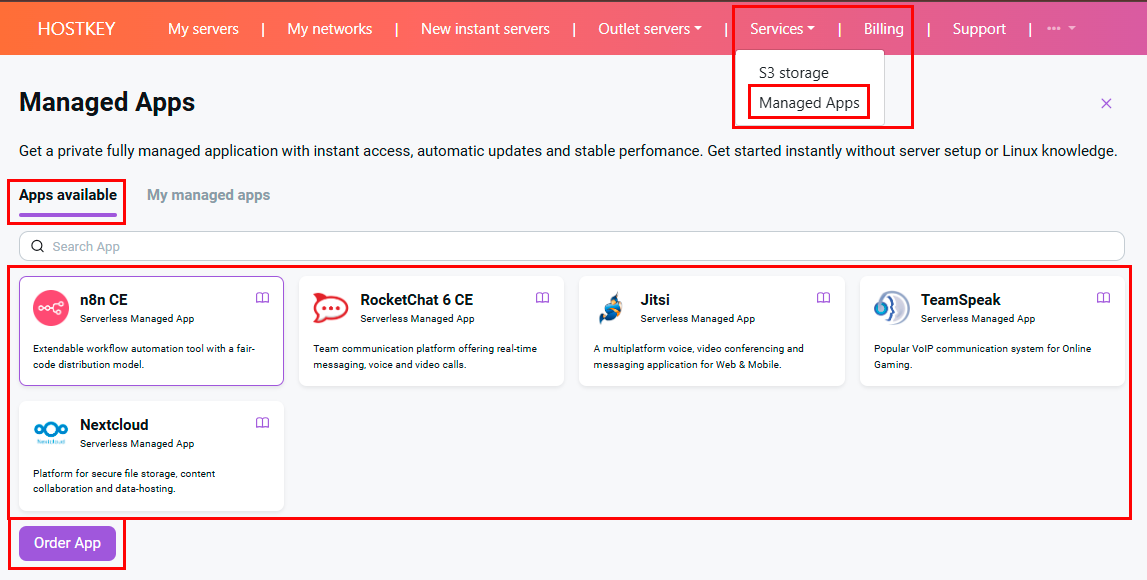
Next to each application name in the catalog is a book icon—this is a link to the HOSTKEY documentation for working with the respective product (applications are also available in the marketplace).
How to Order
Services can be ordered via the client area in the Marketplace > Managed Apps section.
Ordering Steps:
- On the Apps available tab, select the desired application from the catalog. If necessary, use the search bar.
- Click the Order App button. Payment for the service is automatically deducted from your account balance.
-
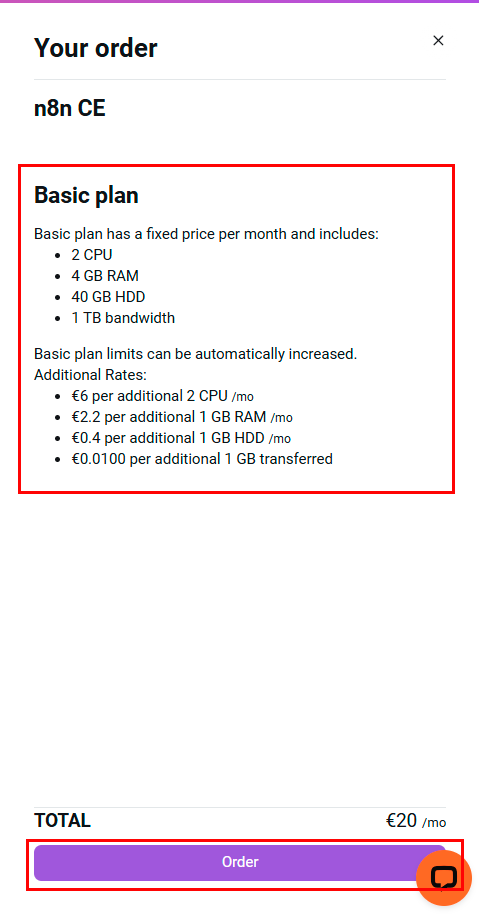
The Your Order panel will open, showing the name, a brief description of the selected application, and the total cost (field "Total", €/month).
-
The application is deployed automatically—the process takes approximately 10–15 minutes.
-
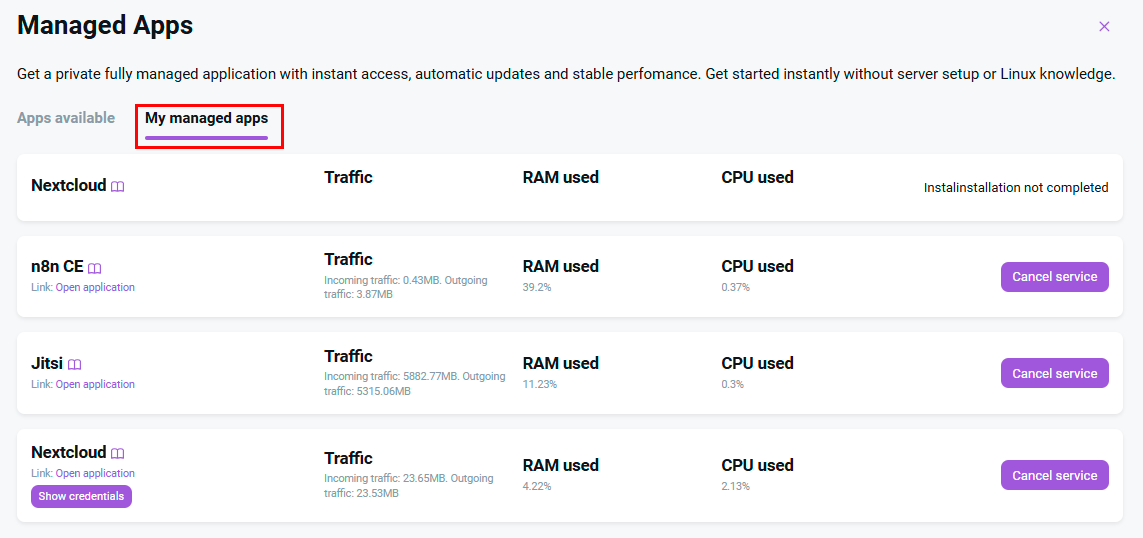
Once deployment is complete, the application will appear on the My managed apps tab, where an access link will be provided—this link is generated from the service name and a unique random identifier.
-
Login credentials (username and password) are displayed directly in the application card on the My managed apps tab and are also sent to the email address linked to your account.
Monitoring and Management

On the My managed apps tab, the following is displayed for each deployed application:
- Application link;
- Login and password;
- Current traffic;
- RAM usage;
- CPU usage;
- Cancel Service button.
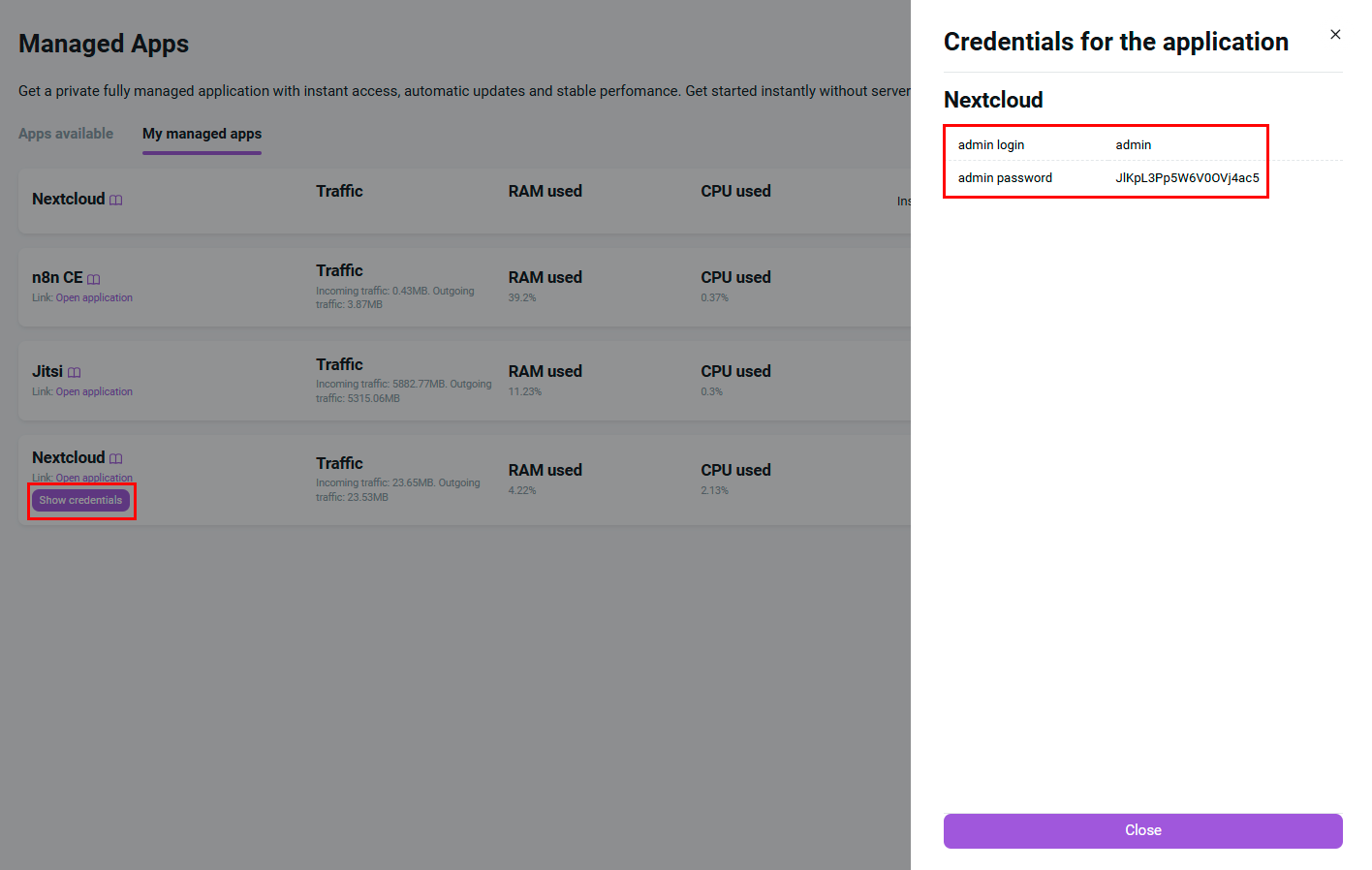
- Show Credentials button.
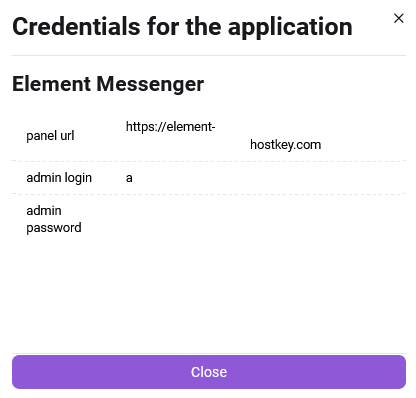
When clicking the Show Credentials button, a separate window will display:
- Application link;
- Login and password;
Cancel Service
Clicking the Cancel Service button opens a "Cancel Order" confirmation window. Important: after confirmation, the application and all its data will be deleted without the possibility of recovery. To complete the cancellation, you must click the Cancel Service button in the confirmation window.
Pricing
Pricing for the Managed Applications service is calculated using the following formula:
Final Price = Universal Base Plan + Pay-as-you-go charges for additional resources
This pricing applies to all applications within the Managed Applications service and is universal.
The Base Plan for any application includes:
- 2 CPU;
- 4 GB RAM;
- 40 GB HDD;
- 1 TB outbound traffic.
These resources are sufficient for the initial operation of all selected applications.
Additional resources (CPU, RAM, HDD, outbound traffic) are billed separately and calculated automatically when the base plan is exceeded. The current cost can be viewed during the ordering process in the client area.
Billing
At the time of ordering, funds for one month of actual usage will be deducted from your account balance according to the terms of the selected pricing plan. Subsequently, payments for following months of use will also be made from your account balance.
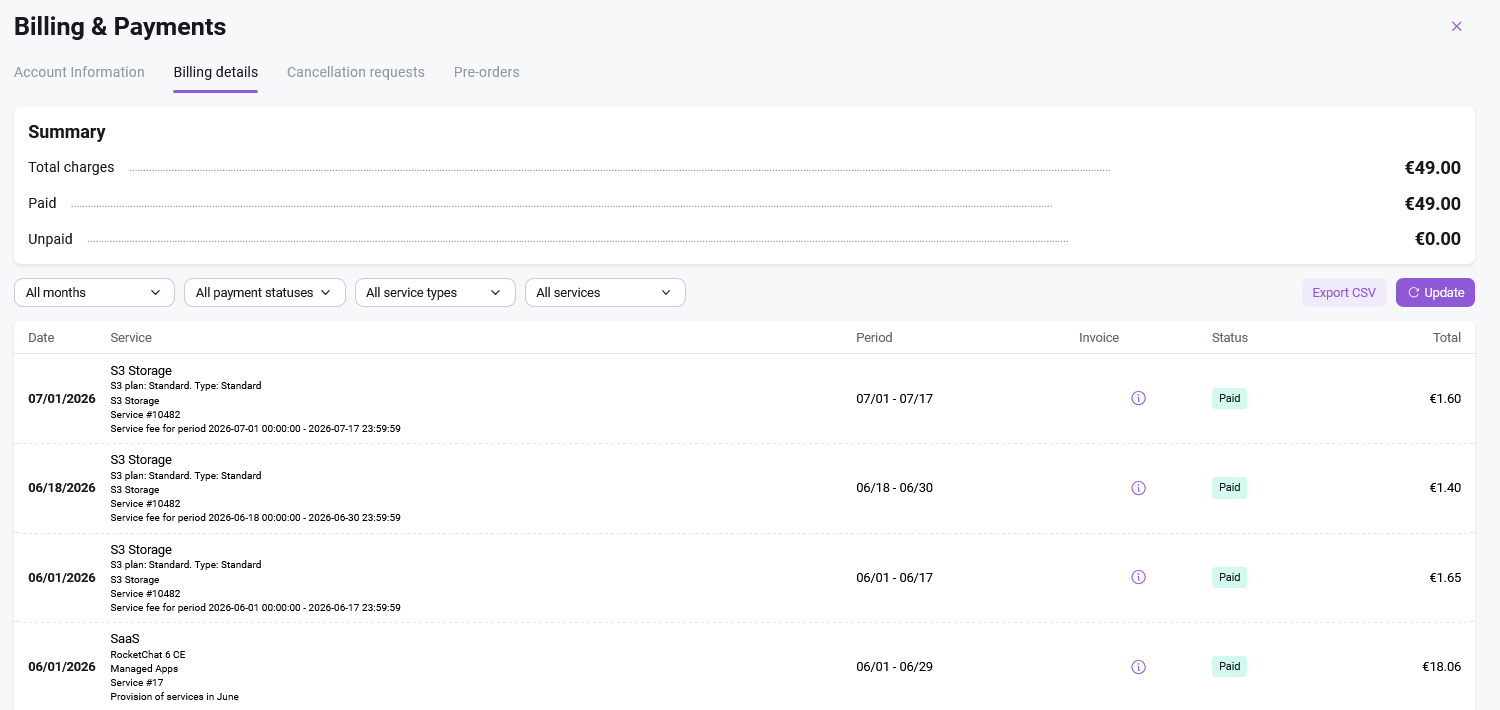
To view your billing history, go to the Balance & Payments menu in the user profile within Invapi and navigate to the Billing Details section.

In the Billing Details section, you can view the transaction history for all additional services on this account (Managed Applications, S3), as well as the total amount charged to this account. Each service charge is listed separately in the calculation for the calendar month.
Attention
If there are insufficient funds in your account balance to pay for the service at the time of renewal, an invoice to top up your balance will be sent to the email address provided during account registration. Service provision will be suspended. If the invoice is not paid within 3 calendar days, the service will be deleted and the ability to order new services will be blocked.
Billing statements are generated on the 2nd day of the month following the reporting month at 05:00 UTC. You can review billing statements in the Balance & Payments section in Invapi under the Billing Details tab. The amount in the billing statements is calculated for a calendar month and includes the cost of service usage. A single consolidated invoice including the total amount for all additional services can be generated.