Server Control Console
The Server Control Console is a tool designed for administering, monitoring, and configuring server hardware or software.
Native Console
Accessible directly via the browser. To launch the Native Console, select the desired server in Invapi, navigate to the Console submenu, and then click the Open Native Console button.
The Native Console will be ready within one minute of the request.
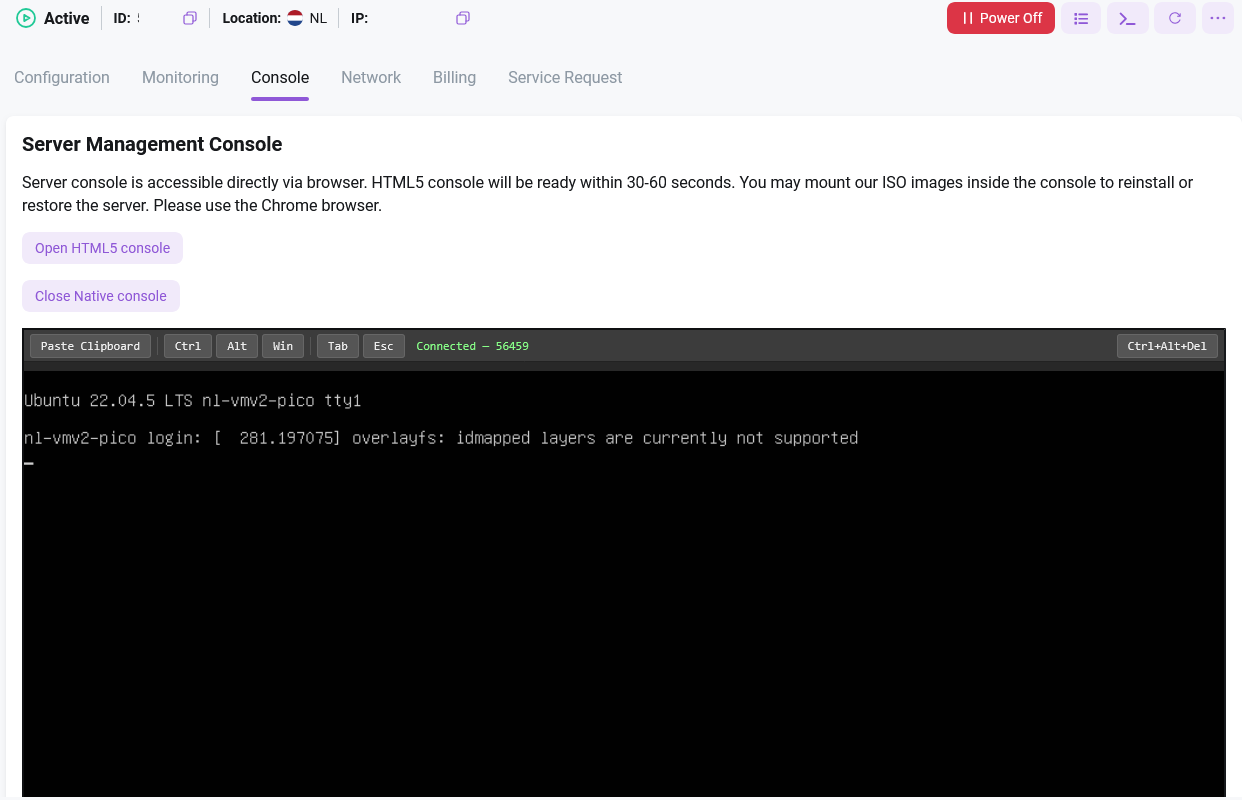
Pressing Ctrl and Alt simultaneously simulates holding these keys down in the operating system. Pressing Tab or Esc triggers a single keypress.
The Paste Clipboard button is used to interact with the clipboard.
Note
The Native Console is available only on VMs. If the console is unavailable, restart the server (power off and then power on) to apply the settings.
It is possible to use our ISO images to reinstall/restore the server.
Note
After the Mount ISO action, the selected ISO image will be mounted as a CD, the server will be rebooted and started from this image. You can manage the server through the console.
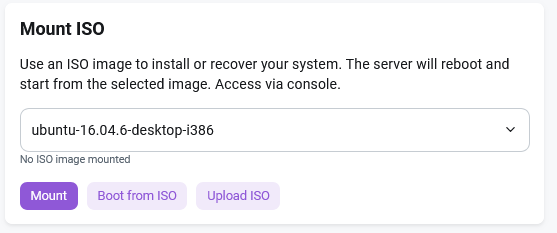
The system will report that the disk is mounted.